Comparison of AI Short Video Tools: Who excels in Automatic Editing, Voiceover, and Subtitles? | Recommended Short Video Tools

A comparison of five mainstream AI short video tools focusing on automatic editing, subtitle recognition, script generation, and localizability for Taiwan, along with a summary table of pricing options, helping small and medium-sized enterprises in Taiwan understand how to choose the most suitable AI short video tool for themselves in one article.
Which AI short video tool is most suitable for small and medium-sized enterprises in Taiwan? The mainstream options include CapCut, Opus Clip, Runway, Klap, and the integrated 管理王 AI Short Video Studio. The comparison focuses on four dimensions: Automatic Editing (can it quickly edit raw materials into a final product), Subtitles and Voiceover (accuracy of traditional Chinese recognition), AI Script Generation (can it generate scripts relevant to the Taiwanese context), and Integration (can it connect with commonly used processes in Taiwan, such as LINE and CRM). If your core need is to mass-produce social media materials and you have a solo editor who can produce consistently, this article will break down the actual differences between each tool to help you make a choice based on your own scenario.
Functional Comparison of Five Mainstream AI Short Video Tools
The AI short video tools available on the market can be divided into three categories: Editing Enhancement (automatically cuts highlights from existing materials), Generation (directly creates videos or visuals from text), and Full Process Integration (script to publication completed within the same system).
Table: Core functional comparison of five tools (according to publicly available information on their official websites, as of November 2026)
| Tool | Type | AI Script | Automatic Subtitles | AI Editing/Cutting | Royalty-Free Music | Traditional Chinese | LINE Integration |
|---|---|---|---|---|---|---|---|
| CapCut | Editing Enhancement + Generation | ✓ EditPilot | ✓ 30+ languages | ✓ Automatic rhythm editing | ✓ Built-in music library | ✓ Available in Taiwanese version | ✗ |
| Opus Clip | Editing Enhancement | ✗ | ✓ 25+ languages | ✓ ClipAnything AI | ✗ | Not clearly specified | ✗ |
| Runway | Generation | ✗ | ✗ | ✓ AI video generation | ✗ | ✗ | ✗ |
| Klap | Editing Enhancement | ✗ | ✓ 99+ languages | ✓ Automatically captures highlight segments | ✗ | Indicates support for Chinese | ✗ |
| 管理王 AI Short Video Studio | Full Process Integration | ✓ Optimized for traditional Chinese | ✓ Traditional Chinese subtitle cards | ✓ From script to final cut | ✓ Commercial music library | ✓ 100% in traditional Chinese | ✓ Native integration |
In a Nutshell
Choose an AI short video tool: If you care about editing effects, choose CapCut; if you want to automatically edit highlights from long videos, choose Opus Clip; if Taiwanese companies need LINE integration and traditional Chinese scripts, choose 管理王 AI Short Video Studio.
Automatic Editing Functionality: Which Tool is the Most Time-efficient?
CapCut EditPilot is CapCut's flagship editing feature, allowing you to input editing directions (e.g., "fast-paced, focus on the first five seconds"), and the AI will automatically execute the edits on the timeline. Coupled with automatic rhythm alignment (Smart Editor), music beats and cut points are automatically synchronized. CapCut excels in its rich library of special effects and transitions, suitable for e-commerce, beauty, and food content that require a visual impact.
Opus Clip's ClipAnything AI is designed for users with long video material (e.g., live stream replays, lecture recordings, Podcast videos): the AI analyzes visuals, voice, and emotions, automatically marking the most shareable segments, while the ReframeAnything feature tracks the subject's position and automatically composes the video, allowing landscape videos to be directly converted to portrait without cropping. The subtitles officially claim an accuracy rate of over 99%, supporting over 25 languages.
Klap also follows the path of cutting highlights from long videos, focusing on subtitle style design (the official site emphasizes "aesthetically pleasing subtitle layouts") and supports over 99 languages, allowing direct scheduling for TikTok, YouTube, Instagram, LinkedIn, and Facebook. If you have many podcasts or educational videos that need to be sliced into shorter clips, Klap is a tool worth considering.
Runway, on the other hand, takes a different approach: it directly generates video segments from textual prompts or enhances existing videos with AI (motion tracking, style transfer). It is more suitable for creative production, advertising companies, and scenarios that require visual effects, and involves a steeper learning curve for small and medium-sized enterprises' daily social media marketing.
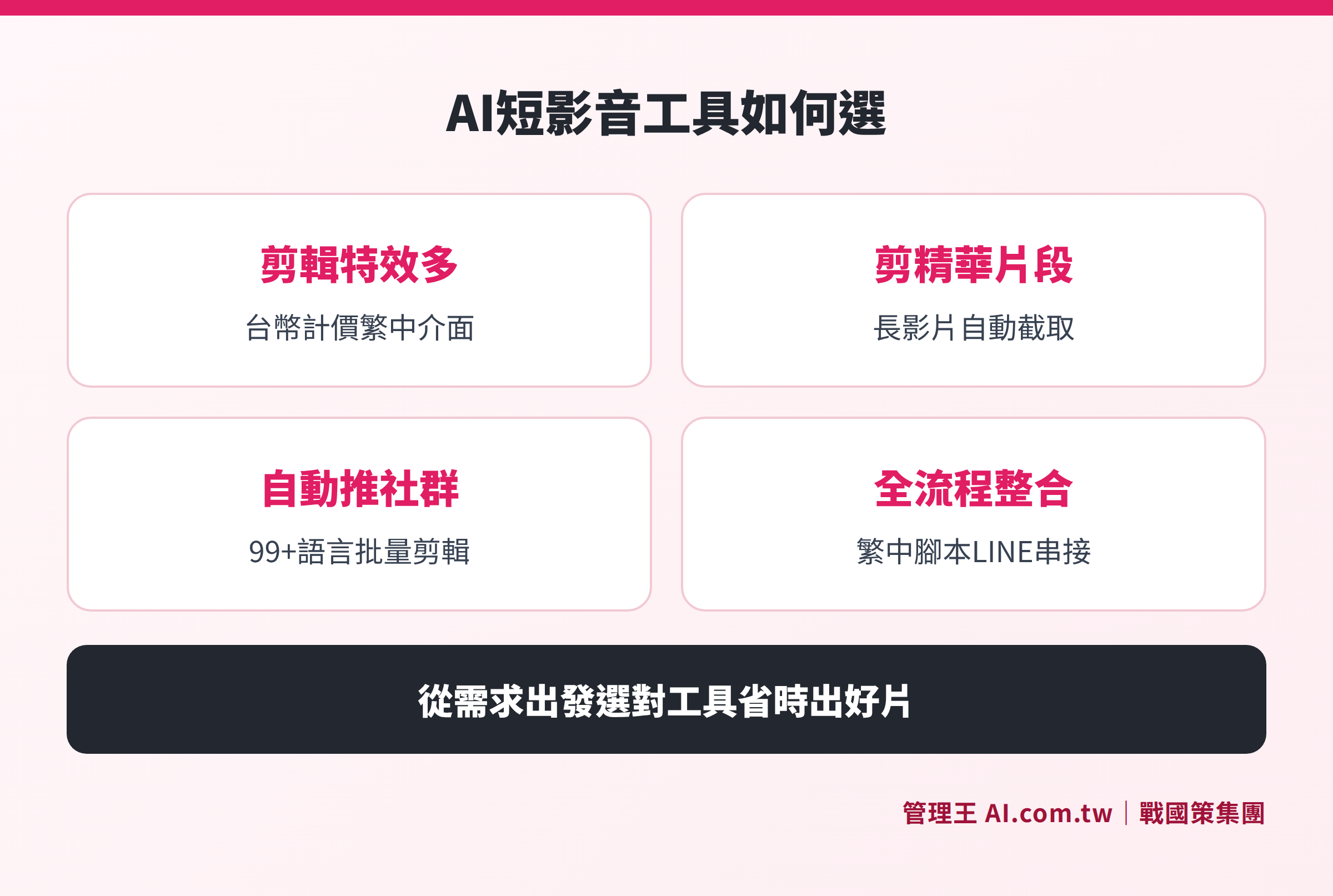
The five tools are positioned based on the "degree of editing automation" and the "depth of support for traditional Chinese" across two axes.
Subtitles and AI Voiceover: Accuracy Comparison for Traditional Chinese
Subtitles are highly important for social media videos in Taiwan—the scene of browsing on a silent phone in the subway is almost the norm, and the accuracy of automated subtitles directly affects completion rates.
CapCut has an official version in Taiwan, with an interface fully in traditional Chinese, and pricing calculated in TWD (see the pricing table below for details). The subtitle recognition supports over 30 languages, with stable performance in recognizing traditional Chinese. The text-to-speech (TTS) function offers voiceover options in over 40 languages.
Opus Clip's official site indicates support for over 25 languages, but does not explicitly differentiate between traditional and simplified Chinese. It is recommended that Taiwanese users conduct actual tests on recognition effects before use. Subtitles offer a "dynamic text" style (automatically emphasizing keywords based on AI emotional analysis), providing a more lively visual effect than standard subtitles.
Klap's official site indicates support for over 99 languages (including "Chinese"), but similarly does not distinguish between traditional and simplified. Traditional recognition validity in Taiwan needs to be tested.
管理王 AI Short Video Studio's subtitle function is designed for the Taiwanese traditional Chinese context, supporting traditional Chinese subtitle card styles and also optimizing for mixed Taiwanese and Southern Min dialect speech. There are no additional charges for AI usage; AI functionality is included in the subscription plan.
AI Script Generation: Who Can Create Traditional Chinese Copy Relevant to the Taiwanese Context?
The quality of script generation often determines whether the entire short video production process can truly be handled by one person.
CapCut's built-in EditPilot can generate scripts based on themes, with the Taiwanese version interface in traditional Chinese, but the underlying script generation still uses English prompts for conversion, and the naturalness of the traditional Chinese context varies by topic.
The other tools (Opus Clip, Runway, Klap) do not have publicly available script generation capabilities, focusing mainly on editing and conversion without addressing the issue of "what the first sentence should say."
管理王 AI Short Video Studio offers script generation trained specifically for the Taiwanese traditional Chinese context, producing content based on the "golden structure" of short videos: hook in the first three seconds (opening suspense) → selling points in the middle → Call to Action (CTA) at the end, individually optimized for the viewing rhythm of different platforms like Reels, TikTok, and YouTube Shorts. In addition to short video scripts, the same account can also use AI Automation Ocean Patrol Tool for customer development integration, or combine with social scheduling management for cross-platform one-time publishing.
Comparison of Plans and Fees for Each Tool
Table: Comparison of plan fees (based on publicly available plans on their official websites, as of November 2026; exchange rates based on the currency shown on each official site)
| Tool | Free Plan | Paid Starting Point | Notes |
|---|---|---|---|
| CapCut | ✓ Yes | TWD 590/month (Pro) | Official site pricing in Taiwan, annual payment plans are more favorable |
| Opus Clip | ✓ Yes (with watermark) | USD $15/month (Starter) | Free version exports with watermark, storage expires in 3 days |
| Runway | ✓ Yes (125 points, one-time) | USD $15/month (Standard, monthly payment) | Annual payment USD $12/month; points must be renewed when exhausted |
| Klap | ✓ Yes (single preview) | USD $14.50/month (Basic, annual payment) | Monthly payment USD $29; billed based on the number of productions |
| 管理王 AI Short Video Studio | ✓ Permanently free (includes AI points) | NT$5,000/month (Economy type, 30 users) | AI Short Video Studio included in the marketing module, free plan can be used permanently |
管理王's free plan is different from the "free trial" of other tools: the free plan is permanently usable (not a trial period), with a member limit of 10; AI features have a one-time limit, and an upgrade to a paid plan is necessary to continue using the AI generation features. For standard features such as subtitle uploading and video downloading, it is recommended to check the official website or call 0800-003-191 to confirm the latest plan specifications.
Four Key Questions for Taiwanese Companies When Choosing AI Short Video Tools
Before selecting a tool, it is advisable to first think through these four questions:
1. What is your primary publishing channel?
If your main focus is TikTok, Instagram Reels, and YouTube Shorts, CapCut provides the most complete support for formats on these three platforms. If LINE official account push notifications are also needed, only tools integrated into business systems (like 管理王) can complete this within the same interface.
2. Do you have material to edit, or do you need to generate content from scratch?
If you have existing live streams, interviews, or explanatory videos that need to be cut into shorter clips → Opus Clip or Klap are more suitable. If you need to achieve everything at once from script, subtitles, and music → CapCut or 管理王 are more appropriate.
3. How high do you need the quality of traditional Chinese copy?
If Taiwanese brands need campaigns featuring local vocabulary or promotional language (e.g., "limited-time purchase," "add LINE for discounts"), it is important to confirm whether the tool can generate non-machine-translated traditional Chinese copy; it is advisable to conduct actual tests before deciding.
4. How much efficiency tracking do you require?
If you only need to view the number of views provided by the platform itself, most tools can meet this need. However, if you need to track the complete path from "short video view → adding to CRM → conversion," you will need tools that integrate with CRM systems and advertising management, with 管理王 being able to complete this path within the same account.
Related reading: Complete Guide to Short Video Marketing outlines the entire process from script creation, filming to advertisement placement, which can be used alongside this article for reference. To evaluate whether to learn by taking courses or directly using tools, you can also refer to Is It Worth Taking Short Video Courses?.
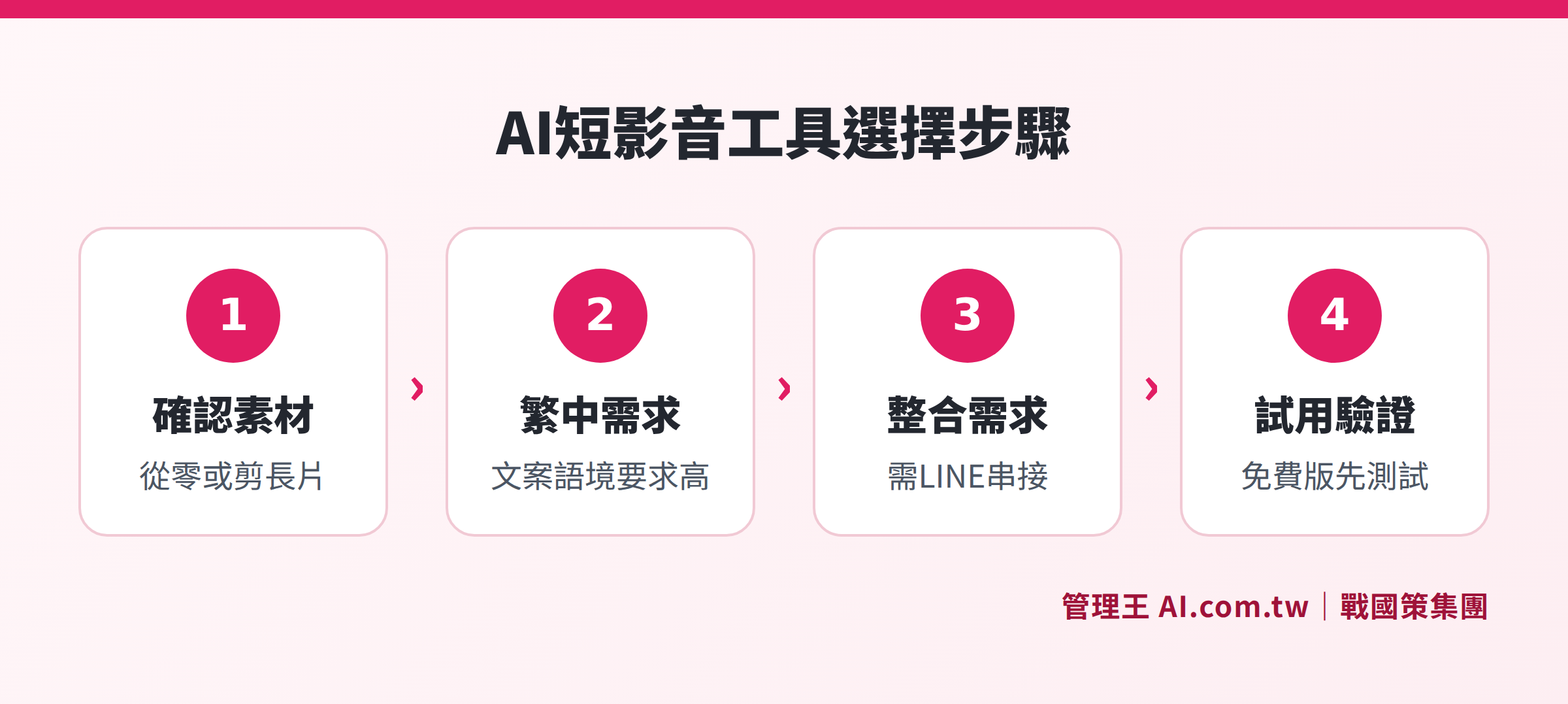
Gradually guide towards suitable tools based on demand scenarios (whether or not there is material, need for LINE integration, traditional Chinese requirements).
How to Use 管理王 AI Short Video Studio
管理王 AI Short Video Studio's operation process is designed for "one person, one afternoon to prepare a week's content" with the following specific steps:
Step One: Input the topic or product name, and the AI will automatically generate a script based on the golden structure of short videos, including the opening hook, selling point elaboration, and CTA. The system provides multiple script styles for selection (e.g., lively promotional type, problem-solving type), and manual tweaking is also possible.
Step Two: Upload voiceover or audio, and the AI will automatically recognize the speech, add subtitles sentence by sentence, and synchronize timing. The traditional Chinese subtitle card styles can be customized, making it readable even in silent browsing.
Step Three: AI automatically generates cover images and multiple sets of title copy, suggesting eye-catching cover images based on video content to enhance click-through rates.
Step Four: Apply transitions and background music, with a built-in royalty-free commercial music library, while the AI suggests according to the video's emotional tone, ensuring no copyright infringement.
Step Five: One-click export or connect to social scheduling, allowing cross-platform publishing with social scheduling management, or conduct paid promotions directly through advertising management.
The entire process is completed within the same account, without needing to switch between CapCut → script tools → scheduling tools across three different systems. Video performance data will also return to 管理王's BI reports for unified ROI comparison with other marketing modules.
The free plan can be used permanently, allowing teams of fewer than 10 members to start trying without payment. For larger AI usage or more members, the economy plan starts at NT$5,000/month; more details can be found on the pricing page.
Additionally, if the company is simultaneously doing B2B client development, it can pair with the AI B2B Development System and Marketing Automation to allow potential clients attracted through short videos to enter the subsequent follow-up process directly.
Find the Most Suitable AI Short Video Tool
Consultants offer free assistance in assessing the AI short video workflow that best meets the needs of small and medium-sized enterprises in Taiwan, taking care of everything from script generation, subtitles to LINE publishing.
Free consultation hotline: 0800-003-191
LINE Official Account: @119m
Official Website: app.AI.com.tw
Free Trial: Apply for 管理王 now
Frequently Asked Questions
Can CapCut and 管理王 AI Short Video Studio be used together?
Yes. The two are not mutually exclusive tools. CapCut is suitable for creating visually rich short videos that require extensive effects material; 管理王 AI Short Video Studio is appropriate for integrating the complete process from "script generation → subtitles → publication → CRM tracking." If a company has both effect editing needs and cross-system integration needs, they can assign tasks accordingly.
Does 管理王 have a similar function to Opus Clip's "extract highlights from long videos"?
管理王's AI Short Video Studio focuses on "one-click short video production from themes or scripts," rather than extracting highlights from existing long videos. If your main materials are live stream replays or meeting recordings, Opus Clip or Klap may be more suitable in this scenario.
Is there a limitation on the AI Short Video Studio features in 管理王's free plan?
According to 管理王's official explanation, the free plan is permanently usable, with a one-time AI point limit; after using these points, an upgrade to a paid plan is necessary to continue utilizing AI generation features. For standard features such as subtitle uploading and video downloading, it is advisable to check the official website or call 0800-003-191 to confirm the latest plan specifications.
Who owns the copyright to AI-generated short video copy?
According to the terms of service of tools like CapCut and Opus Clip, users typically retain usage rights for content produced using AI tools; however, specific copyright ownership depends on the latest ToS of each tool, so it is advised to review the latest terms on each official site prior to commercial use. For scripts and videos generated by 管理王, users hold the usage rights to the output content, according to 管理王's terms of service.
Do these tools support optimizing existing advertisement videos for re-upload?
CapCut supports AI editing optimization after uploading existing materials; Opus Clip and Klap also accept uploaded videos to capture highlight segments; Runway allows for AI style adjustment on uploaded videos. Currently, 管理王 AI Short Video Studio focuses on a new production process from script to final cut, and for optimizing existing materials, it is recommended to check the official website for the latest feature descriptions.
Sources
- CapCut Official Pricing Page (Taiwan): https://www.capcut.com/pricing (as of November 2026)
- Opus Clip Official Features and Pricing Page: https://www.opus.pro/pricing (as of November 2026)
- Runway Official Pricing Page: https://runwayml.com/pricing (as of November 2026)
- Klap Official Pricing Page: https://klap.app/pricing (as of November 2026)
- 管理王 AI Short Video Studio Features Page: https://app.ai.com.tw/features/ai-short-video-studio
- 管理王 Pricing Plans: https://app.ai.com.tw/pricing