Is It Time to Upgrade from Traditional Cash Registers to POS? 5 Upgrade Signals|POS System Recommendations

An overview of the core differences between traditional cash registers and POS systems, listing 5 key signals indicating the need for an upgrade, including electronic invoice regulations, diverse payment methods, inventory management, sales data, and chain store expansion needs, along with a cost structure comparison table.
Should you replace your traditional cash register with a POS system? The answer depends on whether your store exhibits the following 5 signals. Traditional cash registers are responsible for 'receiving money', while POS systems are responsible for 'management': the former only records transaction amounts, while the latter simultaneously manages inventory, issues electronic invoices, analyzes sales data, integrates multiple payment methods, and even consolidates reports across locations. If you rely on manual reconciliation at the end of each month, hand-enter electronic invoices into another system, or need to switch devices for mobile payments, this article is written for you.
Traditional Cash Register vs. POS System: Overview of Core Differences
Before choosing a cash register system, clarify the fundamental differences between the two. A traditional cash register is a single-purpose hardware device, primarily used for calculating amounts, opening cash drawers, and printing receipts; a POS (Point of Sale) system, on the other hand, is a business management platform with software at its core, where the hardware is merely a carrier and the real value lies in backend data and integration capabilities.
Table: Comparison of Functions between Traditional Cash Registers and POS Systems
| Comparison Item | Traditional Cash Register | POS System |
|---|---|---|
| Electronic Invoice | Requires separate purchase of external devices or manual entry | Automatically issues and uploads invoices during checkout |
| Inventory Management | None; requires manual record-keeping | Automatically deducts stock on each sale, showing real-time inventory |
| Payment Methods | Mainly cash; card payments require additional EDC | Cash, card, and mobile payments can be mixed during checkout |
| Sales Reports | None or only totals for the day | Real-time analysis by product, time period, employee, and store |
| Membership Points | None | Points accumulate instantly after purchase, coupons are automatically redeemed |
| Multi-Store Management | Each store operates independently, headquarters cannot view real-time sales | Sales from each store are aggregated in real-time in the headquarters backend |
| Equipment Cost | One-time purchase, but functionality cannot be upgraded | Monthly fee system, with ongoing function upgrades |
In a Nutshell
A traditional cash register is a 'calculator + cash drawer', while a POS system is a four-in-one tool for 'cashiering + inventory + invoicing + data analysis'.
Upgrade Signal 1: You Can No Longer Avoid Electronic Invoice Regulations
The Ministry of Finance in Taiwan has promoted electronic invoices for many years, with current regulations requiring all businesses duly registered for tax purposes to issue uniform invoices electronically. Failure to upload as required, according to the Value-Added and Non-Value-Added Business Tax Act and related penalties, can result in fines depending on the severity of the situation.
The issue with traditional cash registers is not that they 'cannot issue invoices', but rather that they cannot automatically connect to the Ministry of Finance's electronic invoice integration service platform. The typical practice is to purchase an additional electronic invoicing machine, manually enter amounts and items after cashing out, which not only adds another step but also increases the chances of errors and omissions.
With a POS system integrated with the electronic invoice module, invoices are automatically generated and securely uploaded during checkout, requiring no additional action from staff. When your store issues a large number of invoices daily or errors frequently occur during monthly reconciliations, this signal tells you: it's time to switch to a POS.
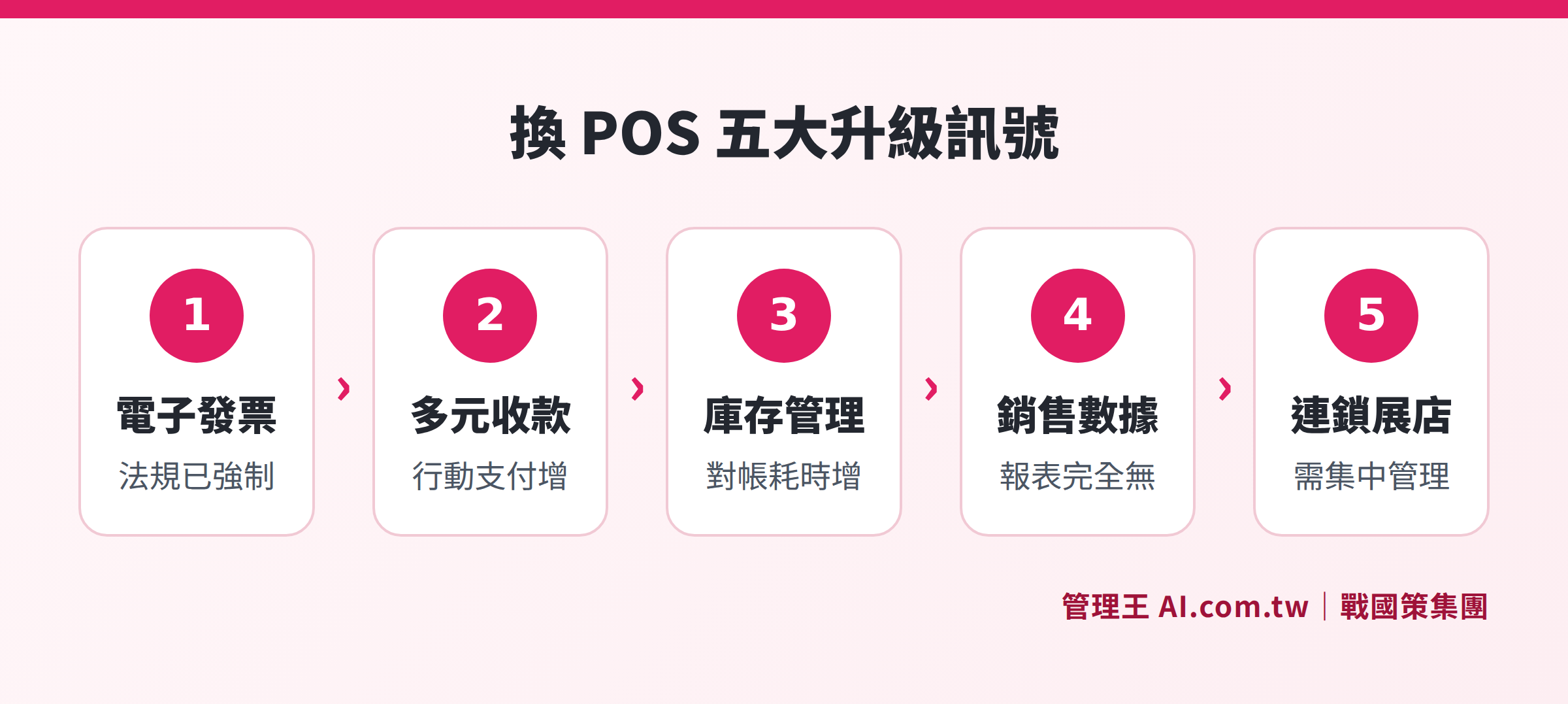
5 key signals to determine whether a traditional cash register needs to be upgraded to a POS system
Upgrade Signal 2: Diverse Payment Methods, Cash Is No Longer Enough
Consumer habits in Taiwan are changing rapidly. Multiple payment methods such as credit cards, mobile payments (like LINE Pay, Jkopay, Taiwan Pay), EasyCard, and iCash are all in use, allowing consumers to pay in any manner or even mix several methods during checkout.
The typical configuration for traditional cash registers is 'cash register + standalone EDC card machine', which do not communicate with each other. Each transaction must be processed separately on both devices, leading to potential employee errors and requiring verification of two records during reconciliation. When the number of payment methods you accept exceeds three, manually reconciling cash and card details each day can consume a significant amount of time. This signals a need to switch to POS.
POS systems support mixed-checkout, allowing a single transaction to be split between cash, credit cards, and mobile payments, and automatically calculate amounts, eliminating the need for employees to estimate manually. By integrating the EDC card machine, all payment records are consolidated in the same backend, making month-end reconciliation go from 'running three systems' to 'generating one report'.
Upgrade Signal 3: Frequent Inventory Errors, Difficult Month-End Reconciliation
Traditional cash registers lack inventory functions; once items are sold, they are just sold. The system does not know. If you rely on manual record-keeping, Excel, or handwritten logs for inventory, the following scenarios may sound familiar:
- Hot-selling products are out of stock, yet employees continue processing sales, only to realize there are no items left
- Month-end stock checks reveal discrepancies between records and actual inventory, and finding the reasons can take several days
- After refunds are processed, forgetting to adjust inventory leads to discrepancies
- When the boss is not present, no one knows what was sold that day or how much inventory is left
POS systems allow each sale to automatically deduct from inventory, and returns also synchronously restore stock levels. Even when the boss is not on-site, they can check real-time inventory and sales via mobile. When the cost of inventory management errors and labor exceeds the monthly fee for POS, this signal is sufficient.
Upgrade Signal 4: You Want to See Sales Data, But Cash Register Reports Are Empty
The reporting capabilities of traditional cash registers are severely limited, usually only displaying 'total sales for the day', which cannot answer the following questions:
- Which product sold the most this month? Which sold the least?
- During which time periods do the most customers visit? How many employees should be scheduled?
- Which employee has the highest sales performance?
- Which location among the chain stores performs the best?
No data means no basis for decision-making; promotions are based on guesswork, inventory is based on intuition, and scheduling is based on habit. This 'gut-feeling management' approach is becoming increasingly risky in a competitive retail environment.
POS systems generate real-time reports based on products, time periods, employees, and stores, allowing headquarters to see each store's sales from the previous day on their mobile device without waiting for weekly or monthly reports. When you find yourself unable to answer, 'What were the best-selling 3 products last week?', it’s time for a POS upgrade.
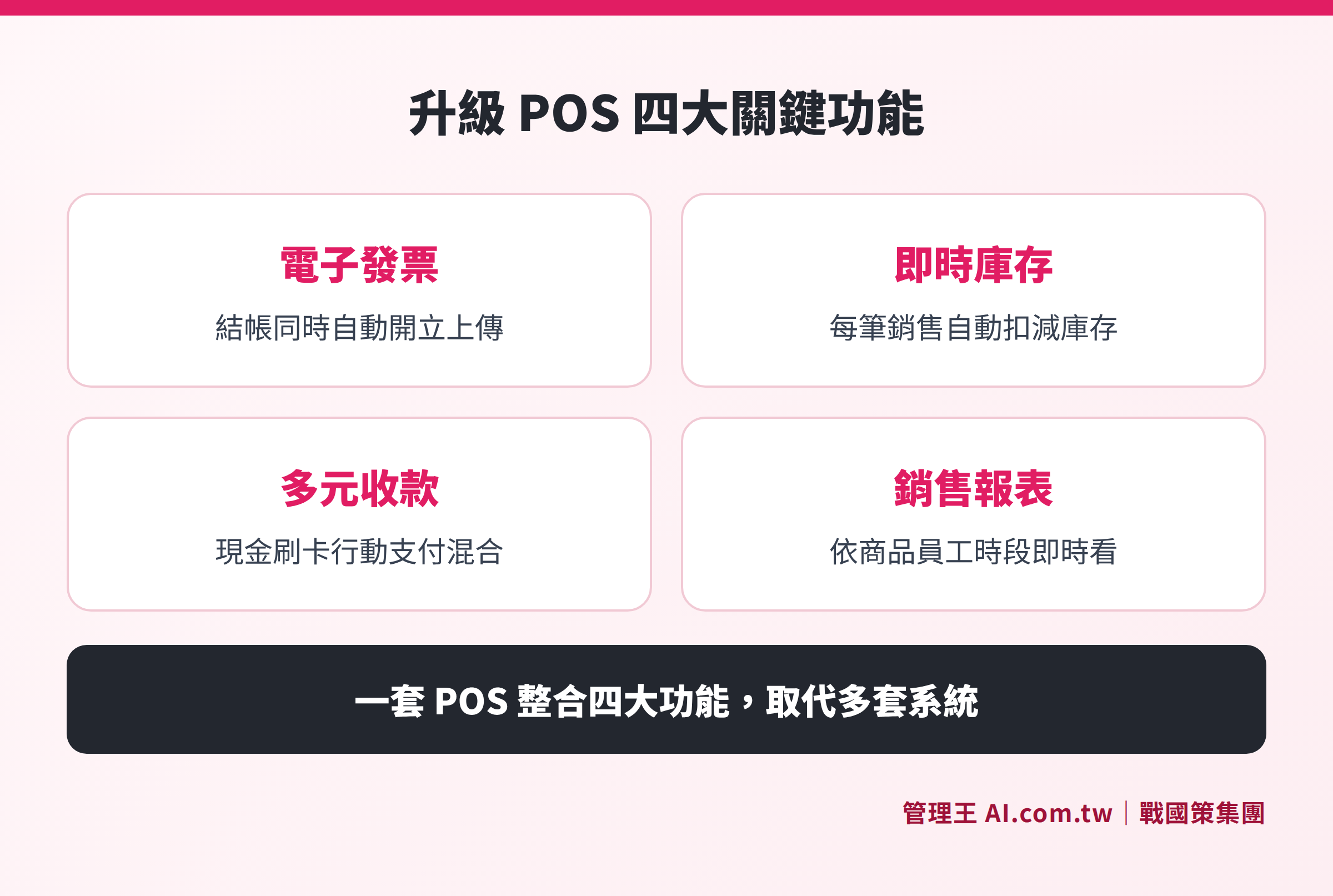
Four core advantages of upgrading to a POS system in electronic invoicing, inventory, payments, and reporting
Upgrade Signal 5: Preparing to Open More Stores or Planning for Chain Expansion
When operating a single store, a traditional cash register might be barely adequate; however, when expanding, problems immediately arise:
- Each store operates its own cash register, and headquarters cannot view daily sales from each location in real-time
- Pricing or promotions need to be manually updated by each store, leading to missed or incorrect updates
- Inventory transfers and cross-store returns have no system support, relying on phone and paper
The core needs for chain brands are 'headquarters visibility' and 'consistent policies'. POS systems aggregate transaction data from each branch in real-time to the headquarters backend, allowing for uniform product and pricing settings at headquarters that automatically sync to all stores without requiring individual maintenance.
If you are considering opening a second store, it is advisable to upgrade to a POS before expanding, so that the second location can be directly linked to the first from day one, rather than waiting until three stores are opened and then trying to backtrack, as the costs of migration and integration will be higher at that point.
How to Estimate Your POS Upgrade Budget? Cost Structure Comparison
Traditional cash registers are typically a one-time purchase of hardware, which may seem cheaper at first glance, but when factoring in additional costs, the difference may narrow. Below is a cost structure comparison of the two models:
Table: Cost Structure Comparison between Traditional Cash Registers and POS Systems
| Cost Item | Traditional Cash Register | Management King POS Cloud Solution |
|---|---|---|
| Main Hardware | Purchase dedicated cash register hardware | One tablet or computer is enough; no need for dedicated hardware |
| Electronic Invoice | Additional purchase of electronic invoicing machine or service | Built-in, issued through ezPay/Neweb Pay value center |
| EDC Card Machine | Additional contract and monthly fees | Integrates with Neweb Pay, Fubon, E.SUN, etc.; one machine is sufficient |
| Inventory Management | None; requires additional software or manpower | Built-in, synchronized in real-time with POS |
| Backend Reports | None or extremely basic | Built-in, can view each store, employee, and product |
| Monthly Fees | None (but functionality cannot be upgraded) | From NT$5,000/month (free plan can be used indefinitely) |
| Customization | Not available | NT$1,000/hour, transparent pricing |
The benefit of a cloud POS monthly fee system is that it does not require a large upfront investment. The free plan can be used to familiarize yourself with the operation before upgrading to a paid plan. In terms of functionality, integration capabilities, and future extensibility, cloud POS solutions offer more flexibility than one-time hardware purchases.
How to Use Management King POS Cash Register System
Management King AI.com.tw POS cash register system is an integrated solution designed for Taiwan's physical retail, catering, and service industries. All you need is a tablet or computer, along with a thermal printer and cash drawer to go online, eliminating the need to purchase expensive dedicated POS terminals.
The actual operational process is as follows:
- Checkout: Scan barcodes or touch to select items, the system automatically displays prices and promotional discounts; supports mixed payment with cash, credit cards, and mobile payments, with change amounts calculated automatically.
- Electronic Invoice: The system automatically issues electronic invoices during checkout, uploaded through ezPay/Neweb Pay value center in compliance with Taiwan's tax regulations, requiring no additional actions from employees.
- Inventory Deduction: Each sale is uploaded to the cloud in real-time and automatically deducts inventory, with returns synchronously restored. The boss can check real-time sales and inventory via mobile.
- Membership Points: Integrates membership point features, allowing consumers to automatically accumulate points after purchases, and coupons are automatically redeemed at checkout without needing manual inquiries from staff.
- Shift Settlement: The shift exchange feature allows for clear checking of each shift's payments and refunds, reducing the risk of cash shortfalls, with staff accountability clearly defined.
- Report Viewing: Daily sales are visible in real-time in the backend, with filtering by product, employee, and time period; chain stores can review aggregated data at headquarters through report analysis features.
In terms of accounting and billing, POS sales data can integrate with the accounting module, eliminating manual steps to transfer from POS to accounting; the inventory module also bases purchases and restocks on data rather than visual estimations.
The free plan allows for indefinite use of core POS cash register features, suitable for small stores just starting out. If there are needs for advanced analytics, multi-store management, or higher AI usage, refer to the pricing options for either the economical (NT$5,000/month) or business (NT$10,000/month) plans.
For more information on POS, check out How to Choose a POS System? Key to Integrating Cash Registers, Inventory, and Memberships and What to Buy for POS Machines? List of Mainframe, Scanners, and Invoicing Machines.
Thinking of Upgrading from a Cash Register to POS?
Book a free consultation to clarify the implementation approach and understand how Management King POS integrates electronic invoicing, inventory, and reports. Try the free plan immediately.
Free consultation hotline: 0800-003-191
LINE Official Account: @119m
Official Website: app.AI.com.tw
Free Trial: Apply for Management King Now
Frequently Asked Questions
Can existing hardware still be used when switching from a traditional cash register to a POS system?
Some peripheral devices can continue to be used, such as thermal receipt printers (supporting USB or Bluetooth connections) and cash drawers (provided they support signaling triggers). It is advisable to replace EDC card machines with models that can integrate with the POS to avoid maintaining separate records between the two systems. The fastest way is to install POS software on existing tablets or computers while only purchasing necessary peripherals to minimize upfront investments.
Is it necessary to switch to a POS system to issue electronic invoices?
Not necessarily. Some businesses choose to purchase standalone electronic invoicing machines or input them through value center backends. However, this approach requires additional steps and cannot be connected in real-time with inventory and sales, leading to potential discrepancies. After integrating an electronic invoicing module, issuing invoices at checkout is the most labor-saving method.
How are data integrated when using the same POS system across multiple stores?
The cloud POS system allows transaction data from each store to be uploaded in real-time to the same backend, enabling headquarters to set product databases, pricing, and promotional plans that automatically sync to all stores, with no need for individual maintenance. Headquarters can view aggregated reports based on store, time periods, and products, while inventory and counts also have system support.
Is the learning curve for employees high after switching to a POS system?
Modern cloud POS systems primarily use touch interfaces, and the checkout process is similar to that of traditional cash registers, allowing most employees to become familiar with basic operations within half a day. Management King's POS uses a 100% Traditional Chinese interface designed for Taiwan's business habits and provides training to help employees quickly adapt.
Under what circumstances is it temporarily unnecessary to switch to POS?
If your store primarily conducts cash transactions, has very few product items (such as single-item vendors), does not require inventory management, and you don't need to analyze sales trends, the low cost of a traditional cash register still holds an advantage. However, if any of the 5 signals described in this article appear, it is worth seriously evaluating an upgrade.
Data Sources
- Ministry of Finance Electronic Invoice Integration Service Platform: Taiwan's electronic invoice regulations, declaration standards, and value center information
- National Legislative Database - Value-Added and Non-Value-Added Business Tax Act: Legal basis for electronic invoices
- National Legislative Database - Regulations on the Use of Cash Registers by Business Entities: Regulations related to cash registers in Taiwan
- Management King AI.com.tw POS System Feature Page: Description of Management King's POS functionality
This article provides general information and does not constitute legal or tax advice, with actual practices subject to the latest announcements from authorities.