What is a Corporate War Room? How CEOs Use Management Dashboards to Monitor the Entire Company in Real-Time | BI System Recommendations

The Corporate War Room consolidates KPIs from systems like CRM, ERP, finance, and HR into a single dashboard, enabling CEOs to instantly grasp performance, cash flow, and anomaly alerts, making it the most practical starting point for SMEs integrating BI systems.
The Corporate War Room (CEO War Room) is a decision-making tool that consolidates real-time KPIs from various company systems into a single dashboard, allowing owners or senior executives to grasp the overall picture of four major aspects: performance, cash flow, personnel, and customers within 30 seconds, without having to piece together multiple systems every day. This concept originated from Churchill’s operational command rooms during World War II, and has now become a core application of BI systems (Business Intelligence systems) in the era of SaaS. For SMEs, the greatest value of the War Room is not the beautiful charts, but the ability to provide real-time alerts so that abnormalities can be detected the same day rather than waiting until the end of the month. This article fully explains the definition of the Corporate War Room, its six functions, selection indicators, and how Taiwanese SMEs can implement it at a low cost.
What is a Corporate War Room? From Military Command Room to CEO Dashboard
The term "War Room" originally comes from the operational command center set up by Churchill in an underground basement in London during World War II, with maps and battle situations updated in real-time to allow commanders to make deployment decisions within minutes. Today, the business world borrows this concept, replacing "battlefield intelligence" with "operational data" and "maps" with "dashboards."
The Corporate War Room (Executive Dashboard or CEO War Room) is a BI system application with the core mission of:
- Integrating data scattered across systems like CRM, ERP, human resources, accounting, and customer service in real-time
- Visualizing KPI achievement rates, trend lines, and anomaly alerts
- Enabling managers to make data-driven decisions on a single screen without IT intervention
For Taiwanese SME owners, the core pain point addressed by the War Room is "dispersed information and slow decision-making." Many owners have to open more than five Excel files or systems daily to piece together a comprehensive overview of "how much did we earn yesterday, how many invoices were issued today, and are accounts receivable overdue" — this process itself incurs costs.
In a nutshell
The Corporate War Room = condensing all system KPIs into one interface, allowing the owner to view the entire company in 30 seconds without opening multiple systems.
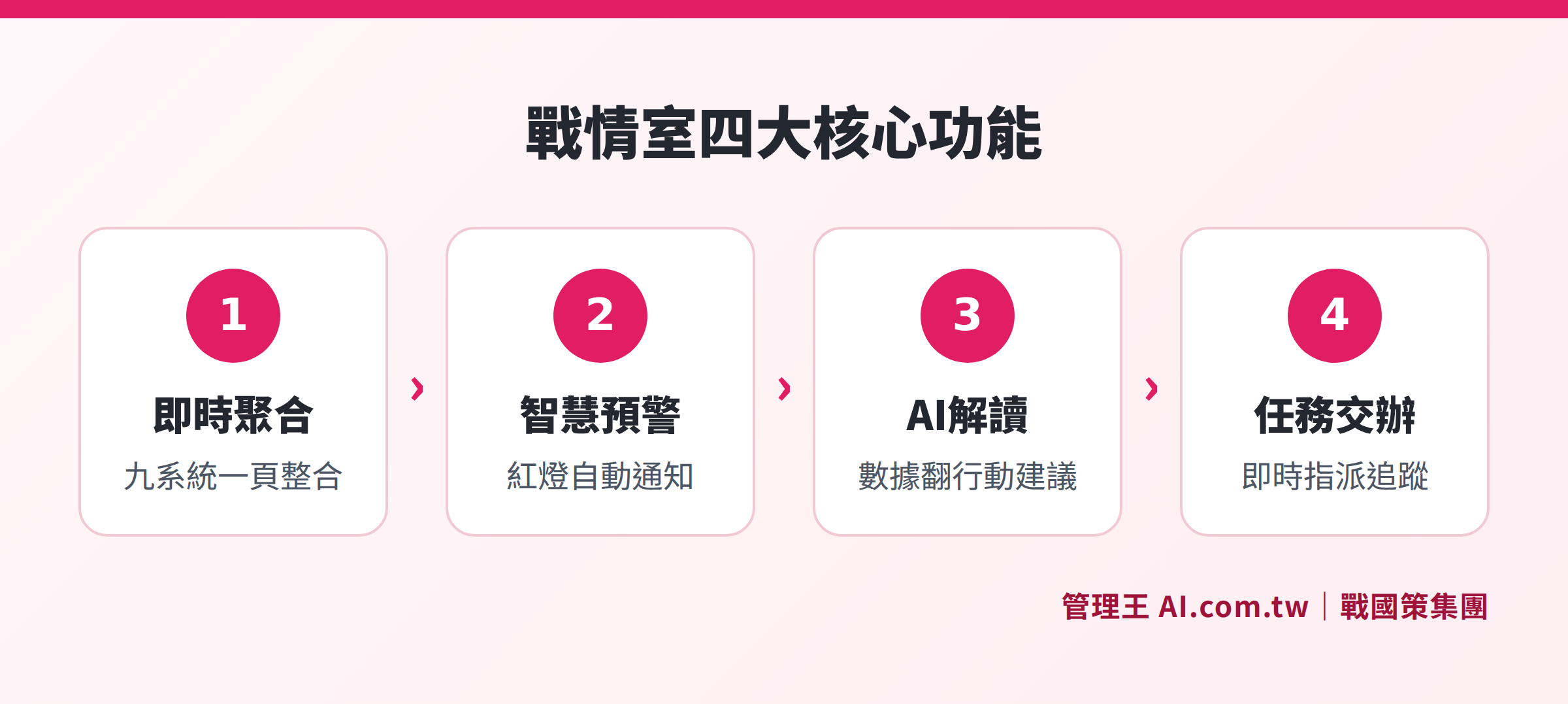
The Corporate War Room integrates data from systems like CRM, ERP, accounting, and HR into a single dashboard for real-time decision-making by the CEO.
Six Core Functions of the CEO War Room
1. Real-Time Aggregation of Nine Key Systems
The modern Corporate War Room not only shows performance but also presents key indicators from all subsystems on one page. A complete war room encompasses: sales CRM progress, task completion rates, quotation and order amounts, accounting receivables and payables, marketing effectiveness, customer service NPS, HR attendance and personnel costs, inventory levels, AI usage, and more.
2. Real-Time Business Metrics and Trend Lines
Traditional monthly reports show results that are "set in stone;" the war room shows "today's numbers." The key difference lies in the update frequency: real-time dashboards typically update every 5 minutes to 1 hour (depending on system design), allowing the owner to intervene before problems worsen.
Typical real-time indicators include:
- Performance achievement rates and target discrepancies (compared to last month and the same period last year)
- Today's new customer count and transaction number
- Top 5 sales leaderboard
- Amount overdue in accounts receivable
- Cash flow gap forecast
3. Three-Tier Red, Yellow, Green Warning System
An excellent war room utilizes a three-tier design of "scorecard + trend line + red-yellow-green light" as follows:
- Green Light: Indicator is normal, no action required
- Yellow Light: Approaching the threshold, needs attention
- Red Light: Exceeded the alert line, automatically notifies via LINE
For instance: when gross margin drops below 30%, accounts receivable overdue exceeds 500,000, or KPI achievement rate is below 80%, an alert is automatically triggered. This directs the owner's attention to what needs to be addressed most.
4. AI-Generated Weekly Business Summary
The new generation of AI war rooms not only displays numbers but also "interprets the data." The system automatically writes a business summary weekly, translating "accounts receivable increased by 15%" into specific action recommendations like "Contact customer A and B today for extended payment terms." AI also performs anomaly detection (sudden drops in performance, overdue receivables, unmet KPIs) and forecasts numbers for the next quarter, helping owners transition from "viewing numbers" to "making decisions."
5. Cross-Department KPI Transparency
The war room allows department heads to view the same set of data, eliminating the communication costs associated with "presenting reports and comparing figures in meetings." It is designed based on role permissions: CEOs see everything, department heads see their own department, and store managers see their own stores. This level of transparency itself is an organizational culture tool.
6. Mobile Access Anytime
Since owners are often not in the office, a good war room should function smoothly on mobile devices. Responsive design, PWA versions, and LINE Bot quick access allow owners to monitor company conditions in real-time, whether on-site with customers or traveling on business.
Corporate War Room vs. Traditional Reports: Four Key Differences
Many owners are accustomed to receiving an Excel summary report at the end of the month or having their secretary send a stack of PDFs weekly. The difference of the war room is not just a "nicer appearance" but a fundamental speed difference in decision-making.
Table: Comparison between Corporate War Room and Traditional Reports
| Comparison Item | Traditional Excel Reports | Corporate War Room |
|---|---|---|
| Data Update Frequency | Weekly or monthly reports, delayed by 1 to 30 days | Real-time or hourly updates |
| Creation Method | Manual aggregation, requiring secretary or accounting time | System automatically aggregates, no manual input |
| Anomaly Detection Timing | Problems are only known at the end of the month | Immediate alerts that same day or week |
| Cross-System Integration | Requires manual copy-paste | Automatically links all subsystems |
| AI Interpretation Capability | None | Automatically writes summaries and action suggestions |
| Mobile Access | Need to open attachments, difficult to operate | Direct use through mobile browser |
Traditional methods leave owners "discovering problems when they are already set in stone;" the war room allows owners to intervene and adjust at the early stages of problem development. This time difference is one source of competitive advantage for businesses.
Corporate War Room vs. BI Tools (Tableau, Power BI): Trade-offs for SMEs
Tableau and Power BI are well-known general BI tools globally, offering powerful features, but there are several practical issues for Taiwanese SMEs:
Table: Comparison of Corporate War Room Types
| Comparison Item | Tableau / Power BI | All-in-One War Room (like 管理王) |
|---|---|---|
| Implementation Difficulty | Requires IT personnel, 1 to 3 months setup | Plug-and-play, online the same day |
| Data Integration | Requires paid ETL services or self-integration | Natively integrates CRM / ERP / HR |
| Licensing Costs | Tableau starts at $75 USD/user/month; Power BI starts at $10 USD/user/month | Included with All-in-One system, no additional charges |
| Traditional Chinese Support | Primarily in English, steep learning curve | 100% Traditional Chinese |
| Compliance with Taiwanese Regulations | Requires self-setup for invoice and labor law fields | Built-in Taiwanese invoice and labor insurance logic |
| Suitable for | Medium to large enterprises with IT teams | Small to medium enterprises without IT teams |
The choice logic is straightforward: if a company has a dedicated IT team and needs highly customized ETL logic, choose Tableau or Power BI; if the company has fewer than 50 employees, lacks IT personnel, and needs a quick setup, then the All-in-One type war room systems are more practical.
Five Common War Room Scenarios for SMEs
Manufacturing: Overview of Production Lines and Inventory
A metalworking factory with 45 employees used to check five Excel files daily to track orders, shipments, production lines, inventory, and account receivables. After implementing the war room, the system consolidates data on one page, and AI automatically alerts: "Customer A has overdue receivables; contact today" and "Inventory X is below safety levels," moving from passive checks to proactive alerts.
Retail Chains: Real-Time Comparison of Multiple Stores
An 8-store chain restaurant used to only know which stores made profits or losses at the end of the month. The war room allows real-time comparisons of table turnover rates, average customer spending, gross profits, and personnel costs across various stores, enabling intervention on anomalous stores that same day without waiting for month-end reconciliations.
Consulting Firms: Human Resources and Business Opportunity Progress
A consulting firm with 30 employees previously received their business reports a week late, by which time it was already too late. The war room now allows the owner to see each consultant's working hours, revenue contribution, and business opportunity progress in real-time, enabling proactive problem-solving before issues arise.
Trading Companies: Accounts Receivable Risk Management
International trading companies fear prolonged customer account periods leading to bad debts. The war room's accounts receivable module can set alerts for account periods, automatically sending LINE notifications for overdue accounts, making it more efficient than manually monitoring Excel.
E-commerce / Marketing: Advertising Effectiveness and Order Conversion
Marketing metrics like Return on Advertising Spend (ROAS), conversion rates, and shopping cart abandonment rates are integrated with order numbers on the same dashboard, enabling marketing managers and owners to confirm whether the advertising budget is being well spent.
From Implementation to Launch: Four Stages of Building a Corporate War Room
Many SME owners worry that "implementing a war room is complex and will take a long time,” but this largely depends on the type of tool chosen. Using an All-in-One system as an example, the building process can be divided into four stages:
Stage 1: Inventory Existing Data (Week 1)
Identify which systems are currently in use and what data each system is responsible for. Common questions include: CRM in Excel, accounting in accounting software, HR on paper or another system; there may be no integration among them. This inventory step determines the completeness of the data that can be integrated into the war room.
Stage 2: Confirm Core KPIs (Weeks 1 to 2)
The owner needs to answer the question, "What are the five numbers I most want to see every morning?" The usual answers are: today's performance, overdue amount, new customers, employee attendance, and inventory levels. These five priority indicators inform the design logic of the war room.
Stage 3: System Setup and Testing (Weeks 2 to 3)
If an All-in-One system (like 管理王) is chosen, because the data is naturally on the same platform, this stage only requires confirmation that each subsystem has been properly activated, and setting warning thresholds (e.g., triggering a red light when gross margin is below 30%). If custom fields are needed, a consultant will assess and charge based on development hours.
Stage 4: Manager Training (Weeks 3 to 4)
The war room interface focuses on "cards + charts + AI summary in one sentence," deliberately avoiding complex operations so that general managers can get started in 30 minutes. It is recommended to review once a week for the first month to ensure KPI figures align with actual situations, gradually adding more indicators.
After full implementation, the daily use of the war room does not require IT personnel intervention; managers and owners can open the dashboard themselves. The long-term maintenance workload is minimal, mainly limited to "adjusting KPI thresholds" and "adding permissions for new team members."
How to Choose the Right BI System and War Room for SMEs
When selecting a war room system, there are five core assessment indicators:
First, Completeness of Data Sources: Does the system natively integrate commonly used subsystems (CRM, accounting, HR, ERP, inventory), or does it require additional spending on ETL integration? Data silos are the leading cause of failed war rooms.
Second, Real-Time Update Capability: Are the numbers real-time (minute-level) or snapshots taken daily or monthly? Owners need daily data precision or better to make meaningful intervention decisions.
Third, AI Interpretation Capability: Can the system translate "accounts receivable increased by 15%" into specific action suggestions? Simply showing numbers is an outdated system; next-generation systems should "translate data into understandable language."
Fourth, Localization Level: Does it comply with Taiwanese labor laws, tax regulations, and invoicing logic? Is there support for Traditional Chinese interfaces and LINE notifications? Over 80% of Taiwanese bosses typically communicate via LINE, and systems lacking LINE notification support will experience significantly lower usage rates.
Fifth, Mobile Experience: Since owners spend more time outside than in the office, whether the mobile interface is user-friendly determines whether the system will actually be used.
Common pitfalls during implementation include: spending large amounts on Tableau or Power BI but not being able to go live for 3 months; choosing overseas SaaS systems with poor Chinese support and entirely English interfaces; having only daily snapshots without real-time decision capabilities; data stored in overseas data centers failing to meet Taiwan's data sovereignty requirements.
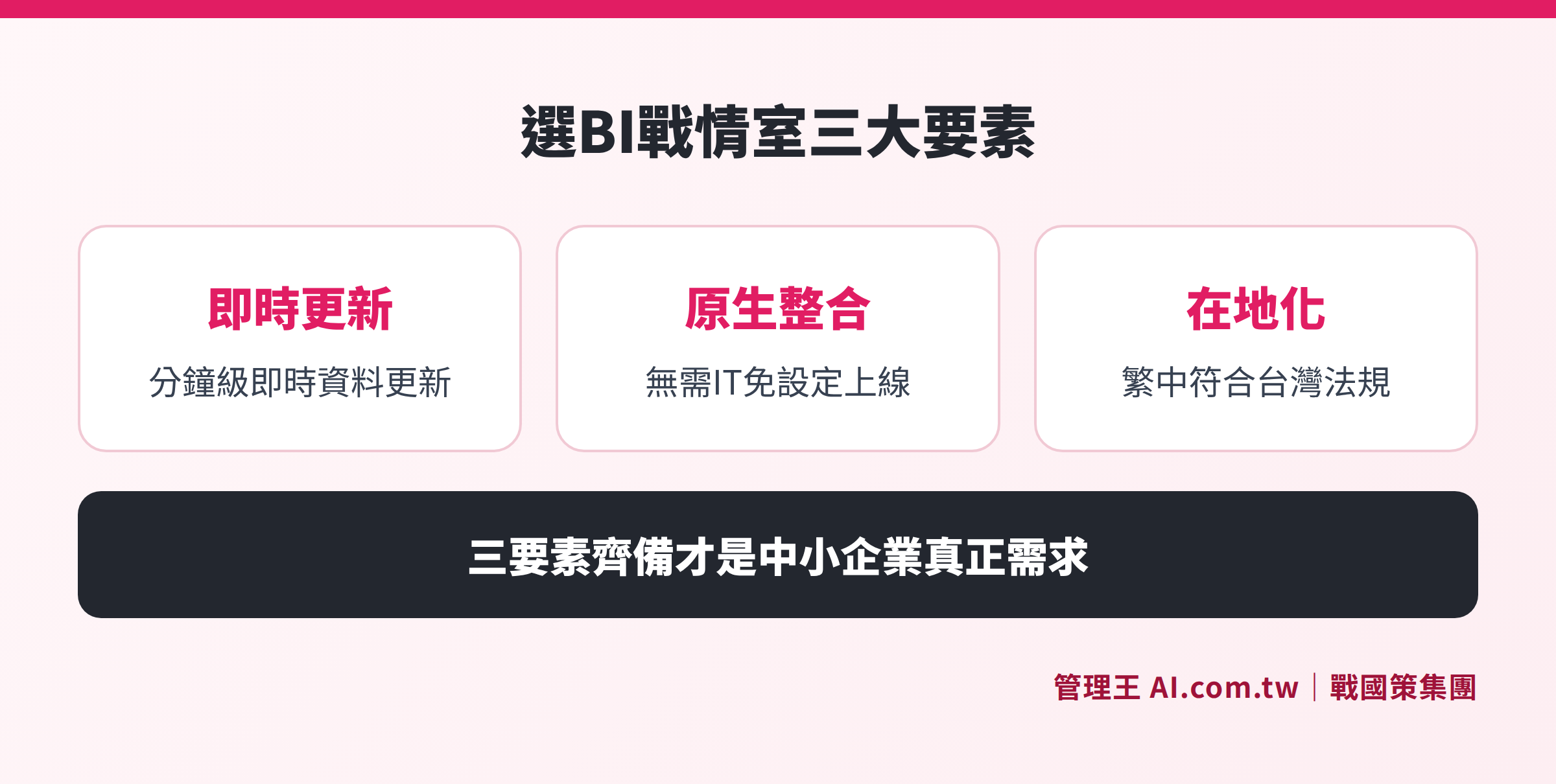
Five key considerations for choosing a corporate war room: completeness of data sources, real-time capability, AI interpretation, localization, and mobile experience
How to Use 管理王 CEO War Room
The CEO War Room from 管理王 AI.com.tw is a one-page operational overview dashboard designed for Taiwanese SMEs, with the main advantage being "plug-and-play" — since the company already uses 管理王 for CRM, quotations, accounting, and personnel, all data is naturally within the system, and the war room automatically aggregates without any need for setup or IT involvement.
The actual process is as follows:
- Start up in 30 seconds: Open the main screen of the CEO War Room to see yesterday's performance rate, today's pending tasks, this month's transaction rate, and cash flow gaps; red light items are immediately obvious.
- Every Monday morning: AI automatically pushes a "weekly business summary" via LINE to the owner and senior executives, interpreting in straightforward terms: what is worsening, what is improving, and what to prioritize this week.
- KPI Alert Settings: Set alert thresholds for gross margin, overdue receivables, performance shortfall in the war room, and automatically notify via LINE when conditions are triggered, avoiding constant screen monitoring.
- Hierarchical Viewboards for Managers: The CEO sees the whole company, department heads see their respective departments, and store managers see their own stores; permission settings are completed in 5 minutes, and new employees automatically inherit organizational structures upon joining.
- In-depth Analysis of Reports: The war room provides an overview; when details are needed, you can click into report analysis for task completion rates, team performance, and customized dimensioned reports, all within one system.
Combined with task management, when the owner sees an anomaly in the war room, they can directly assign tasks to responsible parties; together with the sales target module, they can track individual salespersons' progress toward targets. The entire process from "identifying a problem" to "assigning resolution" is completed within the same system, without needing to switch between multiple apps.
The free plan is available for permanent use, and you can try out all features without needing a credit card. For those needing customized dashboard fields, consultants can provide a free assessment first, with fees transparently charged at NT$1,000/hour. For detailed plan comparisons, see the pricing page.
Experience the CEO War Room for Free, Grasp the Whole Company in 30 Seconds
The 戰國策 Group's consultants assist you in setting KPI alerts, AI weekly reports, and multi-department dashboards. The free plan is permanently available, and you can start without any credit card binding.
Free consultation hotline: 0800-003-191
LINE Official Account: @119m
Official Website: app.AI.com.tw
Free trial: Apply for 管理王 Now
Frequently Asked Questions
Is the Corporate War Room the same as a BI system?
Strictly speaking, a BI system (Business Intelligence system) is a broader concept, encompassing data warehousing, ETL, reporting tools, dashboards, and a complete architecture. The Corporate War Room (CEO Dashboard) is a type of BI system application that focuses on the scenario of "real-time decision-making by top executives," consolidating the most critical KPIs into a single view. In everyday contexts for SME owners, "War Room" and "BI System" are often used interchangeably, essentially referring to the same functional requirements.
Do SMEs need a Corporate War Room?
Businesses with 10 to 300 employees, having more than three sales or management subsystems, and where owners spend over 5 hours weekly reviewing reports, can see immediate benefits from implementing a war room. If the company is currently piecing together cross-departmental data using Excel, a war room can directly save on that labor time, switching from "discovering problems at the end of the month" to "receiving real-time alerts within the week."
Is IT personnel needed to implement a Corporate War Room?
Traditional BI tools (Tableau, Power BI) generally require IT personnel for 1 to 3 months to set up data connections and build data models. All-in-One types of war rooms (like 管理王 CEO War Room) can go live the same day without any IT setup if the company is already using 管理王's CRM, task, accounting, and other modules.
How is data security ensured in the Corporate War Room?
Choosing a system that utilizes local data centers in Taiwan ensures that data is protected by Taiwanese law, reducing the risk of data sovereignty disputes. It's important to confirm that the system offers multi-layer permission control (organizational, departmental, individual), encrypted transmission (HTTPS / TLS), complete audit logs, and data export mechanisms after service termination. 管理王's data is stored at the 戰國策 Group's Taiwan data center, compliant with ISO 27001 standards, supporting exports in CSV, Excel, and PDF formats.
What is the difference between the CEO War Room and the Balanced Scorecard?
The Balanced Scorecard (BSC) is a strategic management framework designed around KPIs from four perspectives: financial, customer, internal process, and learning & growth, typically evaluated quarterly or annually as a strategic-level tool. The CEO War Room, on the other hand, is a real-time monitoring tool for daily operations, focusing on "what is happening today" at the execution level. The two complement each other: use BSC to set annual strategic goals and the CEO War Room to monitor daily execution status.
Data Sources
- Fanruan Software: What is a War Room? From Basic Functions to Practical Implementation Guide
- myMKC Management Knowledge Center: Seamless Streaming Core of Operations "Digital War Room" Implementation Journey and Success Factors
- Fanruan Software: Intelligent War Room Dashboard: A Key Tool for Enterprise Digital Transformation
- Management King's CEO War Room Features Page
- Management King's Pricing Plans