Cloud ERP Pros and Cons: Which Companies are Suitable for a Subscription Model? | ERP System Recommendations
The core advantage of the cloud ERP subscription model lies in low initial investment, no need for IT personnel, and quick deployment; it is suitable for businesses with fewer than 50 employees and standardized processes like trade companies or growing enterprises. This article analyzes the pros and cons, cost structure, and key selection criteria to help business owners determine if the subscription model meets their needs.
Cloud ERP (Cloud ERP) is an ERP solution deployed on cloud servers and paid for through a subscription model. Companies do not need to purchase servers or maintain data centers; they can use the system through a browser or app once their accounts are activated, with system updates and backups handled by the service provider. For small and medium-sized enterprises in Taiwan, the biggest attraction of cloud ERP is that it only requires a monthly fee rather than a multi-million dollar licensing fee, significantly reducing IT burdens. However, the subscription model is not suitable for every company. This article provides a complete analysis from the perspectives of pros and cons, cost structure, and types of companies, helping you determine if the cloud ERP subscription model truly meets your needs.
What is Cloud ERP? Clarify "Renting Software" and "Renting Servers" First
In the market, "Cloud ERP" actually encompasses two fundamentally different models, and confusing these two is one of the main reasons for selection errors.
Multi-tenant SaaS (Renting Software): All customers share the same codebase, and the provider manages updates; you can only adjust parameters without modifying the underlying logic. A typical example is all-in-one subscription systems like Salesforce and 管理王. Payments are made monthly based on user count or functional modules; you can use it right after activation.
Cloud Deployment (Renting Servers): Software licenses belong to you, deployed on the vendor's cloud data center. You can customize the code, and costs are calculated based on server resources, closely resembling traditional on-premise ERP architecture, simply relocating the server to the cloud.
In a Nutshell
The subscription-based SaaS is "renting software," for which you pay for the convenience of not having to utilize all features; cloud deployment is "renting servers," where you still own the program's logic, offering higher flexibility but also at a higher cost.
The "subscription model" discussed in this article primarily refers to the former—multi-tenant SaaS cloud ERP, which is the type most commonly engaged with by small and medium-sized enterprises in Taiwan.
The table below summarizes the core differences between the two models; clarify which kind you need before choosing:
Table: Core Comparison of Multi-tenant SaaS (Renting Software) vs Cloud Deployment (Renting Servers)
| Comparison Item | Multi-tenant SaaS (Software Subscription) | Cloud Deployment (Server Rental) |
|---|---|---|
| --- | --- | --- |
| Ownership of Code | Belongs to the service provider, shared code | License belongs to the enterprise, customizable |
| Billing Method | Monthly payment based on user count or modules | Billing based on server resources |
| Customization Flexibility | Mainly parameter adjustments | Able to modify the underlying logic |
| Maintenance Responsibility | Fully responsible by the service provider | Shared between the enterprise and the vendor |
| Deployment Speed | Fastest; ready to use once activated | Slower; requires deployment and setup |
| Suitable Scale | Primarily small to medium enterprises | Medium to large enterprises or those with special needs |
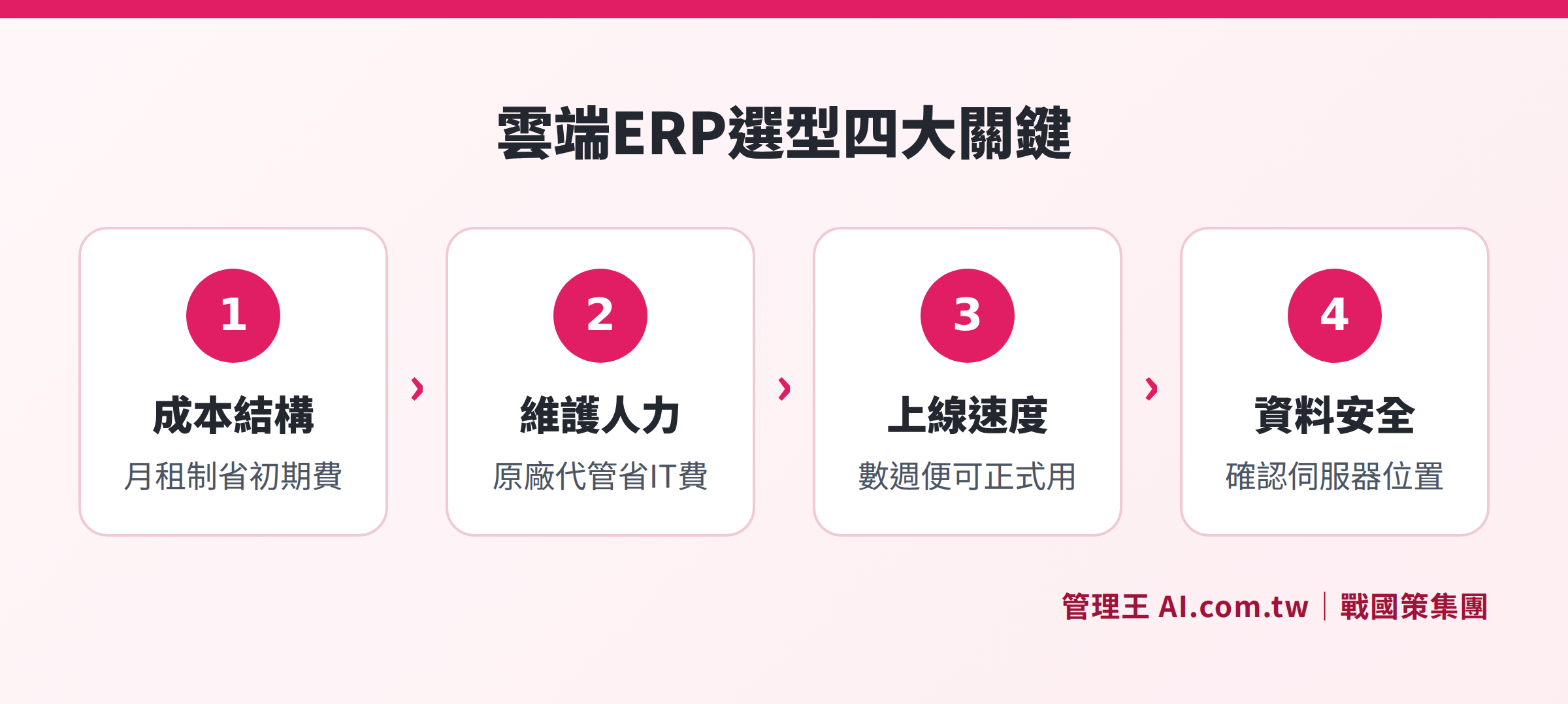
The core differences between cloud ERP (subscription SaaS) and on-premise ERP (buyout) in terms of cost, maintenance, and customization
Five Advantages of Cloud ERP
1. Low Initial Investment, No Need to Purchase Servers
Before implementing an on-premise ERP, a company typically needs to first incur costs for server hardware (estimated in the hundreds of thousands to millions for medium-sized scale) plus licensing fees, creating significant financial pressure in the first year. The cloud ERP subscription model spreads costs out, making monthly fixed expenditures more predictable, which is particularly friendly to cash-strapped small to medium enterprises.
2. No Need for Dedicated IT Staff Maintenance
System upgrades, security patches, and data backups are all the responsibility of the service provider. Many small to medium enterprises in Taiwan, ranging from 10 to 50 employees, do not have dedicated IT staff; using cloud ERP can save hiring or outsourcing costs for IT and management expenses.
3. Accessible from Any Device, Anywhere
Sales staff on the go, managers on business trips, and collaboration between factories and offices in different locations can all access real-time order, inventory, and financial data without being restricted by office VPNs or fixed IP addresses. The hybrid working trend post-pandemic makes this advantage even more pronounced.
4. Automatic Updates, Continuous Feature Addition
Once the on-premise system is purchased, the version is fixed, and each major version upgrade often incurs additional costs and consulting services. SaaS-type cloud ERP typically undergoes regular updates, absorbing legislative changes (e.g., adjustments to electronic invoice specifications, amendments to labor laws), so you don’t have to budget for "upgrade fees" separately.
5. Quick Deployment, Weeks Instead of Months
Traditional on-premise large ERP implementations take a long time; for manufacturing, it could take six months or even over a year. After activation of cloud SaaS-type ERP, typical trade businesses can see it up and running within weeks after importing customers, products, and initial inventory, significantly shortening the investment return period.
Three Major Disadvantages of Cloud ERP (that should not be ignored)
1. Limited Customization Flexibility
SaaS system standardization is an advantage as well as a limitation. If your business processes are highly specialized—for example, multi-stage outsourcing, unique pricing logic, or deep integration with old equipment—SaaS may only provide parameter adjustments rather than programming customization; you will need to evaluate whether the gaps are acceptable.
2. Long-term Costs May Exceed Buyout Model
Depending on the duration of use, accumulated monthly subscription costs may not be cheaper than outright purchases. The larger the company size and the longer the usage duration, the more worthwhile it is to calculate the total cost of ownership (TCO) for both options.
3. Network Stability Affects System Availability
Cloud ERP relies entirely on internet connections; losing internet access means the system cannot be used. For manufacturing plants where production lines cannot stop, or businesses situated in areas with unstable network quality, evaluating backup solutions is necessary.
Cost Structure of Subscription Model: Three-Year and Five-Year Cost Estimates
Taking a medium-sized enterprise in Taiwan with 20 to 50 employees as an example, the cost structure is as follows (for reference; actual costs will vary based on scale and modules):
Table: Cost Structure Comparison of Cloud ERP Subscription vs On-Premise ERP Buyout
| Cost Item | Cloud ERP (Monthly SaaS) | On-Premise ERP (Buyout) |
|---|---|---|
| --- | --- | --- |
| Initial Cost | Low (monthly fee starts, no large licensing fee) | High (licensing fee + hardware to be paid in full) |
| IT Labor Costs | Extremely low (maintained by the service provider) | Medium to high (need to hire or outsource IT) |
| Server Hardware | No need to purchase | Must purchase and periodically replace |
| System Upgrade Fees | Included in monthly fee, automatic updates | Major version upgrades usually require additional fees |
| Customization Costs | Primarily parameter adjustments; complex requirements are quoted by the vendor | High flexibility, priced by labor hours |
| Contract Flexibility | Monthly or yearly payment, number of users can be adjusted at any time | Long-term contract, lower flexibility |
The monthly fees for cloud ERP are typically tiered based on user count, functional modules, and AI usage. Some vendors provide free plans to let companies try core functionalities before upgrading to paid plans, greatly reducing decision-making risks.
Best Fit for Subscription Model: Five Types of Companies
1. Small to Medium Enterprises with Fewer Than 50 Employees and No Dedicated IT
This is the core beneficiary group of the cloud ERP subscription model. By outsourcing system maintenance to service providers, business owners can focus on their core operations without worrying about data centers, backups, and security.
2. Trade Enterprises or Dealers with Relatively Standardized Business Processes
With standardized processes for procurement, sales, shipping, and payments, the general functionalities of the SaaS model can directly meet their needs without requiring extensive customization.
3. Companies with Multiple Locations and Remote Work Needs
Cloud ERP allows subsidiaries or business colleagues from different cities or countries to share the same real-time data, eliminating the complex setups needed for traditional VPN connections.
4. Fast-Growing Startups or Companies Needing Flexible Scalability
The subscription model allows for flexible adjustments based on employee growth, eliminating the need to decide on a five-year system scale during uncertain business times.
5. Enterprises with Limited Budgets Wanting Quick Deployment
With no need for a multi-million dollar licensing fee, funds can be retained for core business activities. Quick deployment also enables earlier realization of benefits.
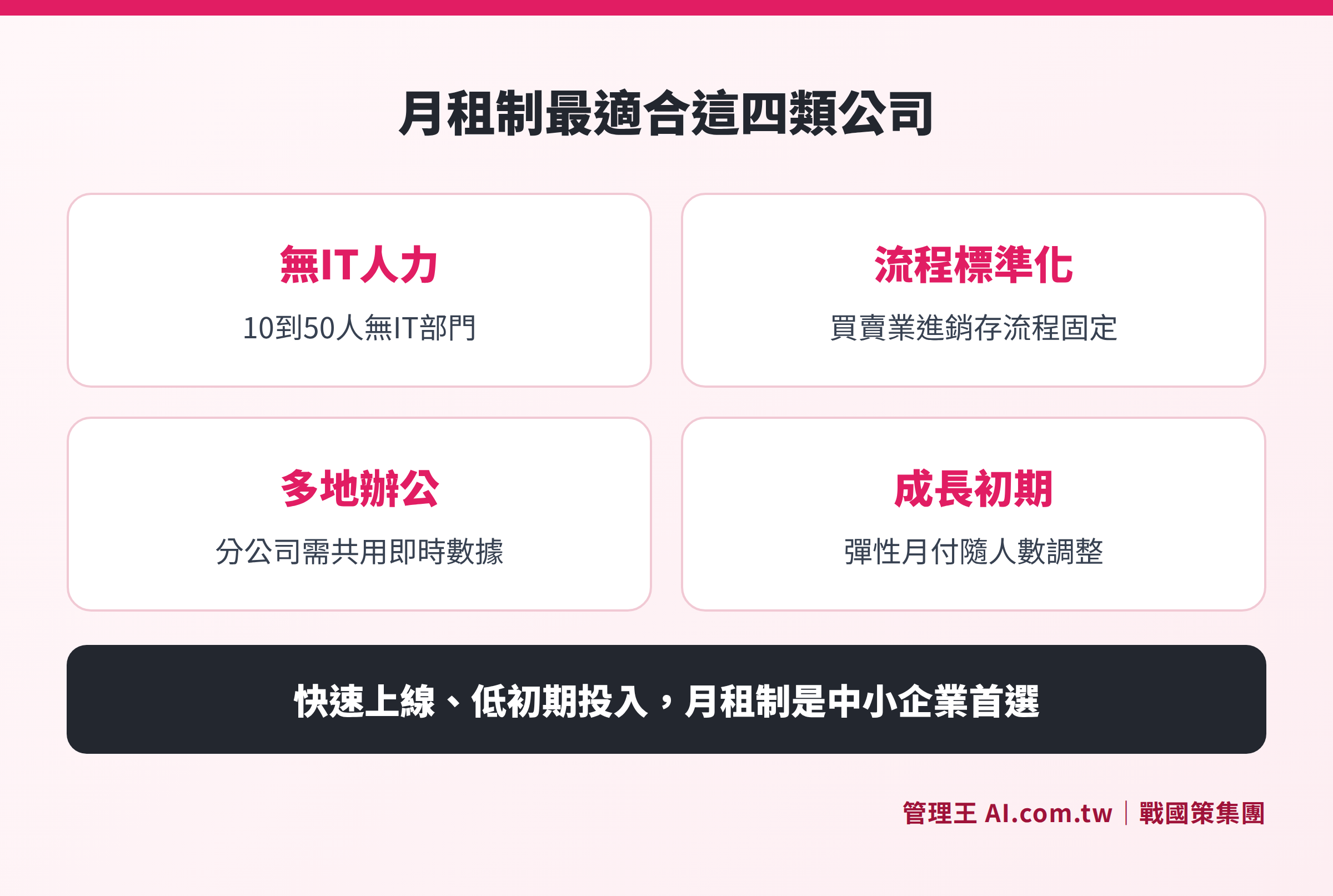
Characteristics of the five types of enterprises most suited for the subscription model: no IT personnel, standardized processes, multiple locations, growth-oriented, flexible budget
Situations Less Suitable for Subscription Model
Cloud ERP is not a panacea; the following situations require careful evaluation:
- Manufacturers with High Customization Requirements: BOM (Bill of Materials), special process management, and deep integration with production equipment may not be fully satisfied by SaaS.
- Industries with Strict Data Sovereignty Requirements: Industries such as finance, healthcare, and government-related businesses with regulations that prohibit data from being exported need to verify the service provider's data storage location and compliance.
- Locations with Weak Network Infrastructure: If the plant has unstable external internet connectivity, system availability may become a bottleneck.
- Large Groups with Existing Stable On-Premise ERP and High Utilization: The long-term total cost of ownership may not be lower than the current system.
How to Use 管理王
管理王 ERP system operates on a cloud SaaS architecture, subscribable for immediate use without needing a server. Here are a few practical operation scenarios:
Whole Process Automation from Order to Payment: After closing deals in CRM, quotes can be turned into orders with one click; upon order shipment, inventory is automatically deducted, and an electronic invoice is triggered; after payment verification, accounts receivable are automatically cleared, with every step immediately written into the accounting system without the need for duplicate entries.
Automatic Synchronization with Procurement and Inventory: The procurement module creates purchase orders and updates inventory quantities in real-time upon acceptance; safety stock alerts and inventory scanning functions eliminate reliance on Excel for inventory management.
Manufacturing Companies: They can create items and BOM, and when issuing a manufacturing order, the system automatically calculates material requirements; the manufacturing module is included in the subscription without needing to purchase separately.
Choice of Plans: 管理王 offers a free plan for permanent use (up to 10 members). After confirming that it meets your needs, you can upgrade to a paid plan (starting at NT$5,000 per month). Consulting services are available for free to ensure needs are confirmed before planning implementation.
To understand the complete features of the ERP system, please refer to the comprehensive explanation in the article What is ERP System? Understanding everything from procurement to finance for small to medium enterprises. For further reading on related topics: What Types of ERP Systems Are There? Differences Between Cloud, Package, and Custom Types, How to Choose an Inventory Management System? Starting from Inventory Account Discrepancies.
Taiwanese SME ERP Selection Consultants, Free Consultation for Online Planning
管理王 consultants understand your business processes and recommend the most suitable ERP solution, with free trials available without credit card bindings, allowing for quick deployment without wasting time.
Free consultation hotline: 0800-003-191
LINE official account: @119m
Official website: app.AI.com.tw
Free trial: Apply for 管理王 now
Frequently Asked Questions
What is the biggest difference between Cloud ERP and On-Premise ERP?
Cloud ERP is deployed on the provider's cloud servers, eliminating the need for companies to purchase hardware, and payment is made through a monthly or annual subscription, with system maintenance and updates handled by the provider. On-premise ERP is installed on the company's own servers, requiring initial spending on licensing fees and hardware, offering greater customization flexibility but requiring self-maintenance or hiring IT. The core differences lie in cost structure (monthly subscription vs. one-time large investment) and maintenance responsibilities.
Is a subscription-based Cloud ERP more expensive in the long term than a buyout model?
This depends on the company's size and usage duration. In the short term (within three years), the monthly subscription cost for cloud ERP typically is significantly lower than that of a buyout model, especially when considering costs for IT labor, hardware maintenance, and upgrade fees. If usage exceeds seven years and the company continues to expand in size, the differences in costs narrow, and large groups will need to calculate total ownership costs (TCO) before making a decision.
Is Cloud ERP secure? Where is the data stored?
The security of cloud ERP data depends on the provider's infrastructure and certifications. During selection, it should be verified whether the data center is located within Taiwan (impacting regulatory compliance and government audits), if it has passed ISO 27001 certification, and whether there is a mechanism for off-site backups. Some foreign SaaS services store their data on overseas servers, which may raise compliance concerns for enterprises needing to meet Taiwanese legal requirements.
How long does it take to implement Cloud ERP?
Standardized SaaS-type cloud ERP, after activation, can typically see businesses up and running within one to several weeks after importing customer, product, and initial inventory data. Companies with production needs will need additional time to establish BOMs, depending on item complexity. Overall, the deployment speed of cloud ERP is much faster than that of on-premise large ERP systems, which typically require several months to over a year.
Can the subscription be terminated at any time?
Most SaaS-type cloud ERP providers offer monthly billing options, allowing adjustments to the number of users or termination of contracts at any time. Some vendors provide annual payment discounts (such as additional months for annual payments), exchanging flexibility for discounts. Before termination, make sure to review data export terms to ensure you can retrieve your customer, financial, inventory, and other data, preventing lock-in situations where data cannot be migrated out of the system.
Sources
- How to Choose Between On-Premise and Cloud ERP? Differences and Customization Conditions Needed to Understand Before Selection | Dingxin Digital (2024, inquiry date: November 2026)
- What is Cloud ERP? Differences and Trade-offs Between Renting Software and Renting Servers | MICROSTEP (inquiry date: November 2026)
- Complete Comparison of Cloud ERP vs. On-Premise ERP | Decision Guide for Taiwanese SMEs (2026, inquiry date: November 2026)
- 管理王 ERP Features Page (管理王 AI.com.tw Official Website, inquiry date: November 2026)