How to Choose a Customer Management System? What Makes CRM Better than Excel|CRM System Recommendations

The difference between a Customer Management System (CRM) and Excel lies in the static list versus dynamic reminders. This article explains the five major issues of managing customers with Excel, six key differences that make CRM better than Excel, five indicators for switching systems, and four key standards for selection: ease of use, mobile experience, local adaptation in Taiwan, and integration, helping small and medium-sized enterprises in Taiwan find suitable CRM system recommendations for their sales teams.
The biggest difference between a Customer Management System (CRM) and Excel is not the number of features but the essential difference between static lists and dynamic reminders. Excel is a file that you keep on your computer; a CRM is an interactive system that actively prompts you to take action and retains customer data within the company. The most common question from small and medium-sized business owners in Taiwan is: "We are currently using Excel to manage customers; when do we need to switch to a CRM?" This article starts from the specific limitations of Excel, explains how Customer Management Systems are stronger than Excel, provides five indicators for system switching, and outlines the four most important selection criteria, so you don’t have to rely on trial and error to find suitable CRM system recommendations for your sales team in Taiwan.
Five Hidden Issues of Managing Customers with Excel
Using Excel to manage customers is fine at first, but as the number of salespeople grows and the volume of lists increases, the following five issues will become more serious and are often only discovered when the problems have become significant.
1. Data Belongs to Individuals, Not the Company
Customer lists exist on individual salespeople's computers, in LINE favorites, or personal Google Sheets, and on the day of resignation, customer lists walk away. Even if a handover was awkwardly done, the context like "where did we last discuss this client, what prices were quoted, why didn’t we close the deal" often gets lost. The person taking over only receives a name and phone number and needs additional time to rebuild trust.
2. Versions Never Align
In a team of three sales people, there are three Excel files, named differently (e.g., `customer_list_2024_v3_final_final2`), with different information for the same client in each document, and no one knows which is the latest. To check something, you first have to ask "which is the latest version," and month-end statistics need to be manually merged, and even then, it’s uncertain if it’s correct, leaving managers to guess which numbers are reliable amidst a pile of data.
3. Excel Does Not Remind You
After sending out quotes or finishing meetings, who is responsible for the next steps and when to follow up is not something Excel will tell you. When salespeople are running several dozens of cases at the same time without a reminder mechanism, warm leads can easily go cold due to the salesperson's busyness and forgetfulness, only to be realized when the customer has gone to a competitor.
4. Two Salespeople Targeting the Same Company
Without a shared customer list, Salesperson A may contact a company that Salesperson B has already called, causing the customer to react with, "Who is managing me at your company?" This appears chaotic to outsiders and creates internal order conflicts, with the boss usually being the last to know—often learning of the issue only when a customer calls to complain.
5. The Boss Lacks Real-Time Insights
The number of ongoing cases this month, which ones are close to closing, what percentage of sales goals have been achieved, can only be reported verbally by salespeople, and everyone has different calculations. What constitutes a "deal in the works" might come with three different definitions. Finding out how far off the target is only at the end of the month is too late for corrective action. What the boss wants isn’t more meetings but immediate access to the same set of numbers at any time.
What Are the Differences Between CRM and Excel? Six Key Differences
Understand It in One Sentence
The difference between CRM and Excel is not in the number of functions but in its ability to actively remind you to do tasks and retain customer data in the company rather than in individual salespeople's hands.
Table: Feature Comparison Between Excel and Customer Management Systems
| Feature Aspect | Excel | Customer Management System (CRM) |
|---|---|---|
| --- | --- | --- |
| Centralized Customer Data | Personal files scattered everywhere | Shared across the company, real-time synchronized |
| Follow-Up Reminders | None, relies on sales to remember | Automatically reminds after set days |
| Collision Prevention Mechanism | None | Automatically locks the same company to ensure protection |
| Handover Procedures for Departing Staff | List goes away or data is incomplete | Batch re-assignment with complete context |
| Sales Reports | Manually consolidated at month-end | Updated automatically in real-time |
| Opportunity Tracking | Does not support funnel view | Sales funnel visualized |
| Mobile Experience | Inconvenient operation | Allows for photo capture and voice note entry |
1. Customer Data Belongs to the Company, Not to Sales Individuals
CRM logs every phone call, every email, and every visit in the system, organized under the corresponding customer card, creating a complete activity timeline. When a salesperson resigns, a new person can take over seamlessly by reviewing all customer information on a single page without needing to ask the predecessor, "Where did we leave off with that client?" The transition is smooth, and there is no interruption in the customer experience.
2. Automatically Reminds Salespeople and Supervisors After Set Days
If there is no contact with a customer for a set number of days, the system automatically sends notification emails to the responsible salesperson and allows supervisors to see them. It's not one email per customer; rather, it's a list every day, enabling salespeople to easily identify which pending cases need attention without letting warm leads go cold due to their busyness.
3. Collision Prevention—Only One Salesperson Follows Up with the Same Company
If multiple salespeople are developing the same company, the system automatically locks it, allowing the first one who claimed it to continue following up; when isolation settings are enabled, salespeople only see their own clients, while supervisors have the overview permission, ensuring data privacy and reducing conflicts between salespeople.
4. Sales Reports Do Not Have to Wait Until Month-End
Sales targets, potential deals, and expected collections for the next month are all listed on the same team report, and by clicking on the numbers, supervisors know exactly which customers, what services were purchased, and which quotations correspond to them. Supervisors can see this in real-time, and they can take corrective action during the week if sales fall behind, instead of waiting until the month-end.
5. Integrates with Quoting, Contract, and Accounting Processes
Customer cards can directly generate quotations, one-click transfer to contract management after closing deals, and collections are automatically recorded in accounting. The entire process uses the same data without needing to copy and paste across four different systems, significantly reducing the errors from repeated data entry.
6. AI Automation Allows Salespeople to Save Time on Mundane Tasks
After sending quotes, the system automatically tracks whether customers have opened them, sends timely follow-up emails; lead generation can automatically crawl company lists from industries and regions, which directly enters CRM for salespeople to claim and follow up, plus customer responses automatically log back into follow-up records, with AI determining the next step based on sentiment, allowing salespeople to spend saved time on more valuable discussions.
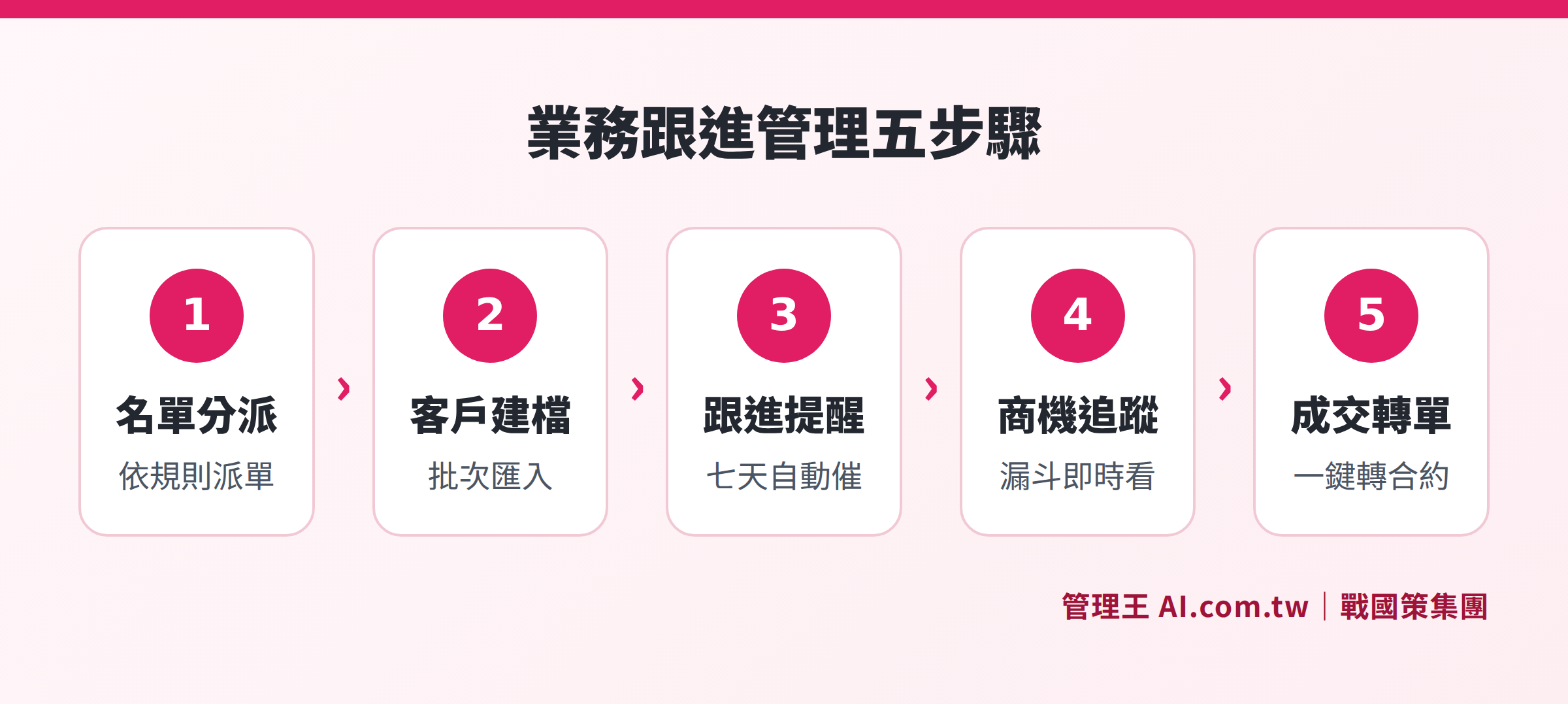
The five-step sales management process from entering a list, setting up customer files, automatic reminders, opportunity tracking, to transferring orders upon closing
When Should You Switch from Excel to CRM? Five Indicators to Consider
The following five situations: if two or more apply, it’s worth seriously evaluating a system switch; if four or more apply, it indicates that data leakage or missed opportunities may already be happening, suggesting the need to assess it quickly rather than just considering it.
- More than three salespeople—version confusion or order collisions in list management begin to arise.
- You have cases that go "silent," but you aren't sure what went wrong at which stage.
- The moment a salesperson leaves, the customer context disappears along with them, and handover documents become meaningless.
- The boss has to meet every week to ask about sales progress, lacking real-time visibility into numbers.
- Customer lists are scattered across personal LINE, mobile contacts, and emails—there's no unified platform.
Based on observations from industry practices, if two or more signals arise, it’s worth assessing; if four or more arise, it’s advised to take action immediately because data loss could be silently occurring. Another commonly cited threshold is: if the customer list exceeds 200 entries or if there are more than three people simultaneously managing follow-ups, a more structured tool than Excel is required (Reference: How to Choose a CRM System? Evaluation Guide for SMBs' First CRM, Lark Taiwan—艾瑞特資訊).
How to Choose a Customer Management System? Four Major Selection Criteria
Choosing a CRM isn't just about selecting features; it’s more important to consider whether salespeople are willing to use it daily. No matter how powerful the system, if salespeople don’t enter data, it becomes an empty shell, with customer contexts still residing in individuals' minds and phones.
Criterion 1: Are the Salespeople Willing to Use It?
If the interface is too complex and the input fields are too numerous, salespeople will skip it, leading to a drop in data quality. Observe a week into the trial to see if salespeople log in proactively and how many steps it takes to complete commonly used functions. If salespeople show resistance after a week of trial, switching to a simpler interface system is more effective than spending time on training.
Criterion 2: Is the Mobile Experience Good Enough?
Salespeople in Taiwan rely on mobile while working outside; the ability to enter data via voice or to import business cards directly into CRM determines whether they will record visit records in real-time or wait until they return to the office, as deferred data entry often leads to incomplete and distorted records.
Criterion 3: Does It Fit Local Practices in Taiwan?
Traditional Chinese interface, LINE notifications, compliance with personal data regulations—these are basic requirements for teams in Taiwan for long-term usage. Whether the data is stored on local servers or overseas also affects data security compliance and data sovereignty. Some international CRMs may still lag in support for traditional Chinese and local customer service, which is advisable to check before implementation.
Criterion 4: Can It Integrate Existing Processes?
Can the CRM directly generate quotations, transfer to contracts, and connect with accounting, so that a single sales process does not require repeated input across multiple systems? This directly impacts the willingness to use the CRM daily and the completeness of the data. If additional fees for integrations are needed, you’ll need to factor this cost into the selection budget.
Table: Evaluation Comparison Chart
| Evaluation Dimension | Key Question | Testing Method |
|---|---|---|
| --- | --- | --- |
| Ease of Use | Are sales willing to log in after a week? | Observe the actual login frequency during the trial period |
| Mobile | Can the field team immediately record data via voice or photography? | Test actual mobile operation |
| Localization | Does it have LINE notifications? Is data stored on local servers? | Confirm with customer service |
| Integration | Can CRM directly create quotations and transfer contracts? | Confirm the operations from quotations to contract processes |
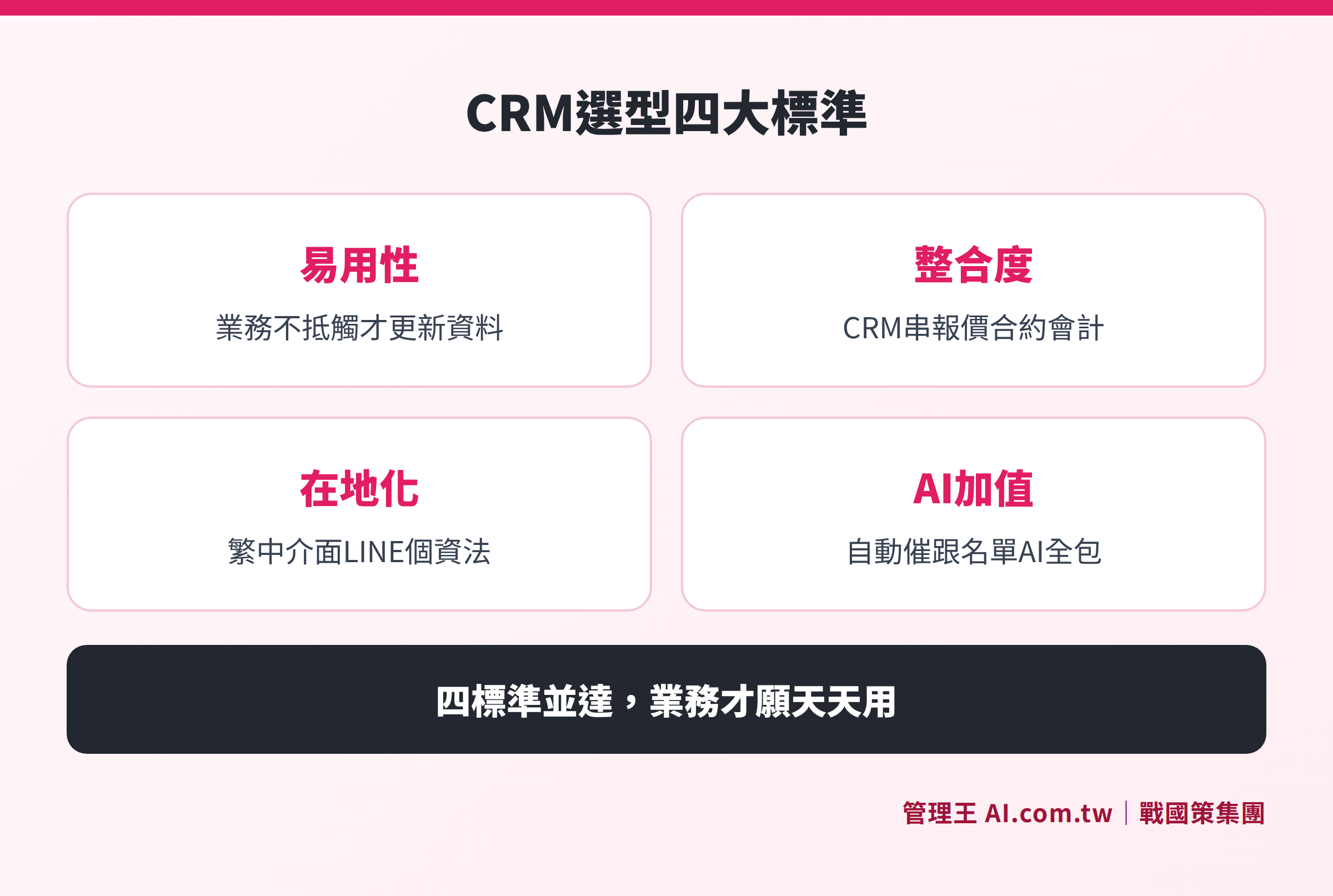
Four key evaluation criteria for selecting a customer management system: ease of use, integration, localization, and AI enhancements
Different Sizes of Companies Have Different Selection Focus
For small enterprises with sales teams of three or fewer, priority should be given to ease of use and free trial thresholds, enabling the system to be used by salespeople within a day, reducing implementation risks; there’s no need to select the most comprehensive solution from the start, begin with CRM and alert functions, and gradually open other modules once sales habits are confirmed.
Growth companies with 3 to 10 people should focus on collision prevention, automatic reminders, and sales reports, allowing performance to be managed at scale without the need for the boss to rely on meetings for updates. The most common issue at this stage is that the lists are large enough, but management processes haven’t kept up; the ROI of implementing a CRM usually appears quickly.
Medium-sized companies with more than 10 people or multiple departments should look for reporting depth and integration capabilities, with the CRM needing to connect quotations, contracts, accounting, and human resources, allowing the boss to see a complete picture from a single report without having to ask each supervisor for numbers; the CRM selection at this stage often requires assessing customization capabilities and support from implementation consultants.
How to Use 管理王
管理王 CRM System integrates all the above functions, including customer 360 view, opportunity funnel, reminders for follow-ups after seven days, sales collision prevention, LINE sales updates, and AI card entry, designed as an all-in-one tool for the sales processes of small and medium-sized enterprises in Taiwan. The 戰國策 Group serves over 30,000 businesses, with the system based on local business practices in Taiwan, offering a traditional Chinese interface, LINE notifications, and compliance with personal data regulations, allowing salespeople to begin using it within a day of onboarding.
How to implement it:
Upon entering 管理王 CRM, first batch import the existing Excel customer list in CSV or Excel format, with each list automatically assigned to the corresponding salesperson and customer cards created. Thereafter, all calls, visits, and email communications are recorded on a timeline; if no contact occurs beyond a set number of days, the system automatically reminds both the salesperson and supervisor.
Salespeople can generate quotations directly from customer cards, one-click transfer to contracts upon closing deals, and collections are automatically recorded in accounting, maintaining data integrity without the need for double entry. Supervisors can see each salesperson’s achievement rates and sales rankings in real-time from the sales target page, with daily war reports automatically pushed to LINE groups, so issues with performance can be identified within the week rather than waiting until the month-end.
If the new customer list is insufficient, you can automatically obtain corporate lists based on industry and region from B2B Lead Generation directly into the CRM for sales to claim and follow up, eliminating the need for staring blankly at a development list.
The free plan can be used permanently (up to ten users); for details, see Plans and Pricing. For a complete overview of CRM systems, you can refer to the thematic overview article: What is a CRM System? Full Overview of Managing from List to Deal.
Try 管理王 CRM Now and Say Goodbye to Using Excel for Customer Management
Consultants assist in evaluating business processes and provide the best path to upgrade from Excel to CRM; the free plan can be used permanently.
Free consultation hotline: 0800-003-191
LINE Official Account: @119m
Official Website: app.AI.com.tw
Free trial: Apply for 管理王 Now
Frequently Asked Questions
Is a Customer Management System Always Better than Excel?
Not necessarily. If there is only one or two salespeople and the customer list is fewer than 200 entries, a well-organized Excel is actually sufficient. The advantages of CRM lie in multi-person collaboration, automatic reminders, and preventing data leakage; once the number of salespeople exceeds three or the volume of lists significantly increases, Excel's version confusion and manual tracking issues begin to drag down overall efficiency, making the benefits of switching to CRM much more apparent than the costs of changing systems.
Should I Clean Up My Excel List Before Switching to CRM?
It is recommended. Prior to importing, address duplicate entries (different spellings for the same company), standardize field formats (only numbers in the phone column, either full names or abbreviations for company names), and ensure each entry has a designated responsible salesperson so that the chaos from old data does not carry over to the new system. Most CRMs support batch import via CSV, and 管理王 also supports direct upload from Excel and prompts for duplicate data before importing.
What If Salespersons Are Unwilling to Use the CRM After It Is Implemented?
This is the most common reason for implementation failure. There are two solutions: first, choose a system with an intuitive interface and fewer input fields to reduce the burden on salespeople; second, link CRM data to sales reports, so if salespeople do not enter data, there are no recorded sales, providing motivation for both supervisors and salespeople to maintain data quality. 管理王's collision prevention mechanism also encourages salespeople to actively log customers, as failing to do so might lead to potential loss of deals to others, thus naturally increasing their willingness to enter data.
What Is the Average Cost of a Customer Management System?
The monthly fees for CRM systems in the Taiwan market range from free to tens of thousands of NT dollars. 管理王 offers a free plan (up to ten users, permanently usable), while paid plans start from NT$5,000 per month (economy model for thirty users), covering all functional modules, including CRM, with no additional integration fees. For details, refer to 管理王 Pricing Plans, or contact consultants for a free evaluation of suitable plans.
Can CRM and Excel Be Used Simultaneously?
In the short term, yes, but it is not recommended for long-term use. During this overlapping period, it’s easy to encounter inconsistencies in data, with salespeople needing to input the same information in two places, increasing the burden and making centralized data quality management impossible. It’s advisable to set a clear switch date, complete the cleanup of the Excel list before importing, and after the switch, make CRM the sole source of customer data.
Data Sources
- Management King CRM System Features Page (戰國策 Group app.ai.com.tw, Query November 2026)
- How to Choose Between CRM and Excel? Five Situations When to Switch Customer Lists (BrightStream Technology, Query November 2026)
- How to Choose a CRM System? Evaluation Guide for SMBs' First CRM (Lark Taiwan—艾瑞特資訊, Query November 2026)