Recommended Inventory Management Apps: 6 Key Points for Selecting Mobile Barcode Inventory Solutions

When evaluating the free version of inventory management apps, it’s essential to confirm the supported barcode formats (EAN-13, QR Code), the true boundaries of permanent free features, the ability for real-time synchronization across multiple warehouses, batch number and expiration tracking, mobile inventory offline mode, and flexibility in API integration to find suitable inventory management systems for small and medium-sized enterprises.
The free version of mobile barcode inventory management apps can save small and medium-sized enterprises hours of manual inventory time each month, provided you choose one with truly useful features. There is a significant disparity in the functionalities of inventory management apps that promote themselves as "free": some are perpetually free, while others have a 30-day free trial after which features are locked; some may only support EAN barcodes without the capability to read QR Codes, and functions like multi-warehouse synchronization, batch tracking, and API integration often require an upgrade to paid versions. This article summarizes 6 practical selection points that are commonly overlooked during operation, helping you understand the differences before downloading, to find the most suitable inventory management app.
The True Face of Free Inventory Management Apps
Many owners search for "free inventory management apps" only to realize after download that "permanently free" is merely a marketing hype. In reality, free options fall into two categories:
1. Temporarily Free Version with Limited Features: Limitations on the number of products, warehouses, and user accounts exist; advanced features (batch management, multi-warehouse, API) require upgrading to a paid plan. Suitable for individual stores or small startups of 1 to 3 people.
2. Fully Functional Free Trial Period: After 30 or 60 days, it reverts to the basic version or requires payment, and some providers may require a credit card to be linked.
Therefore, before assessing a free inventory management app, you need to ask yourself three questions:
- What is my current product SKU count?
- How many warehouses or stores do I have?
- What integrations does my business process need (e-commerce platforms, POS, ERP)?
Once these conditions are confirmed, you can determine whether the free version will be adequate or if it’s worth starting with a comprehensive platform that can be upgraded in the future.
In Summary
When selecting an inventory management app, consider the range of features that are permanently usable for "free" and look beyond just the marketing language on the download page.
Key Point 1: Which Barcode Formats are Supported for Mobile Scanning?
The core of mobile barcode inventory relies on barcode compatibility, particularly in Taiwan where the predominant product barcode is EAN-13 (13 digits), managed uniformly by GS1 Taiwan (Taiwan's prefix code is 471). Besides EAN-13, other formats commonly encountered include:
Table: Common Barcode Formats and Their Applications
| Barcode Format | Digits / Format | Common Uses |
|---|---|---|
| EAN-13 | 13 digits | Retail products, convenience store channels |
| EAN-8 | 8 digits | Small packaged products |
| Code 128 | Variable length alphanumeric | Logistics boxes, pallets, internal part numbers |
| QR Code | 2-D matrix | Electronic invoices, medical supplies, batch numbers |
| GS1-128 | Code 128 with application identifiers | Expiration dates, batch numbers, serial numbers |
| ITF-14 | 14 digits | Outer box barcodes, logistics boxes |
Source: GS1 Taiwan Barcode Standards Description
Key Point for Choosing Inventory Management Apps: Ensure the app can read both 1D (linear) and 2D (matrix) barcodes simultaneously and supports batch scanning (scanning multiple items without confirming each one). Some apps only support EAN/UPC and may struggle with Code 128 internal part numbers or QR Codes for electronic invoices, necessitating a switch to manual input during inventory.
Key Point 2: The Real Functional Boundaries of the Free Version
Taking common free plans for inventory management apps in Taiwan as an example, here are commonly found functional limitations:
Table: Comparison of Free Version vs Paid Version Features
| Feature Items | Common Free Version | Paid Version |
|---|---|---|
| SKU Limit | 100 to 500 items | Unlimited |
| User Accounts | 1 to 3 people | Unlimited based on plan |
| Number of Warehouses | 1 main warehouse | Real-time sync across multiple warehouses |
| Batch/Expiration Management | None or very limited | Full FIFO support |
| Inventory Reports | Basic discrepancy reports | Comprehensive inventory, sales, and ABC analysis reports |
| API Integration | None | REST API + Webhook |
| AI Features | None | AI-powered restock predictions, automatic analysis |
| Data Export | CSV | CSV + Excel + PDF |
Important Reminder: Retailers with over 500 SKUs or businesses with two or more stores or warehouses will typically find the free version inadequate quite quickly. When selecting a solution, both "current usefulness" and "will it still be useful in six months" should be evaluated.
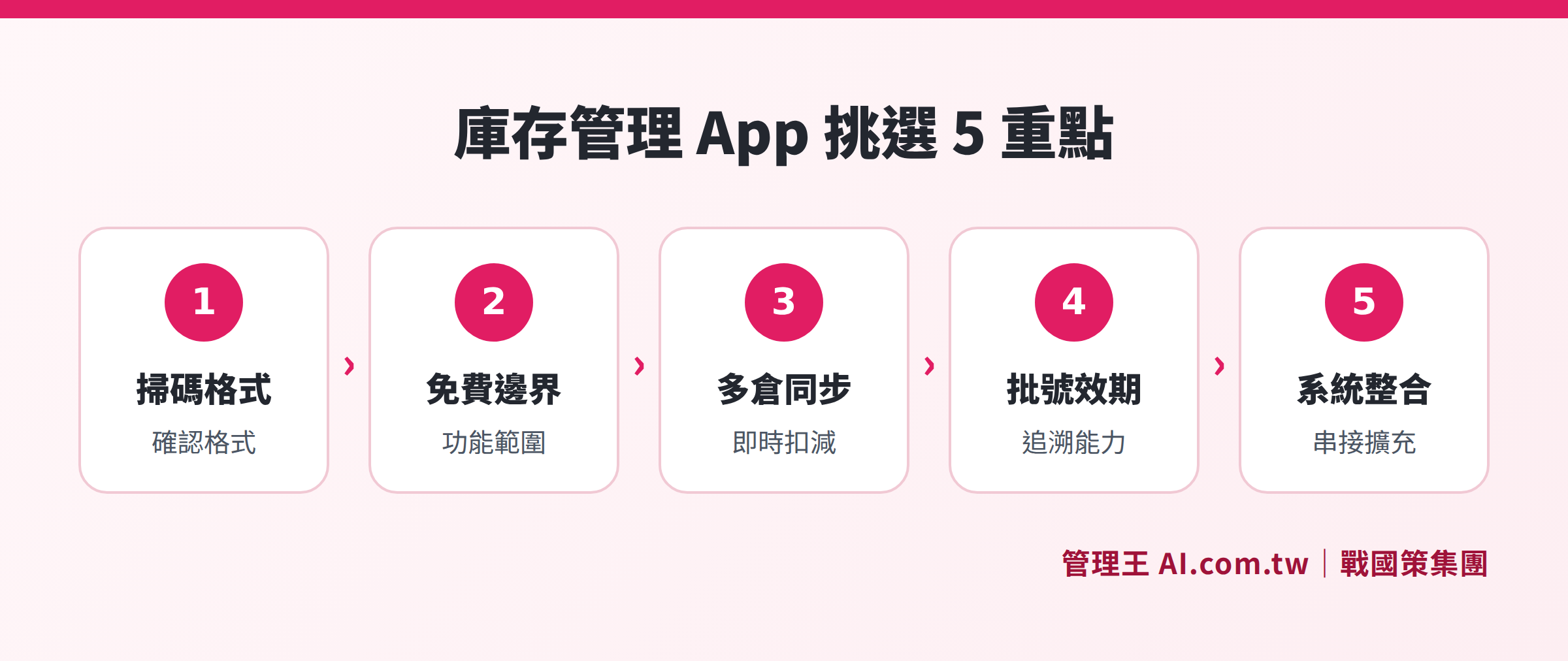
A 6-step assessment process from scanning format, free feature boundaries, multi-warehouse management, expiration and batch tracking, inventory process to system integration
Key Point 3: Multi-Warehouse and Multi-Channel Inventory Synchronization
Small and medium-sized retailers in Taiwan often have physical stores, online malls, and e-commerce channels like Shopee or Momo simultaneously, and decentralized inventory management can easily lead to overselling (an item sold online but not deducted from the system inventory, while being sold again in a physical store).
A good inventory management app should have:
- Real-time inventory deduction: Inventory changes triggered at the POS checkout, not updated once daily
- Complete transfer record for multi-warehouse: A complete transfer record is maintained for product transfers between stores, allowing traceability
- Inventory synchronization with e-commerce platforms: Connecting with systems like Shopee and online malls, inventory is deducted instantly upon sale, and items are automatically listed as out of stock when sold out
If you only have one warehouse and a single sales channel, the need for this feature is lower; however, if even one selling channel is online, it should be prioritized for assessment.
Moreover, some inventory management apps' "multi-channel" simply support importing order CSVs, rather than true real-time synchronization. During the trial, it is advisable to simulate an order going through the complete process "ordering → deducting inventory → immediately reflecting on the inventory page" to confirm if it’s genuinely real-time or just periodic batch updates.
Key Point 4: Expiration and Batch Number Tracking
For inventory management of food, pharmaceuticals, cosmetics, and medical supplies, batch tracking is not an added bonus, but a regulatory requirement. According to food safety and hygiene management laws, food businesses must maintain records on the sources of raw materials and product batches for traceability and recall purposes.
Features needed for expiration and batch number management include:
- First In, First Out (FIFO): Registration of expiration dates during receipt, and the system automatically prioritizes shipments based on the earliest expiration date
- Batch number inquiry: Able to quickly identify which batches went to which warehouses and to whom products were sold once notified of defects by the supplier
- Expiration alerts: Set alerts a number of days in advance to prevent expired items from remaining on the shelf
- Recall lists: A single click to generate a record of all shipments for a specific batch, supporting customer notifications
For non-food industries without regulatory requirements, the priority of this feature can be reduced; however, serial number management in manufacturing (mechanical equipment, electronic parts) similarly requires this logic.
Key Point 5: Does the Inventory Process Truly Support Mobile Operations?
"Can it be used on mobile" and "is it user-friendly on mobile" are significantly different. When assessing the mobile inventory experience of an inventory management app, pay attention to:
- Page jump speed after scanning: If the page transition takes more than 2 seconds after scanning, it will take additional time to inventory 100 items
- Offline mode: Whether it can continue inventory when the warehouse Wi-Fi signal is unstable, with synchronization to the server afterward
- Collaborative section inventory: Whether multiple inventory personnel can simultaneously inventory different sections with their smartphones, and the system aggregates data
- Automatic discrepancy calculation: After completing inventory, the system automatically compares the book quantity, generating a discrepancy report without manual recalculation
- PWA or native app: Progressive web applications (PWAs) can be added to the home screen for use, eliminating reliance on App Store reviews
In Taiwan, due to common Wi-Fi signal dead zones in warehouses, the ability to conduct offline inventory is particularly important to confirm.
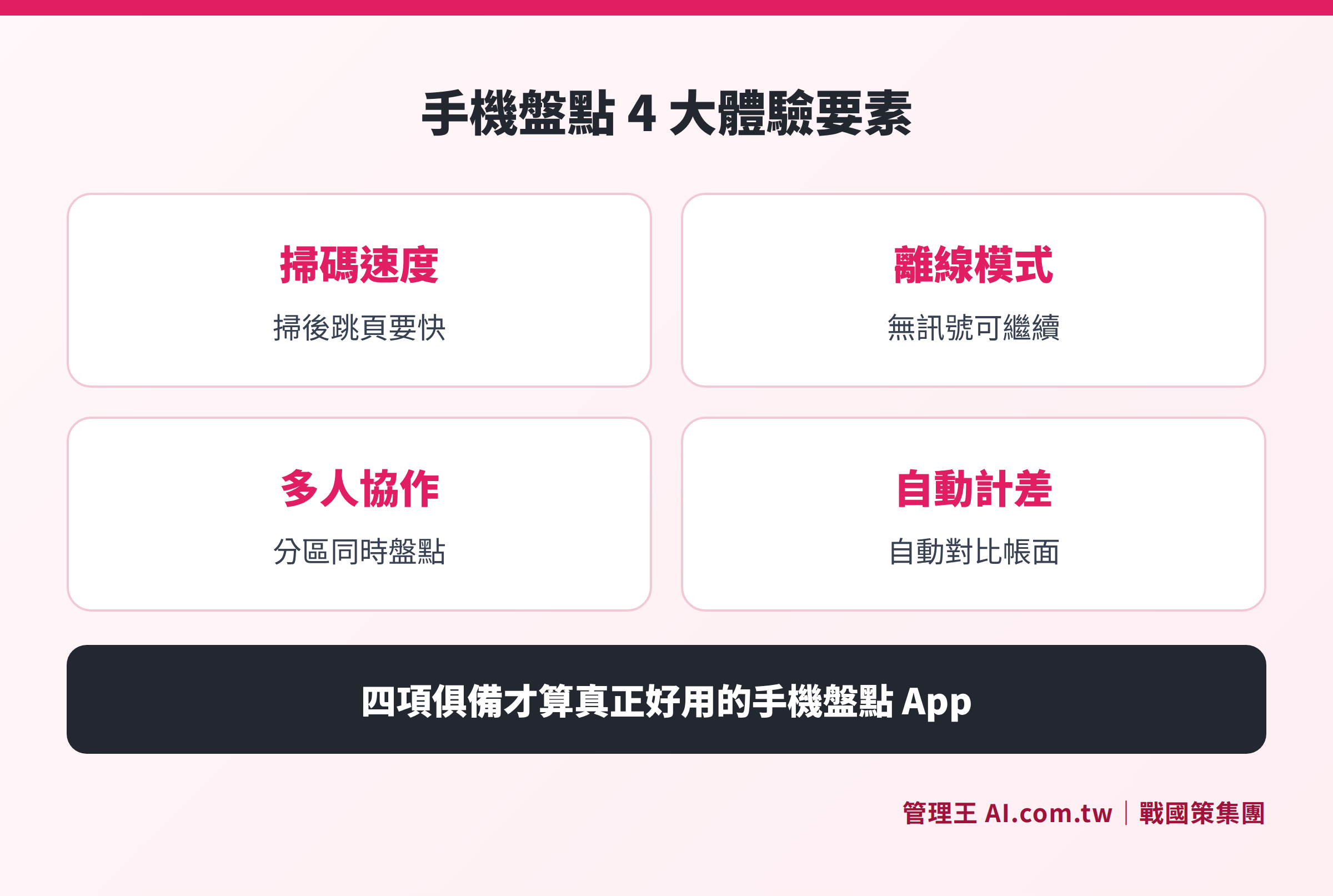
Comparison of four key experience elements: scanning speed, offline mode, multi-person collaboration, and automatic discrepancy calculation
Key Point 6: System Integration and API Expansion Flexibility
If the inventory management app cannot interface with other tools, it will inevitably become "another island": purchasing orders in Excel, inventory in the app, and accounting records in another system—reconciling data between three systems can take several days each month.
Evaluate integration capabilities across three levels:
Basic Level: Can CSV/Excel be imported/exported? (Minimum requirement, suitable for limited changes)
Intermediate Level: Are there any Webhooks or ready-made platform integrations (such as connecting with payment providers, Shopee, Shopify)? (Suitable for retailers with e-commerce channels)
Advanced Level: Is there a complete REST API and OAuth authentication? (Suitable for companies with internal IT personnel that require customized integration with ERP or WMS)
Common integration needs for small and medium enterprises in Taiwan include:
- Electronic invoice integration (Green World, Blue New)
- Automatic stock updates upon receipt of purchased goods
- Automatic generation of accounts receivable upon sales
- LINE notifications for low-stock items
If these are maintained manually, reconciling can take 2 to 3 working days each month.
How to Use Management King's Inventory Management App
If you are evaluating inventory management solutions that meet the above 6 points, the inventory management module of 管理王 AI.com.tw offers the following features with a permanently free plan:
Barcode Scanning and Product Master Files: Supports fast inbound and outbound scanning, with the product master files allowing you to set names, specifications, barcodes, costs, prices, and suppliers, completing new product listings on one page without needing to create separate Excel comparison sheets.
Real-time Multi-Warehouse Synchronization: Managing total warehouses, branch warehouses, online warehouses, and consigned warehouses, with purchase orders, sales orders, return orders, and transfer orders streamlined; when any location sells or transfers an item, the inventory figures update in real-time.
Automatic Safety Stock Alerts: Setting up safety stock and reorder points for each item, the system automatically alerts when below thresholds and generates a purchase order, shifting from "noticing low stock and then ordering" to "being alerted before running out".
Expiration and Batch Number Tracking: Supports expiration date management and FIFO for food, pharmaceuticals, and cosmetics, with full tracking of batch numbers and serial numbers, enabling instant traceability when suppliers notify of defects.
Mobile Inventory: 管理王 uses responsive web design, fluently operable on desktop, tablet, and mobile browsers, and also provides a PWA version (can be added to the home screen from the browser), able to continue inventory offline and auto-sync back when online.
Deep Integration: Native integration between inventory management and accounting systems, procurement systems, vendor management, and POS systems without requiring additional integration fees, allowing data to circulate within the same system and making month-end reconciliation faster and more efficient.
If your business is still evaluating, we suggest you try it for free or refer to the complete analysis of the limitations of free inventory management systems.
Free Consultation for Choosing Inventory Management Apps
Consultants assist you in evaluating suitable inventory management solutions, from mobile inventory counting to multi-warehouse integration all in one go, with a permanently free plan available.
Free consultation hotline: 0800-003-191
LINE Official Account: @119m
Official Website: app.AI.com.tw
Free Trial: Apply for Management King Now
Frequently Asked Questions
What size enterprises are suitable for the free version of the inventory management app?
For businesses with fewer than 300 SKU items, a single warehouse, and 1 to 3 users, the free version is typically sufficient. If there are two or more stores, e-commerce channels, or if batch tracking and simultaneous multi-user inventory are required, it is advisable to evaluate fully functional paid versions or upgradeable platform solutions.
Do I need to buy a separate barcode scanner for mobile barcode inventory?
Not necessarily. Most inventory management apps support scanning common barcode formats like EAN-13 and QR Codes directly using the mobile camera, without the need for an industrial-grade scanner. If lighting is poor in the warehouse or if high-frequency scanning (more than 500 items a day) is required for prolonged periods, an industrial Bluetooth scanner (priced at approximately NT$1,500 to NT$5,000) can enhance accuracy and speed, to be selected based on actual demand.
How do inventory management apps handle differences in inventory across multiple warehouses?
A good system should update the inventory figures of each warehouse in real-time during every inbound, outbound, or transfer action, and provide records of transfer documents. If discrepancies are found between the books and reality, the discrepancy report can trace back to which document caused the difference. It’s suggested to perform physical inventory once a month to compare book figures and catch problems early.
Are free inventory management apps safe for data?
The evaluation focus should be on: server location (Taiwan or overseas), whether data is encrypted during transmission (HTTPS), and the ability to export a complete data backup. Selecting systems offered by well-known enterprises and confirming the ability to retrieve all data after discontinuation are basic requirements for reducing data risks.
Can inventory management apps integrate with electronic invoicing systems?
The electronic invoice specifications in Taiwan are set by the Ministry of Finance, and mainstream inventory management apps can typically achieve automatic invoicing for shipments by integrating with Green World Technology or Blue New Finance's electronic invoice APIs. Confirming whether there is a built-in electronic invoicing module or if additional fees are required for separate integration is essential during the selection process.
Sources
- GS1 Taiwan Barcode Standards Description | GS1 Taiwan Foundation (Checked November 2025)
- Food Safety and Hygiene Management Act | National Regulatory Database, Ministry of Health and Welfare
- Management King's Inventory Management Features Page | 管理王 AI.com.tw (Checked November 2025)
- Management King's Pricing Plans | 管理王 AI.com.tw (Checked November 2025)
- Complete Guide to Inventory Management Systems | 管理王 Blog