How to Choose an Inventory Scanner? Comparing the Pros and Cons of Barcode Scanners, Mobile Inventory, and RFID|Inventory Management System Recommendations
Barcode scanners offer the best cost-performance ratio, suitable for monthly or quarterly inventory checks for small and medium enterprises; PDA handheld terminals allow offline inventory; mobile scanning has no hardware costs but limited scenarios; RFID enables batch sensing, ideal for high-frequency inventories such as clothing or 3C products. This article provides a comprehensive comparison table of three tools and selection recommendations, explaining how to utilize 管理王's inventory management for barcode scanning, inventory inflow and outflow, and automatic low stock alerts.
An inventory scanner generally refers to a hardware device that scans product barcodes and automatically accumulates inventory quantities. They primarily fall into three categories: wired/wireless one-dimensional barcode scanners, Android handheld terminals (PDA inventory scanners), and mobile scanning apps, with RFID readers being an advanced solution. Choosing the right tool can reduce month-end inventory time from a whole day to just a few hours; choosing incorrectly might lead to wasted expenses without solving actual problems. This article provides a complete comparison from the perspectives of technical principles, costs, speed, and applicable scenarios to help small and medium enterprises in Taiwan find the most suitable inventory equipment.
What is an Inventory Scanner? Understand the Three Main Solutions
Before making comparisons, let's clarify the positioning of the three main types of inventory tools:
Barcode Scanner
Uses laser or CCD imaging components to read barcodes printed on products or shelf labels. The wired version connects to computers via USB; the wireless version transmits data via Bluetooth or Wi-Fi, allowing employees to move freely in the warehouse. Handheld terminals running on Android (commonly known as PDA inventory scanners) integrate the scanning head and a small computer, allowing for offline data storage and subsequent batch uploads.
Mobile Inventory App
Installed on smartphones or tablets, directly uses the camera to recognize barcodes, and synchronizes inventory in real-time by integrating with cloud-based inventory systems. The main advantage is zero additional hardware cost, as employees can use their existing smartphones.
RFID Reader
Adheres RFID chip labels to products or packaging, using the reader to emit radio frequency signals for sensing. There is no need for visual alignment; the signals can penetrate cardboard, fabric, and other non-metallic, non-liquid materials. A single reader can sense dozens of tags within a range at once, significantly increasing the speed of batch inventory.
In a nutshell
“For 90% of small and medium enterprises, a barcode scanner is sufficient; only the remaining 10% need to consider RFID.”
One-Dimensional Barcode Scanner: The Most Mature and Widely Used Entry Option
One-dimensional barcode scanners are the most common inventory tools found in warehouses and retail checkouts, supporting mainstream specifications such as EAN-13, Code 128, and Code 39, with almost all product barcodes in Taiwan being compatible.
Main Features:
- Easy to operate, employees can master it in just a few minutes
- Label printing has almost zero cost, requiring only a thermal label printer and label paper
- The wired version is affordable, with many brands and models available
- The wireless version transmits data via Bluetooth or Wi-Fi, free from cable constraints
- Disadvantages: Cannot read barcodes that are obstructed, dirty, or worn, requiring manual input
Suitable Scenarios:
General retail, convenience store restocking, small wholesalers, office supplies management. For inventory items under a few thousand and inventory frequency being monthly or quarterly, a barcode scanner offers the best cost-performance ratio.
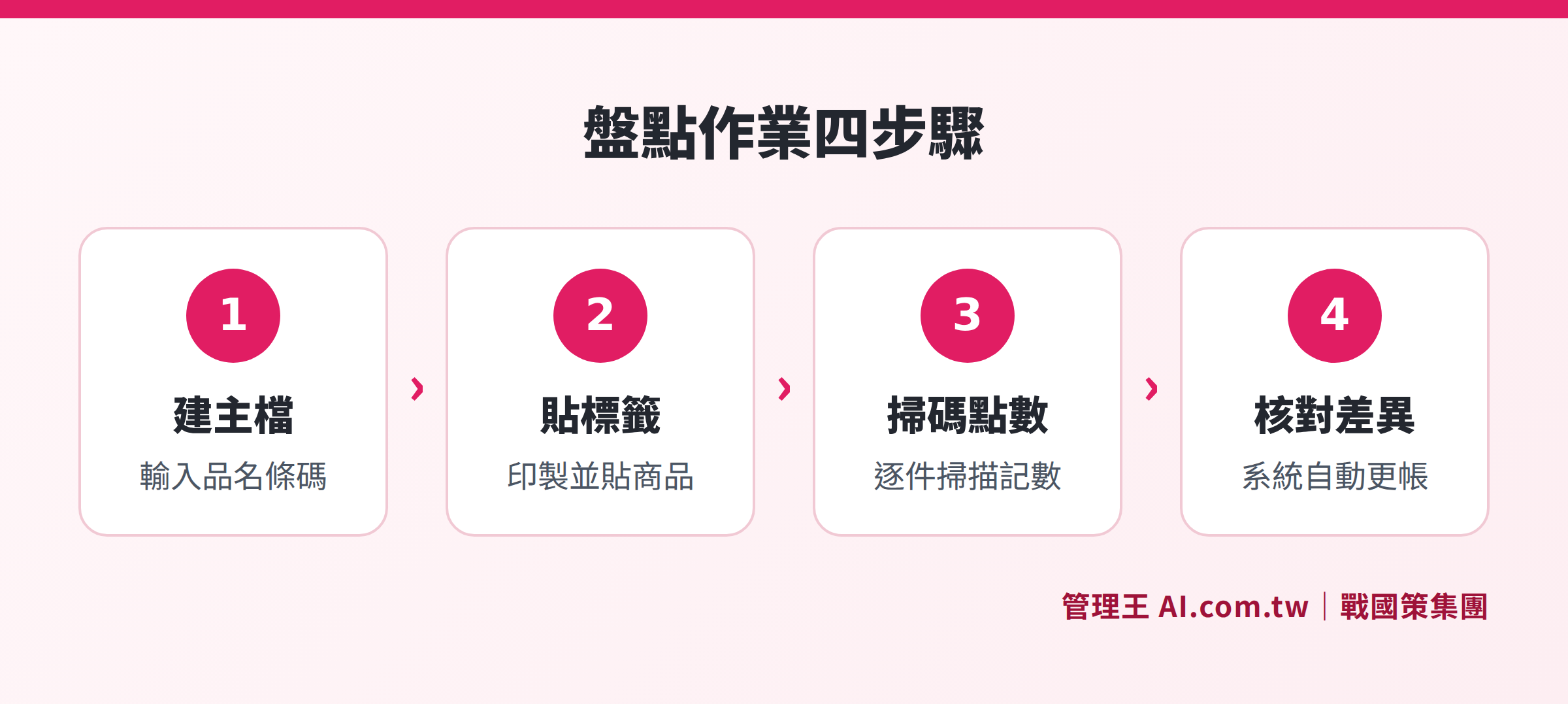
A complete workflow comparison of barcode scanners, mobile scanning, and RFID from labeling to data upload
PDA Handheld Terminal (Android Inventory Scanner): An Enhanced Version of the Barcode Scanner
PDA handheld terminals are specialized devices built on industrial-grade scanning heads with the Android operating system, integrating a screen, keyboard, and scanner into one device, commonly referred to as “Android PDA inventory scanners” or “handheld terminals.”
Main Features:
- Uses industrial-grade scanning engines, fast reading speeds, and resistant to shocks and drops
- Supports one-dimensional and two-dimensional barcodes (QR Code, Data Matrix, PDF417)
- Can store data offline, allowing for continuous inventory even with unstable signals, with batch uploads later
- Battery life can last 8 to 12 hours, enabling all-day operation without charging
- Can run enterprise apps, deeply integrating with ERP or inventory systems
According to price comparison data from Taiwanese e-commerce platforms, the price of wireless inventory scanners ranges from NT$4,000 to NT$28,000, with industrial-grade PDA models varying based on specifications.
Suitable Scenarios:
Manufacturing plants, wholesale warehouses, synchronized inventory for multiple warehouses; needs for tracking product expiration dates and lots; inventory checks in unstable network coverage locations.
Mobile Inventory App: A Lightweight Solution with No Hardware Costs
The cloud-based inventory app installed on employees’ existing smartphones or tablets uses the built-in camera to scan barcodes, with data synchronized to the cloud inventory system in real-time.
Main Advantages:
- No need for additional hardware purchases, saving initial investment
- Inventory data is uploaded in real-time, allowing supervisors to view progress in the background
- App features are updated via the cloud, requiring no additional installations or maintenance
Potential Limitations:
- The reading speed of standard smartphone cameras is generally lower than that of industrial-grade scanning heads, leading to inefficiencies in fast-paced environments
- Smartphone battery life and screen durability may not match industrial equipment
- Strong light or reflective environments (like metallic packaging) could interfere with reading accuracy
Suitable Scenarios:
Small-scale retail or food and beverage businesses with fewer items, occasional audits or inventory checks, startups with high employee turnover that do not want to invest in hardware.
RFID Reader: An Acceleration Engine for High-Frequency Inventory
RFID technology transforms warehouse inventory from “scanning each item” to “sensing entire boxes,” with reading distances exceeding ten meters, and the radio frequency signals can penetrate cardboard, fabric, and other non-metallic, non-liquid materials.
Cost Structure (Industry Reference):
- RFID labels: Approximately NT$5 to 30 each (including chip and printing)
- RFID reader (handheld): Starting from tens of thousands
- Complete RFID integration solution (hardware + software + integration): Approximately NT$150,000 to 600,000
Benefits (based on shared performance by providers):
- Inventory time reduced from 2 days to 2 hours
- Inventory accuracy increased from 90% to over 99%
- Time to find specific materials reduced from 30 minutes to 3 minutes
Suitable Scenarios:
Clothing industry (seasonal bulk inventory), high-priced 3C product tracking, pharmaceutical or food batch expiration management, logistics centers with high-volume rapid inbound and outbound processes.
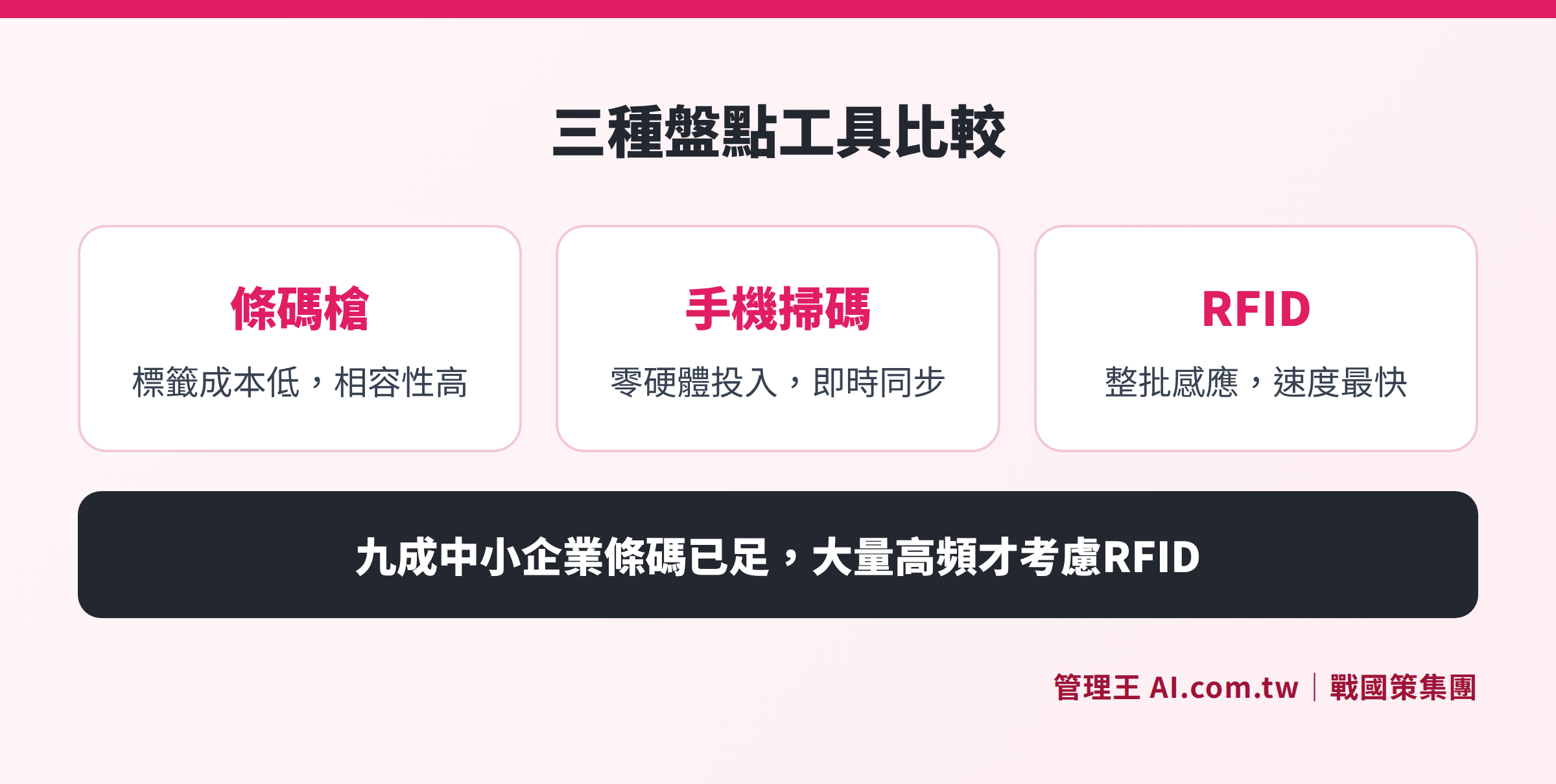
Comparison card of the three options: barcode scanners low cost and high compatibility, mobile inventory with no hardware investment, RFID with the fastest batch sensing speed
Complete Comparison of Three Inventory Tools
Table: Comparison of Barcode Scanner, Mobile Scanning, and RFID Across Four Dimensions
| Comparison Item | Wired/Wireless Barcode Scanner | PDA Handheld Terminal | Mobile Scanning App | RFID Reader |
|---|---|---|---|---|
| Label Cost | Extremely Low (Thermal Labels) | Extremely Low | Extremely Low | NT$5~30 each |
| Hardware Cost | Low to Medium | Medium (NT$4,000~28,000) | Low (using existing phones) | High (starting at NT$150,000) |
| Scanning Speed | Item by Item | Item by Item (fast speed) | Item by Item (slower speed) | Simultaneous batch sensing |
| Offline Mode | Wired requires connection | Supports offline batch | Depends on the app | Supports |
| Drop and Water Resistance | General (industrial models better) | Industrial grade | Consumer grade | Industrial grade |
| Suitable Item Count | Under a few thousand | Thousands to tens of thousands | Under a few hundred | Over tens of thousands |
| Implementation Difficulty | Low | Low to Medium | Low | High |
Table: Recommended Inventory Tools by Business Type
| Business Type | Recommended Solution | Reason |
|---|---|---|
| Small Retail (1-10 people) | Mobile App or Wired Barcode Scanner | Few items, low-frequency inventory, requires no hardware investment |
| Medium Wholesale Warehouse (10-50 people) | PDA Handheld Terminal | Multiple operators, offline environment, batch tracking |
| Manufacturing Production Line | PDA or RFID | Need for serial number tracking, linking to work orders |
| Clothing Seasonal Inventory | RFID | Most efficient for bulk batch sensing of the same clothing item |
| Pharmaceutical/Food Expiration Management | PDA (QR Code) | Expiration batch tracking, first-in-first-out management |
Three Questions to Clarify Before Purchasing an Inventory Scanner
Answering three questions before selecting a tool can save a lot of trial and error costs:
1. How often will inventory checks be conducted?
If it's just once a season, a PDA is more economical than an RFID; if you need to count specific items weekly, the ROI of RFID becomes worthwhile.
2. What formats are the existing labels?
If all current products are labeled with EAN-13 one-dimensional barcodes, you can directly use a barcode scanner or mobile app without re-labeling with RFID tags. The cost of upgrading to two-dimensional QR codes is also almost zero.
3. Which system will it integrate with?
The inventory tool itself is just a data input device; the key is whether the backend inventory system can receive and update the book inventory in real-time. When selecting a tool, ensure it supports the necessary APIs or data formats to allow inventory results to be reflected in the system accounts directly.
Three Common Misconceptions When Purchasing an Inventory Scanner
Misconception 1: Buying RFID directly is the professional choice
RFID is suitable for high-frequency, bulk scenarios; if a company only conducts monthly inventory checks with fewer than 500 items, the cost of NT$5–30 per label, alongside the hundreds of thousands for readers, could lead to an ROI period exceeding five years, which is not cost-effective.
Misconception 2: Mobile apps can completely replace inventory scanners
Mobile cameras can be unstable in bright light, low light, or reflective environments; also, employees may get interrupted by personal calls while scanning, causing breaks in the workflow. If the item count exceeds a few hundred, switching to industrial-grade scanning heads is advised.
Misconception 3: Focusing only on hardware while ignoring system integration
If the data from the inventory scanner cannot be automatically imported into the inventory system, employees will still need to manually input data, significantly reducing efficiency. The difficulty of system integration often becomes the key determinant of actual implementation costs.
How to Conduct Inventory Management Using 管理王?
管理王 AI.com.tw's inventory management module supports rapid inflow and outflow of goods through barcode scanning, whether using a PDA handheld terminal or mobile app; after scanning, data is directly entered into the main product file, with real-time updates of book inventory, eliminating the need for manual input to Excel.
The actual operational process is as follows:
- Create a Product Master File: Input product name, specifications, barcode (EAN-13 or custom), cost, selling price, and supplier in the 管理王 backend, with support for bulk import.
- Set Safe Inventory Levels: Set a safe inventory lower limit for each item, with the system automatically sending alerts and generating purchase orders when below the threshold, directly linking to the procurement module for restocking.
- Scan for Inflow and Outflow: Employees use mobile or scanning guns to scan, selecting for purchase, sale, or transfer, with inventory figures updated in real time, also supporting synchronization across multiple warehouses.
- Regular Inventory Reconciling: The system has a built-in inventory function that automatically compares physical stock after scanning with book discrepancies, generating a discrepancy report for the accounting module to perform adjustments.
- Integrate POS Sales: The POS system deducts inventory in real-time with each sale, seamlessly connecting online and offline stock to prevent overselling.
The free plan can be used permanently, including basic inventory management, barcode scanning for inflow and outflow, and reporting functions, with no credit card required for the trial. The 戰國策 Group serves over 30,000 enterprises, and 管理王's inventory module is natively integrated with over 70 modules, including ERP, CRM, and accounting, with no additional integration fees. For further understanding of inventory selection, refer to the complete guide to inventory management systems and comparison of free inventory management functions.
For more comparisons of inventory tools, refer to the key points for selecting mobile scanning inventory apps.
Free Trial of 管理王 Inventory Management
Barcode scanning for inflow and outflow, automatic alerts for low stock, real-time synchronization across multiple warehouses with a free plan for permanent use. Try the 管理王 inventory management module now.
Free consultation hotline: 0800-003-191
LINE Official Account: @119m
Official Website: app.AI.com.tw
Free Trial: Apply for 管理王 now
Frequently Asked Questions
What is the difference between a barcode scanner and an inventory scanner?
A barcode scanner (Barcode Scanner) is a broad term for scanning devices primarily used to read barcodes and transmit them to a computer. An inventory scanner typically refers to a PDA handheld terminal equipped with Android, which can not only scan but also run inventory apps on the device, store data offline, and perform batch transmissions, resulting in a more comprehensive functionality suitable for high-volume warehouse operations.
Which is more accurate, mobile scanning or dedicated inventory scanners?
Industrial-grade scanning heads generally have better reading speed and accuracy than smartphone cameras, especially in bright light, reflective, or poorly printed barcode environments. Mobile scanning is suitable for scenarios with a few items and low inventory frequencies. For a larger item count or high-efficiency operations, it is recommended to use PDAs or dedicated barcode scanners.
Is RFID worth implementing? What are the approximate costs?
The industry reference cost for a complete RFID implementation solution (hardware, software, integration) is approximately NT$150,000 to 600,000, with RFID labels costing approximately NT$5 to 30 each. RFID is suitable for bulk seasonal inventories in the clothing industry, tracking high-priced 3C products, or warehouses requiring weekly inventory. If the inventory frequency is low and the item count is few, barcode solutions offer a better return on investment, so there is no rush to implement RFID.
What systems need to be integrated with an inventory scanner for use?
The inventory scanner itself is merely a data input device and must be paired with a backend inventory management system or inventory ERP for scanning results to update the book inventory automatically. Before purchasing, please confirm that the chosen system supports the data formats (CSV, API, or manufacturer-specific SDK) for the inventory scanner; otherwise, manual re-entry will still be necessary.
Which industries most need RFID inventory?
The clothing industry (multiple sizes of the same item, seasonal bulk inventory), pharmaceuticals and food (batch expiration tracking, first-in-first-out management), 3C accessories (serial number tracking), and logistics centers (high-volume rapid inbound and outbound) are the industries where RFID implementation is most beneficial. General retail or wholesale industries are adequately served by barcode solutions.
Data Sources
- ORON: Complete Guide to Building a Warehouse Management System (including Barcode and RFID Comparison)
- CHCI: How Small and Medium Enterprises Can Implement RFID for Intelligent Inventory Management
- Youngming System: ERP System Combined with RFID Electronic Inventory
- 鼎新 A1: Do You Really Need to Buy Inventory Scanners?
- BigGo Comparison King: Wireless Inventory Scanner Price Compilation (October 2026)