What is a Meeting Room Booking System? Features, Implementation Steps, and Key Purchasing Points|Recommended Meeting Room Booking Systems
A meeting room booking system allows employees to self-book meeting rooms, equipment, and company vehicles online, automatically preventing scheduling conflicts. This article covers six core features, compares traditional management with system management, outlines six key purchasing points, and details five implementation steps to help small and medium-sized enterprises quickly establish an efficient resource management mechanism.
A meeting room booking system is a management tool that allows employees to check the availability of meeting rooms (or shared resources like equipment and company vehicles) online and make reservations in real-time. The core of the system is the "resource calendar": everyone sees the same timetable, and overlapping time slots are automatically blocked, eliminating the embarrassing situation of two departments trying to book the same meeting room at the same time. For small and medium-sized enterprises, this system not only resolves conflicts but also frees administrative staff from the repetitive tasks of answering phone calls, verifying Excel spreadsheets, and manually notifying others, allowing for more efficient use of office space. Transitioning from manual management to a systematic booking process typically only requires a few days of setup and training, making it one of the easiest first steps in digitalizing the office.
What is a Meeting Room Booking System?
A meeting room booking system (also known as a resource booking system or space management system) is a digital tool that allows businesses to manage shared office resources uniformly. Employees can check the status of all meeting rooms, equipment, and company vehicles in real-time through a web interface or mobile app and complete bookings online, with the system responsible for detecting conflicts and sending notifications without manual intervention.
Unlike traditional scheduling with Excel or inquiries in LINE groups, the key to a booking system is "synchronization"—everyone sees the same up-to-date information at any given time, and once a booking is made, it is immediately reflected in the system, so subsequent applicants do not need to call for confirmation.
In a Nutshell
The meeting room booking system allows all employees in the company to view the same resource timetable, automatically blocking scheduling conflicts and completely eliminating the need for manual confirmation and coordination.
The meeting room booking system can manage not only meeting rooms but also:
- Common equipment such as projectors, cameras, and video conferencing tools
- Company vehicles (which can also record mileage and fuel consumption)
- Parking spaces
- Special spaces such as training rooms and exhibition areas
For SMEs that have their management in order, a unified system for managing these resources is more reliable and saves time than creating separate Excel sheets or LINE groups for each type of resource.
Five Common Pain Points of SMEs without a Booking System
Before implementing a system, many companies face the following typical challenges in meeting room management:
Pain Point 1: Double Bookings
"While we were having a meeting, someone walked in saying they had also reserved this room"—this is very common in companies that rely on verbal confirmation or LINE. If an administrative staff member is not careful or if two departments inquire at the same time, conflicts can occur. Both parties believe they have the room, but no one has actually confirmed the final outcome.
Pain Point 2: Administrative Bottleneck for Coordination
Every time someone wants to book a meeting room, they must first ask the admin: "Which room is available?" If the admin is out, on lunch break, or on leave, others can only wait. The single point of contact model is inefficient, and admin staff end up exhausted from handling booking inquiries daily.
Pain Point 3: Difficulty in Finding Confirmation for Shared Equipment
Who borrowed the projector? Are the company vehicles available this afternoon? Without system records, one often has to rely on word of mouth to find out. Even when equipment is available, no one knows it can be borrowed, leading to underutilization.
Pain Point 4: Incomplete Usage Records, Unable to Optimize Space
Companies need to assess whether they need additional meeting rooms or consider converting a room into office space, but they cannot produce concrete usage rate data. Relying on impressions makes it difficult to make data-driven space planning decisions.
Pain Point 5: Remote Employees or Coordination Across Multiple Offices is More Challenging
For companies with branches or employees working from home who need to book office spaces, coordinating via LINE becomes more complex. Without a system, cross-location resource management is virtually impossible. Companies supporting hybrid work require an online tool that allows employees in different locations to simultaneously view the same up-to-date resource status.
Six Core Features of a Meeting Room Booking System
A complete meeting room booking system typically includes the following core features:
1. Real-Time Booking Dashboard
All resources are displayed on a calendar view, with availability, booked, and under maintenance status differentiated by color, allowing employees to self-check without asking admin and to operate 24/7.
2. Automatic Conflict Detection and Blocking
If the same resource is already booked at a given time, the system automatically rejects subsequent requests or suggests alternative time slots, preventing double bookings.
3. Recording of Booking Information
Users can specify meeting purposes, attendees, and required equipment, enabling colleagues to understand current usage and facilitating statistical analysis post-event.
4. Notification and Reminder Mechanism
Automatic notifications are sent upon successful bookings, modifications, and cancellations; reminders can be set before meetings to reduce no-shows and prevent wasted resources.
5. Cross-Resource Type Management
Not only meeting rooms, but also shared resources such as equipment (projectors, cameras), company vehicles, and parking spaces can be booked within the same system, querying everything from a single dashboard.
6. Usage Rate Statistical Reports
Records each resource's booking frequency and actual usage duration, allowing managers to see which meeting rooms are most popular and which time slots are the busiest, serving as a basis for space planning and equipment procurement decisions.
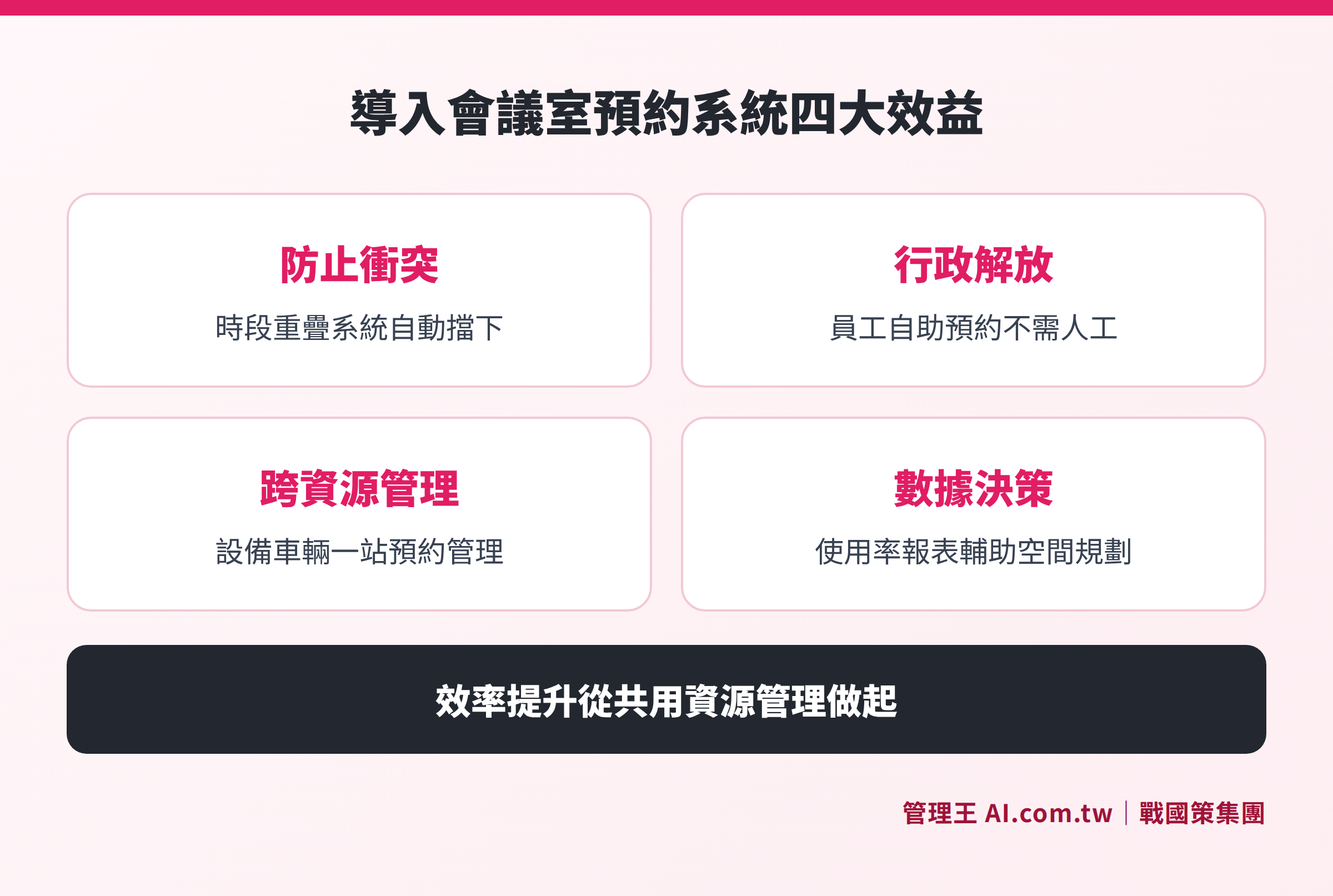
Six core features: Real-time booking dashboard, automatic conflict blocking, information recording, notification reminders, cross-resource management, and usage rate reports at a glance
Traditional vs. System Management: A Comparative Analysis
Table: Comparison of Manual Management and Meeting Room Booking Systems
| Management Aspect | Traditional Method (Excel, LINE) | Meeting Room Booking System |
|---|---|---|
| Checking Availability | Ask admin or check Excel, information is not real-time | View online in real-time, 24/7 self-service |
| Preventing Conflicts | Rely on manual checks, prone to missing | System automatically detects and blocks overlapping time slots |
| Booking Process | Verbal or message confirmations, waiting for replies | Complete online forms, real-time confirmation, no waiting |
| Information Transparency | Only admins know the complete schedule | All members can query in real-time according to access rights |
| Modifications/Cancellations | Manually notify related personnel, easy to overlook | System automatically sends notifications for changes |
| Usage Rate Analysis | Difficult to quantify, relying solely on impressions | Automatically generates reports with verifiable data |
| Administrative Burden | High, requires manual confirmation each time | Low, employees complete tasks independently |
The fundamental issue with traditional methods is "information silos"—administrative staff holds all the information and bears all coordination responsibilities. Once personnel changes occur, the entire process can interrupt. After systematization, information becomes open and transparent, employees can independently make reservations, and the value of the admin staff can be shifted to more important work.
Six Key Points for Purchasing a Meeting Room Booking System
Meeting room booking systems on the market vary widely, from standalone versions to cloud-based SaaS, and from systems managing only meeting rooms to those integrating the entire company's resources. When purchasing, it is advisable to evaluate based on the following aspects:
1. Supported Resource Types
Can it only manage meeting rooms, or can it also manage equipment and company vehicles? If unified management will be needed in the future, be sure to select a system that can be expanded, avoiding the need to change systems later.
2. Reliability of Conflict Detection Mechanism
This is the most critical feature. Confirm whether the system locks the time slot in real-time when making a reservation to prevent conflicts from occurring when two requests are submitted almost simultaneously.
3. Notification Methods that Align with User Habits
Employees in Taiwan heavily rely on LINE; if the system only supports email notifications, they may not see them. Confirm whether LINE notifications or app alerts are supported for higher acceptance.
4. Experience of Operating on Mobile Devices
Is the interface smooth for employees operating outside or on mobile? Support for PWA (Progressive Web App) or native apps can significantly enhance daily usage willingness.
5. Depth of Integration with Other Systems
If the company is simultaneously using task management, electronic signature, HR, or video conferencing tools, can the resource booking system seamlessly integrate? The deeper the integration, the more complete the process and the less likely information gaps will occur.
6. Pricing and Free Trial Mechanism
Some systems offer free versions or trial periods, allowing companies to ensure the features meet their needs before investing. Confirm the limitations of the free version and whether upgrade costs fit within the budget.
Table: Evaluation Checklist for Purchasing a Meeting Room Booking System
| Evaluation Aspect | Questions to Confirm | Importance Level |
|---|---|---|
| Supported Resource Types | Besides meeting rooms, can it also book equipment and company vehicles? | High |
| Conflict Detection | Does the system block overlapping time slots in real-time or notify afterwards? | High |
| LINE Notifications | Will it automatically notify through LINE when reservations are successful, modified, or canceled? | High |
| Mobile Operation | Can employees complete the entire booking process on their mobile? | Medium |
| System Integration | Can it connect with existing calendar, HR, or task systems? | Medium |
| Free Trial | Is there a free plan or trial period? What are the functional limits? | Medium |
Five Steps to Implementing a Meeting Room Booking System
Implementing a meeting room booking system does not require complex IT engineering; small and medium-sized enterprises can usually complete it within a few days to two weeks. Here are the suggested steps for advancement:
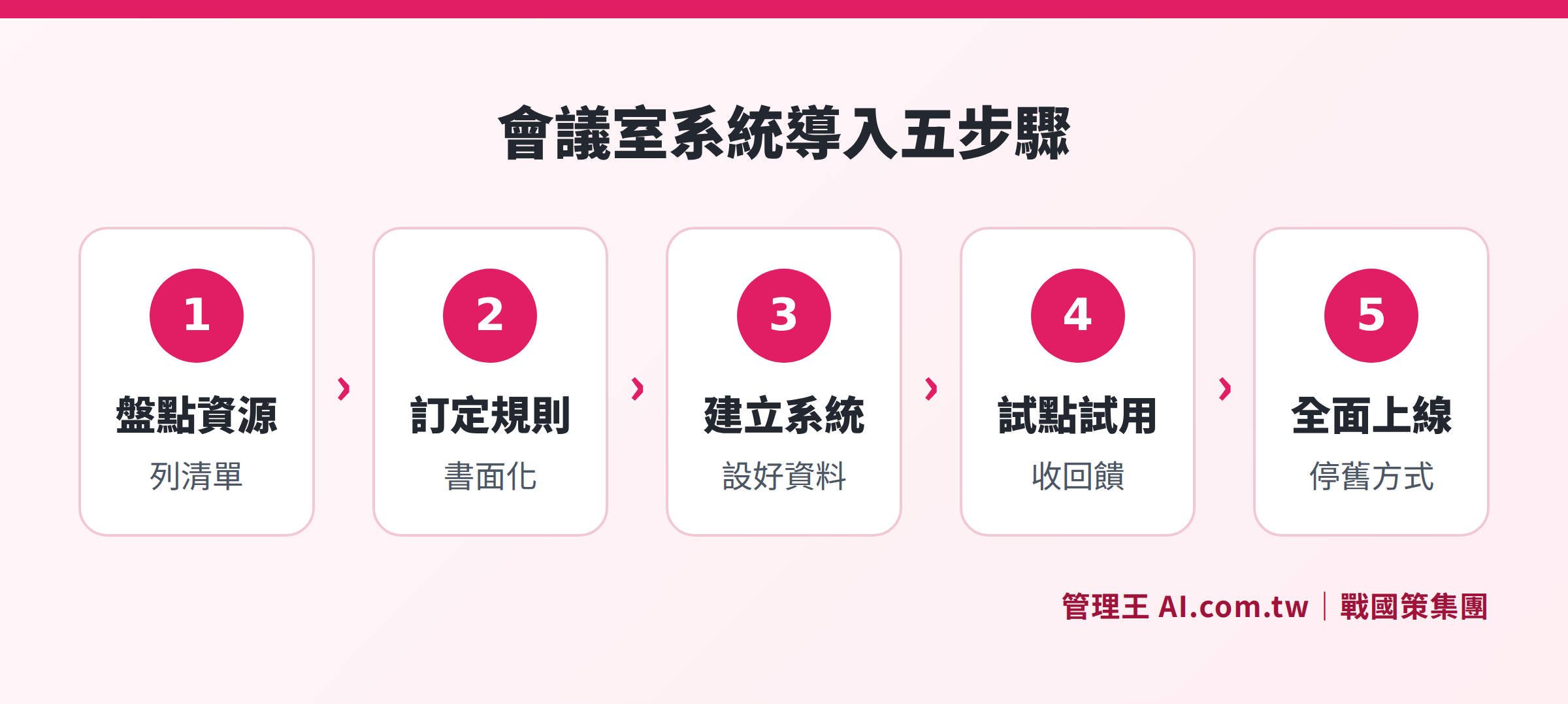
Five steps: Inventory resources → Set rules → Establish system → Trial training → Official launch
Step 1: Inventory Shared Resources
List all resources that need to be managed uniformly within the company, including: the name, capacity, equipment, and available slots for each meeting room; the models and quantities of equipment; and the license plates and restrictions of company vehicles (e.g., limited to managerial use). This list serves as the foundational data for establishing the system.
Step 2: Set Booking Rules
Decide on several key rules: How many days in advance can reservations be made? What is the maximum duration for each booking? Is supervisor approval required (e.g., for bookings exceeding half a day in meeting room use)? What is the cutoff for canceling a booking? Who can book which resources? Document these rules and obtain consensus from management before setting them.
Step 3: Establish System Data and Integration Settings
Create basic profiles for each resource within the system, set notification rules (when to send and where), and configure necessary integrations (e.g., automatically generate video conferencing links, trigger approval processes). This step is typically the most time-consuming due to technical setup.
Step 4: Trial and Employee Training
It is advisable to select the most frequently used meeting room as a pilot and invite one department to use it for two weeks. During this period, collect usage feedback, confirm that notifications are received, conflict detection works normally, and whether the interface needs adjustments.
Step 5: Full Launch and Disable Old Methods
Once the pilot is successful, roll it out company-wide, while simultaneously disabling the previous methods of booking using Excel or LINE groups—if the old method can still be used, employees will likely continue to favor it. Monitor usage closely for the first two weeks after launch and make slight adjustments to rules based on feedback (e.g., adjust the auto-release wait time).
How to Use 管理王 AI.com.tw's Meeting Room Booking System?
管理王 AI.com.tw's meeting room/equipment booking system is designed specifically for small and medium enterprises in Taiwan, supporting one-stop online booking management for shared resources like meeting rooms, equipment, and company vehicles. Here are the main operation methods and features:
Booking Dashboard: The system provides a visual booking dashboard where all resource time slots are clear at a glance, with available and booked statuses differentiated by color, allowing employees to self-check at any time without asking admin.
Automatic Conflict Blocking: When the same resource is booked at overlapping times, the system immediately blocks the request and provides prompts, preventing double bookings.
Record Meeting Purpose and Attendees: Each booking can include meeting purposes and numbers of participants, allowing managers to later analyze the usage of each resource for space planning purposes.
LINE Notification Integration: Notifications for successful, modified, or canceled bookings are sent in real-time via LINE, eliminating the need for additional app installations, leading to higher employee acceptance.
Integration with 70+ Modules:
- Connect with Approval Center: Resources requiring supervisor approval can be added to the approval process, confirming bookings only after approval.
- Connect with Task Management: Meetings can be linked to corresponding tasks, allowing to-dos to be tracked right after the meeting.
- Connect with Video Conference: Automatically create video conferencing links upon booking.
- Connect with HR System: Meeting room usage can be linked to attendance and scheduling records.
- Connect with Team Real-time Communication: Teams can jump directly from communication channels into resource booking, maintaining fluid processes.
Free Plan Available Indefinitely: A free plan is available (up to 10 members) without needing to bind a credit card, allowing complete testing of booking functions. For additional members or advanced features, you can upgrade to the Economic plan (NT$5,000/month for 30 users), Business plan (NT$10,000/month for 60 users), or Flagship plan (NT$19,900/month, unlimited users). For complete pricing, please refer to 管理王 Service Plans.
管理王 is developed by 戰國策 Group (NSS Group) and has served over 30,000 small and medium enterprises in Taiwan since its establishment in 2000. The system interface is 100% in Traditional Chinese, compliant with Taiwan's business customs and legal requirements, with local customer service available at 0800, providing support during business hours from Monday to Friday. Data is stored in Taiwan's data centers (with dual-machine backup, ISO 27001 standards), ensuring corporate data is not transmitted overseas and complies with Taiwan's data sovereignty needs, facilitating smooth audits by regulatory agencies.
Let Our Consultants Help You Set Up Your Meeting Room Booking System
管理王 consultants offer free consultations to assist you in setting up resource booking flows, integrating approvals and notifications, completing implementation within one day.
Free consultation hotline: 0800-003-191
Official LINE account: @119m
Official website: app.AI.com.tw
Free trial: Apply for 管理王 now
Frequently Asked Questions
Is a Meeting Room Booking System Only Needed by Large Companies?
No. Even for companies with 10 to 20 employees, if there are more than one meeting room or shared equipment, it is worthwhile to implement a system. The smaller the company, the less likely there is a dedicated admin to handle coordination, making double-booking conflicts easier to overlook, which can cause greater trouble when they do occur. 管理王's free plan supports up to 10 members, with no initial costs, making it suitable for small companies to try out.
Is Integration with Google Calendar or Outlook Essential for a Meeting Room Booking System?
Integrating calendars is a bonus feature, allowing bookings to automatically appear on personal schedules, but it is not a necessary condition. More important is whether the conflict detection of the system is reliable and whether the notification methods align with employees' habits. For small and medium-sized enterprises in Taiwan, supporting LINE notifications often increases employee acceptance more than Outlook integration.
Can Equipment and Company Vehicles Be Managed Together with Meeting Rooms?
Yes. A complete resource booking system should support the management of any type of "shared resource," including projectors, photographic equipment, company vehicles, parking spaces, etc. 管理王's meeting room/equipment booking system supports unified management across resource types, allowing all resources to be checked from a single dashboard without maintaining multiple Excel files separately.
What If Employees Are Reluctant to Change Their Booking Habits?
The most effective method is to “remove the old methods”—when the new system is launched, disable Excel and LINE group booking methods simultaneously so that employees will truly learn the new tool. Choosing a system with an intuitive interface and supporting LINE notifications helps lower the learning threshold. 管理王's interface is designed with employee acceptance as a priority, making it expected to be easy to use within one day without extensive training.
What Should Be Done If Employees Book But Do Not Show Up?
A “no-check-in auto-release” mechanism can be set up: if a meeting has not been confirmed within a certain time after it starts, the system automatically cancels and releases the resource, allowing others to borrow it on a temporary basis. Coupled with pre-reminder notifications, this can effectively reduce wasted vacancies and ensure more effective utilization of limited meeting room resources.
Data Sources
- 管理王 AI.com.tw Meeting Room/Equipment Booking System (Checked in October 2026)
- 管理王 AI.com.tw Service Plans and Pricing (Checked in October 2026)
- DeskFlex: Top Benefits of a Meeting Room Booking System for Modern Workplaces (Checked in October 2026)
- iThome: Smart Office New Choice: One-stop Meeting Room Booking and Management System Solutions (Checked in October 2026)