What to Buy for a POS System? Main Unit, Scanner, Invoice Printer Equipment List | Recommended POS System
The POS equipment list includes a main unit, scanner, thermal printer, EDC card reader, and electronic invoice machine, with options varying by business type. This article compiles recommended POS hardware combinations for retail, dining, and chain stores, as well as key points of Taiwan's electronic invoicing regulations.
The core equipment for a POS system (cash register) typically includes a main unit, barcode scanner, thermal receipt printer, cash drawer, EDC card reader, customer display, and electronic invoice machine. When opening a store, it is not necessary to purchase all items; the equipment needed varies by business type: small retail shops essentially require a main unit with a scanner, printer, and EDC; restaurants also need a kitchen printer; chain stores should consider customer displays and multi-store data aggregation features. This article categorizes each equipment's purchase points and explains Taiwan's electronic invoicing compliance requirements, helping you make informed decisions before opening or upgrading your equipment.
7 Essential Hardware Devices for POS Systems
A complete POS cash register system consists of both software and hardware. The software manages product inventory, sales records, invoice issuance, and report analysis, while the hardware comprises the interface and input/output devices. Each of the seven core devices has its own function, and priority order should be determined based on business needs.
In a Nutshell
The minimum requirements for purchasing a POS system are "main unit + thermal printer + EDC card reader," while scanners, cash drawers, and customer displays should be chosen according to the business type.
Table: Overview of 7 Essential POS Hardware Devices
| Device | Main Function | Recommended Business Types |
|---|---|---|
| Touchscreen Main Unit (Tablet or Embedded Computer) | Install POS software, select products, checkout | Essential for all business types |
| Barcode Scanner | Quickly add items to the billing list by scanning product barcodes | Retail, Supermarkets, Pharmacies |
| Thermal Receipt Printer | Print transaction receipts and unified invoices | Essential for all business types |
| Electronic Invoice Machine (Turnkey) | Connect to the Ministry of Finance electronic invoice platform to issue electronic unified invoices | Businesses required to issue invoices at monthly sales |
| Cash Drawer | Store cash, automatically opens with the printer | Businesses with cash transactions |
| EDC Card Reader | Accept credit cards, debit cards, and contactless payments (EasyCard, iCash) | Essential for all business types |
| Customer Display | Display the transaction amount for customer confirmation | Recommended for Retail and Chain Stores |
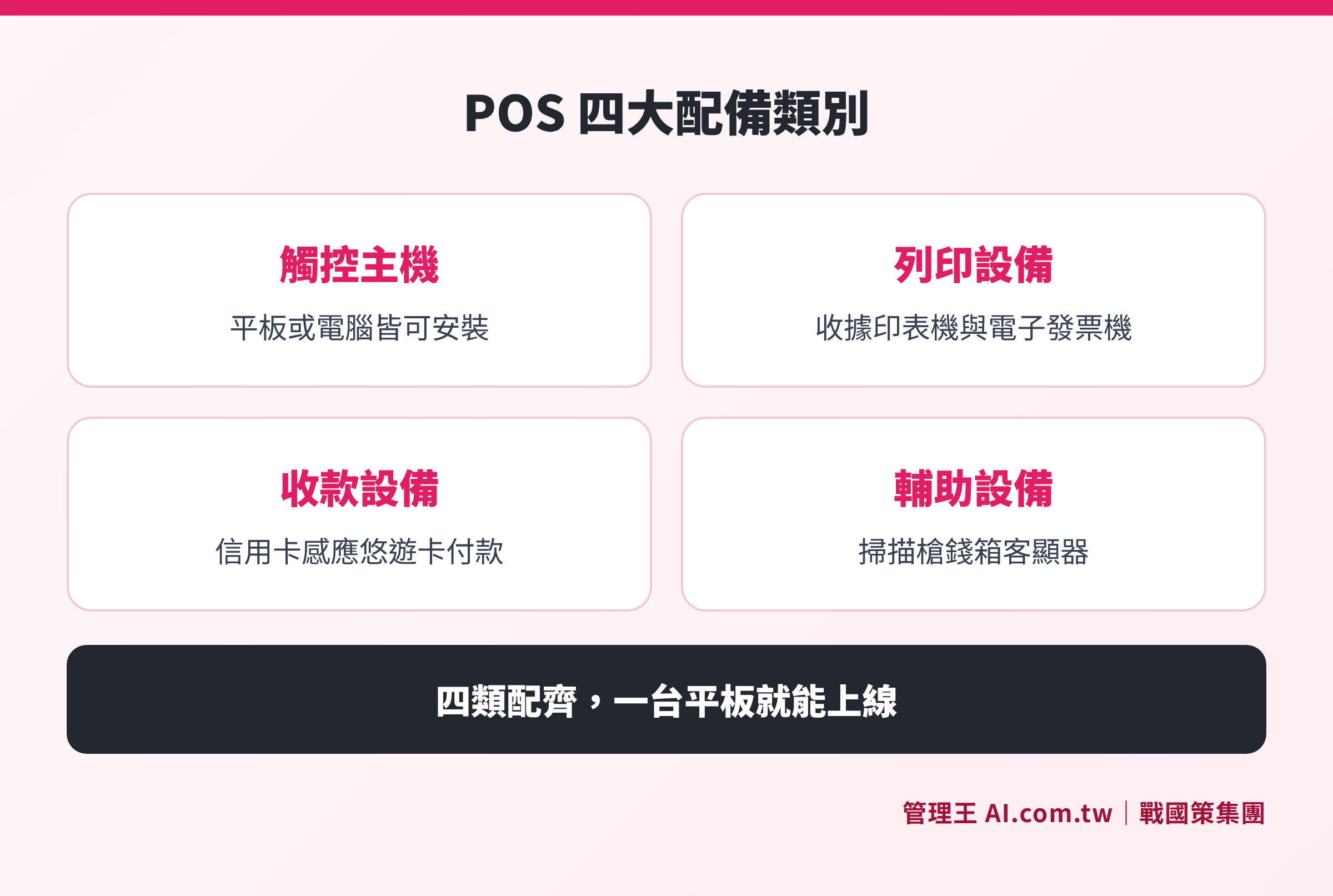
Four categories of POS hardware: the touchscreen main unit is the software core, printing equipment includes receipt and invoice printers, payment equipment integrates card and contactless payment, and auxiliary equipment includes scanners, cash drawers, and customer displays.
How to Choose a Main Unit: Tablet vs. Embedded POS Terminal
POS main units can generally be divided into two types, each suited for different scenarios.
Tablet POS (Android Tablet or iPad): Lightweight and portable, suitable for small retail, cafe front-ordering, and market stalls. With the addition of a stand and USB hub, external scanners, printers, and EDC can be connected, making the overall equipment cost relatively low and allowing for easy replacement of parts if damaged.
Embedded POS Terminal: Specifically designed for cash register settings, typically featuring a 10 to 15 inch touchscreen and higher durability, with I/O ports integrated. Suitable for high-traffic retail, convenience stores, and chain stores that require stable long-term operation. Common processor architectures include Intel's low-power series and ARM cores.
When choosing a main unit, it's essential to confirm the following points:
- Whether the operating system supports the chosen POS software (Android or Windows)
- Whether the number of USB and COM ports is adequate for connecting scanners, printers, and EDC
- Whether the touchscreen has oil and water resistance (especially important in the food service industry)
- Whether offline mode is supported (allowing continued checkouts during internet outages, with data syncing after reconnecting)
Barcode Scanners: Differences Between 1D and 2D
Barcode scanners can be divided into two categories based on their reading technology:
1D Laser Scanners: Reads traditional linear barcodes (EAN-13, Code128, etc.), offering fast scanning speeds and high durability, suitable for retail sectors where product barcodes are clear, such as supermarkets and pharmacies.
2D Image Scanners: In addition to reading one-dimensional barcodes, they can read QR codes, suitable for scenarios where electronic tickets, LINE Points, or membership QR codes need to be scanned. If the store has a point collection or electronic discount voucher redemption need, a 2D scanner is the better choice.
Connection options include wired USB and wireless (2.4G or Bluetooth). Wired models do not require pairing, have stable signals, and are suitable for fixed cash registers; wireless models are suitable for mobile cash registers or smaller counter spaces. If the products mainly consist of imports, confirm that the model supports EAN/UPC international barcode formats.
Receipt Printers and Electronic Invoice Machines: Key Regulatory Points in Taiwan
Thermal Receipt Printers use thermal paper that does not require consumables (ink), offering high printing speeds and low maintenance costs. Common paper widths are 58mm and 80mm; kitchen printing machines in food service often use 80mm to accommodate more dish information. When purchasing, confirm the paper roll specifications and compatibility with the POS software.
Electronic Invoice Compliance Requirements
According to the Ministry of Finance's Regulations on the Use of Cash Registers by Business Operators (National Regulations Database), businesses using cash registers (POS) to issue unified invoices must comply with the following provisions:
- The cash register must have sealed and non-resettable cumulative memory (at least 10 digits) to ensure that sales records cannot be tampered with.
- Each transaction must print a receipt clearly displaying the taxable sales amount and the exempt sales amount separately.
- If using electronic invoices (B2C cloud invoices), a serial number must be applied for with the Ministry of Finance's electronic invoice integration service platform (einvoice.nat.gov.tw), and uploaded within 48 hours after issuance.
- Each reporting period must include a detailed report, indicating daily start and end numbers and the total taxable and exempt sales, which must be kept for at least five years.
Currently available electronic invoice solutions on the market include Turnkey electronic invoice machines provided by certified service providers like Bluepay (ezPay) or ECPay, or cloud electronic invoices issued via software API connections, reducing the need for independent hardware purchases.
EDC Card Readers and Mobile Payment Integration
EDC (Electronic Data Capture) card readers are essential for accepting credit and debit card payments. When purchasing, pay attention to:
Card Issuer Compatibility: Ensure support for Visa, Mastercard, JCB, and check whether UnionPay is needed based on business requirements.
Contactless Payment (NFC) Support: Capable of accepting stored value cards like EasyCard and iCash, as well as Apple Pay and Google Pay, significantly enhancing checkout efficiency.
Integration with POS Software: EDC can operate independently (card inserted for bank authorization, followed by manual entry of the amount into POS), but once integrated into the POS, the checkout amount automatically populates, eliminating double entry and human errors.
According to the Financial Supervisory Commission's Regulations Governing Credit Card Institutions, EDC equipment is regulated devices approved by banks, cannot be transferred or leased to others, and each machine must match the registered information of the merchant. When opening a store, an installation application must be submitted to the associated bank or acquiring institution (such as E.SUN Bank, Fubon, Taishin, etc.), along with relevant business registration documents.
Recommended POS Hardware Combinations for Different Business Types
Before opening a store, the procurement priority can be determined based on the nature of the business. Below are suggested equipment combinations for three common business types:
Table: Suggested POS Hardware Combinations for Three Business Types
| Equipment | Small Retail (Apparel, Convenience) | Dining (Cafes, Snacks) | Chain Stores |
|---|---|---|---|
| Touchscreen Main Unit | Essential | Essential | Essential |
| Barcode Scanner | Essential | Optional (touch selection can be used instead) | Essential |
| Thermal Receipt Printer | Essential | Essential (for order printing) | Essential |
| Electronic Invoice Machine | Essential (as required by law) | Essential (as required by law) | Essential |
| Cash Drawer | Recommended (if accepting cash) | Recommended (if accepting cash) | Essential |
| EDC Card Reader | Essential | Essential | Essential |
| Customer Display | Recommended | Optional | Recommended |
| Kitchen Printer | Not needed | Recommended | Depends on scale |
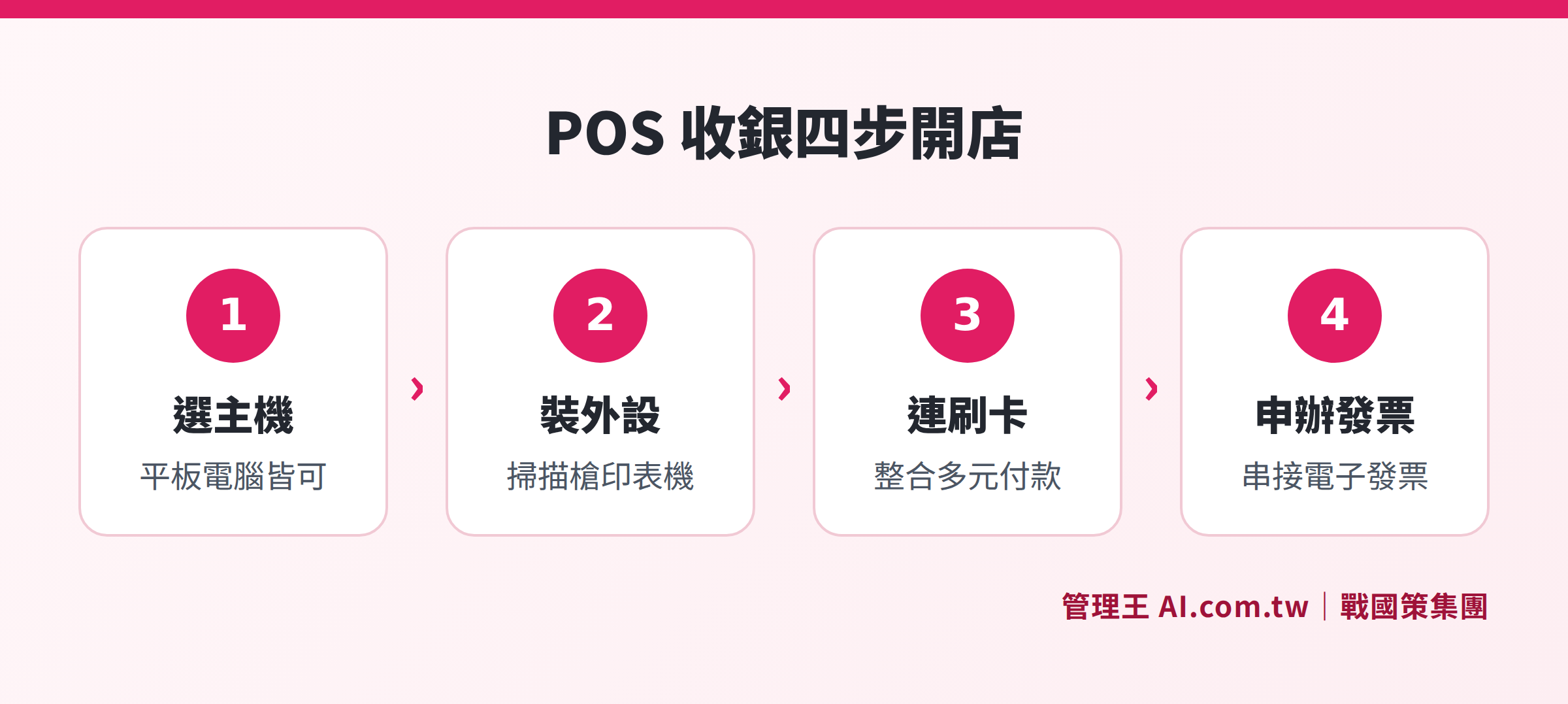
Four steps for POS setup: choose a main unit, add external devices like scanners and printers, connect EDC card reader, and apply for electronic invoices before going live.
The Rise of Software POS: Reducing Hardware Purchase Barriers
Traditional dedicated POS terminals can cost tens of thousands, along with annual maintenance fees and upgrade costs, posing a burden for small and medium-sized businesses. In recent years, "Software POS" has emerged, allowing a tablet or regular computer to run POS software with low-cost external devices to start operating, significantly lowering the barriers to entry for opening a store.
Advantages of using Software POS:
- Flexible hardware, allowing for separate part replacements when damaged, lowering costs
- Cloud updates: functionalities continuously added without extra upgrade fees
- Sales data stored in the cloud, enabling remote monitoring of sales and inventory
- Seamless integration with backend systems like CRM, inventory, accounting
When choosing Software POS, confirm if it supports offline mode and if the cloud backup mechanisms are robust to avoid data loss during network outages.
How to Use Management King: Integrated Software POS + Cloud Backend
Management King AI.com.tw POS Cash Register System adopts a "software POS + cloud backend" structure, eliminating the need to purchase dedicated POS terminals: one tablet or computer, along with a thermal printer and cash drawer, is enough to go live, lowering hardware investment thresholds.
The actual operational process is as follows:
- Establish product data in the Management King backend (name, barcode, pricing), or import from an existing list in CSV format to quickly build the product database.
- Connect the barcode scanner (USB plug-and-play), and the checkout page automatically inputs products, supporting both touch selection and barcode scanning.
- At checkout, select the payment method (cash, card, mobile payment mix), with the system automatically calculating change and splitting bills, integrating EDC card readers from Bluepay, Fubon, E.SUN, etc., with amounts syncing automatically.
- Electronic invoices issued through integrated ezPay Bluepay invoicing services are processed simultaneously with checkout, requiring no additional operations and complying with Taiwan’s tax regulations.
- Each sale instantly synchronizes with the inventory management module, automatically deducting stock; member point accumulation is updated simultaneously for a one-stop checkout.
- When the owner is away, they can open a mobile browser to view real-time sales reports and shift records, with multi-store data aggregated in real-time.
In chain brand scenarios, data from each store is automatically aggregated to the headquarters, integrating with CRM systems and accounting modules, allowing customer consumption records and account reconciliations to be completed on the same platform, without needing to integrate multiple systems. Free plans are permanently available, making it suitable for evaluation periods for new businesses or single-store operations, with an option to upgrade to economical or business plans after confirming needs. Detailed plan comparisons can be found on the pricing page.
Additionally, Management King offers an online ordering system that integrates online orders with physical POS sales, allowing restaurant operators to manage takeout orders and dine-in checkouts without maintaining two separate systems. For more information on choosing a POS system, refer to How to Choose a POS System? Key factors linking checkout, inventory, and membership.
Free Consultation for POS System Implementation
Consultants assist in evaluating the most suitable POS hardware combinations for your business type, with software setup and electronic invoicing handled all at once—free plans are available for permanent use.
Free consultation hotline: 0800-003-191
LINE Official Account: @119m
Official Website: app.AI.com.tw
Free Trial: Apply for Management King Now
Frequently Asked Questions
Do I have to buy dedicated hardware for a POS system?
Not necessarily. Modern Software POS (like Management King POS Cash Register System) supports installations on tablets or regular computers, requiring only external thermal printers and EDC card readers to go live, without the need to purchase dedicated POS terminals, making it suitable for budget-conscious small merchants. If the transaction volume is high, then assessing the durability requirements of embedded terminals is recommended.
Is an electronic invoice machine mandatory for opening a new store?
According to the Ministry of Finance’s Regulations on the Use of Cash Registers by Business Operators, businesses using POS or cash registers must comply with the unified invoice issuance regulations. Through API or Turnkey solutions from certified service providers like Bluepay (ezPay), it is possible to legally issue cloud electronic invoices without purchasing standalone electronic invoice hardware. It is advisable to confirm the application process with the local National Tax Bureau before starting operations, based on the latest announcements from the supervisory authority.
Do barcode scanners have to be wired?
Not necessarily. Wireless (2.4G or Bluetooth) scanners are suitable for mobile cash registers or scenarios with smaller worktop space; wired USB models require no pairing and have stable signals, suitable for fixed cash registers. If there is a need to scan QR code membership cards or electronic tickets, choosing models that support 2D image scanning is more suitable.
How to unify POS data management across multiple stores?
It is recommended to choose cloud POS software with “headquarters aggregation” functionality, where each store uploads transactions in real-time and headquarters can uniformly set product catalogs and pricing for distribution without the need to maintain each store individually. Management King POS Cash Register System supports real-time aggregation for multiple stores, sharing data with inventory, membership, and accounting modules, allowing headquarters to keep track of sales performance across all stores.
How to apply for an EDC card reader?
Submit a merchant application to the associated bank or acquiring institution (like E.SUN Bank, Fubon, Taishin, etc.), and prepare related business registration documents. After approval, the acquiring organization will send personnel to install the EDC equipment and complete testing. According to regulations from the Financial Supervisory Commission, EDC equipment cannot be lent to others and must match the registered information of the merchant; the entire application process depends on the regulations of the acquiring organization.
Source Information
- Ministry of Finance, Regulations on the Use of Cash Registers by Business Operators, National Regulations Database, accessed November 2026.
- Ministry of Finance, Electronic Invoice Integration Service Platform, Ministry of Finance, accessed November 2026.
- Financial Supervisory Commission, Regulations Governing Credit Card Institutions, accessed November 2026.
This article is for general information only and does not constitute legal or tax advice; the latest announcements from the supervisory authority should prevail.