What to Use for Scheduling: Excel, Google Sheets, or a System?|Scheduling Tool Recommendations

The three most common ways to create schedules are Excel, Google Sheets, and scheduling systems. Excel is suitable for small fixed shifts; spreadsheets allow for easy collaboration. However, both cannot automatically check labor laws. For teams over 20 or with rotating shifts, it is recommended to upgrade to a scheduling system.
The three most common ways to create schedules are Excel, Google Sheets, and dedicated scheduling systems. Excel and spreadsheets are easy to use and free, ideal for scenarios with few employees and fixed shifts. However, when there are many shift types, cross-store management, or automatic overtime pay calculations required, you will encounter three major bottlenecks: difficult formula maintenance, version conflicts, and the inability to automatically check labor laws. This article clarifies the selection logic of these three tools from functionality and limitations to suitable scenarios, upgrading the schedule from "can be created" to "can be accurately and compliantly managed."
How to Create a Schedule in Excel? Usable, but What Are the Limitations?
Excel is the most familiar office tool for Taiwanese companies. The basic method for creating schedules is to use columns to represent dates and rows for employees, fill in the corresponding shifts with colors, and use formulas like COUNTIF and SUMIF to calculate each employee's hours and attendance. This method does not require additional software licenses and can be immediately used with Office or LibreOffice installed.
Four Major Advantages of Scheduling with Excel
- Free, no additional licensing required: Office licenses are usually already included in company costs, no need for extra payment.
- Highly flexible: Customizing fields, formulas, and color codes is completely unrestricted; you can arrange it however you want.
- Low learning curve: Most administrative personnel already have a basic understanding and can start using it from day one.
- Can be operated offline: Does not rely on internet or cloud services; you can still modify schedules while on business trips or without internet.
Five Major Limitations of Creating Schedules in Excel
- Formulas are fragile; one error can break the whole sheet: Schedules usually have dozens of nested formulas referencing each other; any insertion of a row or column adjustment misaligns the formulas below. Each modification resembles defusing a bomb, and no one dares to touch someone else's formulas.
- Version chaos; whose version counts?: Scheduling managers send the file via LINE to team leaders, who modify it and send it back, immediately creating divergent versions. Two versions exist simultaneously, leaving employees confused as to which is the latest schedule.
- Notifications must be sent separately, prone to omissions: Once the schedule is updated, managers must separately notify employees in the LINE group, "The schedule has been updated, please check." Both steps are manual, and if either is forgotten, employees may get their shifts wrong, resulting in manpower shortages on site.
- Cannot automatically check compliance with labor laws: According to Article 34, Paragraph 2 of the Labor Standards Act, rotating employees must have at least 11 consecutive hours of rest when changing shifts; based on Article 36, they must have 1 day of rest and 1 day off every 7 days. Excel does not automatically detect violations in scheduling, requiring manual comparison each time with a high probability of missed checks.
- Clocking in and payroll cannot be automatically integrated: At the end of the month, HR needs to manually merge schedule data with clock records and calculate overtime pay individually, making the entire process time-consuming and prone to calculation errors that can lead to payroll disputes.
Google Sheets Scheduling: Collaboration is the Core Advantage, but with Common Blind Spots
Google Sheets has similar basic functionalities as Excel: filling in shifts in cells and calculating hours with formulas. However, its core difference is its cloud-based real-time collaboration, giving it an edge over Excel in scenarios with multiple people and locations working on schedules.
Google Sheets Has Advantages Over Excel
- Multiple people can edit simultaneously: District managers and store managers can open the same schedule at once, each entering shifts for their stores without version conflicts, and everyone sees the latest status immediately after changes.
- Free and cross-device: Accessible with a Google account, usable on phones, tablets, or computers, no extra Office licensing needed.
- Built-in version history: Google Sheets automatically records every editing history, allowing tracking of who changed which cell at what time, making version management far more transparent than sending Excel files via LINE.
- Integration with Google Workspace: Can integrate with Google Calendar and Gmail to push notifications, enabling schedule updates and reminders to occur within the same ecosystem.
Three Core Issues That Spreadsheets Still Cannot Resolve
However, Google Sheets shares the same inherent limitations as Excel—it is a spreadsheet tool, not a human resource management system:
- Labor law compliance still relies on manual checks: Regardless of how sophisticated the formulas are, spreadsheets do not recognize that Article 34 of the Labor Standards Act demands a gap of 11 hours when changing shifts. When rotating employees frequently change shifts, the likelihood of missed violations is extremely high, putting employers at risk for fines of up to NT$1 million (as per the latest announcement from the competent authority under Article 79 of the Labor Standards Act).
- Clocking data cannot be automatically imported: Actual attendance records are stored in a clocking machine or another system, and at the end of the month, HR still needs to manually merge schedule and clock records.
- No written process for shift change requests: Employees can only notify in the LINE group if they want to swap shifts; after the supervisor confirms, they must manually edit the spreadsheet. The entire process lacks written documentation, leaving no formal evidence in case of a dispute.

Functional differences among scheduling tools in regulatory checks, payroll integration, and collaboration capabilities
Functional Comparison of Three Scheduling Methods
Table: Comparison of Functions in Excel, Google Sheets, and Scheduling Systems
| Feature | Excel | Google Sheets | Scheduling System |
|---|---|---|---|
| Real-time collaboration | Not supported | Supported | Supported |
| Automatic labor law checks | Not supported | Not supported | Supported |
| Employee shift change request process | Not supported | Not supported | Supported |
| Automatic clocking data integration | Not supported | Not supported | Supported |
| Automatic overtime calculation | Manual formula setup required | Manual formula setup required | Automatically calculated per labor law |
| Real-time labor cost estimation | Manual formula needed | Manual formula needed | Real-time display during scheduling |
| Can be used offline | Fully supported | Limited support | Usually requires internet |
| Cost | Includes Office license | Free | Monthly fee |
In Summary
Both Excel and spreadsheets can "create schedules," but only scheduling systems can "create compliant and labor-saving schedules," integrating schedules with clocking and payroll into a closed loop that requires no manual handling.
When Is It Suitable to Continue Using Excel or Google Sheets?
In the following situations, Excel or Google Sheets is usually sufficient:
- Fewer than 10 employees: There are few cells in the schedule, manual checking is not time-consuming, and errors in formulas have a limited impact.
- Fixed shifts, rarely any changes: Fixed morning, afternoon, and evening shifts with simple scheduling logic do not require complex formulas.
- No cross-store management needs: Single location, no need to consolidate manpower situations from multiple branches.
- Attendance and payroll already handled by other systems: Schedules are just for reference or communication, needing no integration with other systems.
- Strict budget constraints: It's reasonable for micro-enterprises with limited short-term funds to save on monthly fees.
If your enterprise meets all the above conditions, Excel or a spreadsheet is usually a reasonable starting point. The key is to establish a rigorous version control process (e.g., centralized in the cloud, prohibition of local copies) and regularly check for formula accuracy.
Five Signals That It's Time to Upgrade to a Scheduling System
When any of the following signals occur, the "sunk cost" of continuing to use spreadsheets begins to exceed the monthly fee of a scheduling system:
- More than 20 employees or a rotating shift system: The number of schedule cells increases rapidly, maintenance time for formulas extends, and there are more loopholes in manual compliance checks.
- More than two scheduling errors within a month: Errors in formulas, version mix-ups, missed notifications—each incident costs supervisor time for remediation, with indirect costs far exceeding system monthly fees.
- Need to manage multiple branches: Each store manager maintains their own spreadsheet. The regional supervisor can only view manpower by opening each file one by one, unable to grasp which periods have insufficient manpower across stores.
- Continuous disputes over overtime calculations: According to Article 24 of the Labor Standards Act, the first two hours of overtime on weekdays must be multiplied by 1.34, and the last two hours by 1.67; there are even more complex conditions for overtime on holidays. A small oversight in spreadsheet formulas can lead to payroll disputes.
- HR spends over half a day each month settling schedules: Manually checking clock records against schedules and calculating absence deductions and overtime pay can be optimized; transferring this to an automated system is more efficient.
Table: Suggested Tools for Choosing Scheduling Methods
| Situation | Recommended Tool |
|---|---|
| Fewer than 10 employees, fixed shifts | Excel or Google Sheets |
| 10 to 30 employees, occasional shift changes | Google Sheets (with rigorous version control) |
| More than 30 employees or rotating shifts | Scheduling system |
| Need to manage multiple branches | Scheduling system |
| Need integration with payroll and clocking | Scheduling system |
| Need automatic compliance checks with labor laws | Scheduling system |
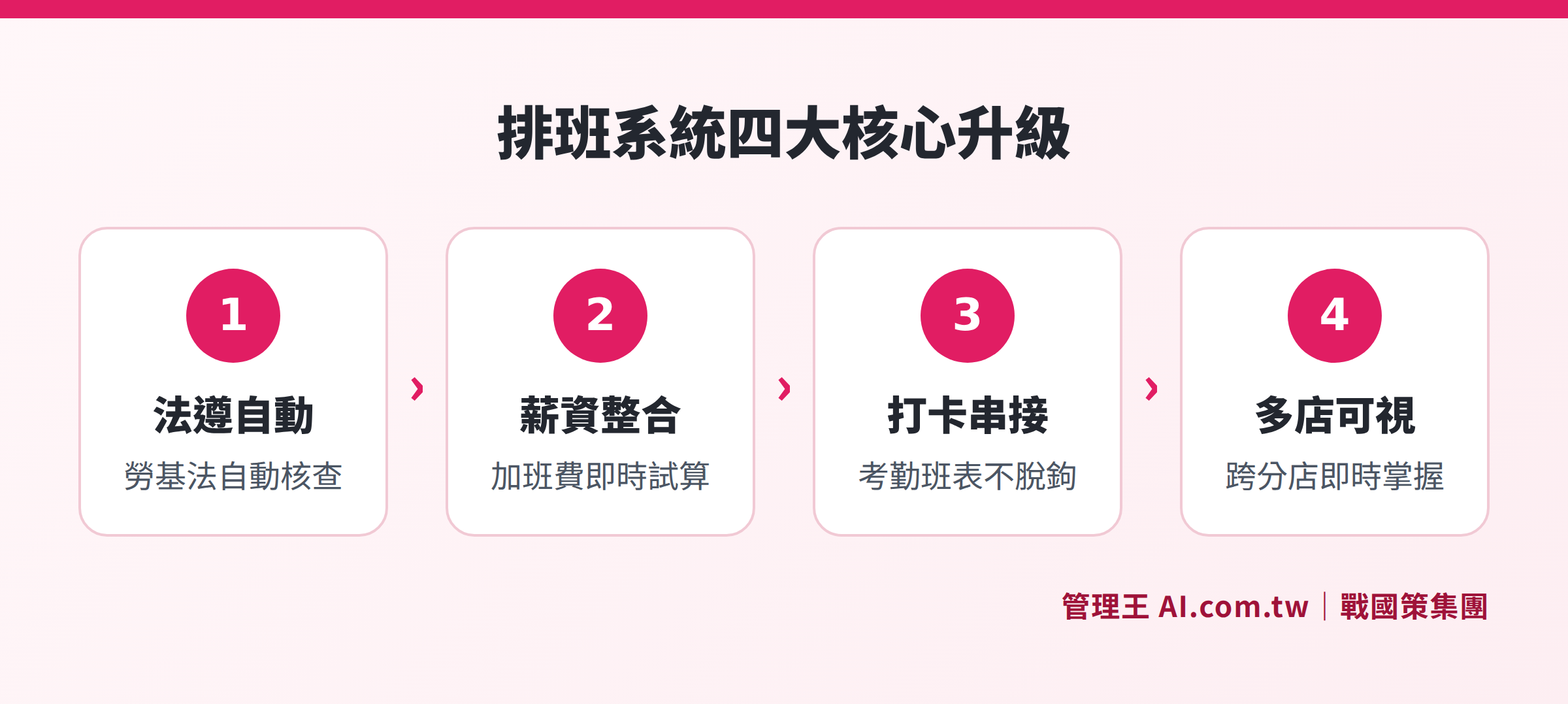
Four major upgrades of scheduling systems compared to spreadsheets in regulatory compliance checks, payroll integration, clocking connections, and real-time visibility across multiple stores
How to Create a Schedule with 管理王?
Once it is determined that a scheduling system is necessary, 管理王 AI.com.tw’s schedule management is based on the actual usage scenarios of small and medium enterprises in Taiwan, providing the following core features:
Monthly two-dimensional layout interface: Once in the schedule management section, the system presents a two-dimensional table showing all employees across the entire month of 30 days, color-coded by shift, allowing managers to capture the human resource allocation for the month at a glance. For the next month, applying the previous month’s schedule with minor adjustments significantly saves rearrangement time; coupled with the scheduling system’s automatic scheduling feature, AI provides optimal scheduling recommendations based on actual business activity from the past six months.
Automatic labor law compliance checks: The system checks each employee’s total work hours, continuous hours, day-offs, and rest days each month to ensure compliance with the labor standards act, transferring the tedious manual checks to the system and reducing legal risks.
Real-time labor cost estimation: While scheduling, it simultaneously calculates this month’s labor costs, overtime pay, and holiday double pay. Each time a shift is adjusted, the financial impact is immediately visible, integrating scheduling decisions with budget control, avoiding discovering overspending at the end of the month.
Integration of attendance and payroll: Schedule management is connected with the clocking system, linking employee clock records directly to the schedules. Leave data is synchronized and, through payroll management, overtime pay is automatically calculated, eliminating the need for manual comparisons at the end of the month and significantly shortening the integration process compared to traditional methods.
Electronic process for shift change requests: Employees submit shift-change requests in the app, and supervisors receive notifications for online approvals. Through the approval center, all processes are managed, with complete written records for each change, avoiding legal risks of relying solely on LINE messages as evidence.
Real-time visibility across multiple branches: Managing multiple branches enables the use of attendance analytics for real-time visibility of online personnel across each branch and time slot. Surpluses or shortages in manpower trigger immediate alerts, eliminating the need to open each store's spreadsheet individually.
The free plan permanently allows usage of basic schedule management features. For complete advanced functions such as AI automatic scheduling and cost estimation, refer to the service plans. For a comprehensive understanding of scheduling regulations, check out the summary of scheduling regulations and templates.
Looking for Scheduling Tools? Consult for Free First
Our consultants at 管理王 will assist you in comparing Excel, spreadsheets, and scheduling systems, recommending the most suitable method for creating schedules based on your company size and shift needs, all for free.
Free consultation hotline: 0800-003-191
LINE official account: @119m
Official website: app.AI.com.tw
Free trial: Apply for 管理王 now
Frequently Asked Questions
How to Prevent Formula Errors in Excel Schedules?
Common practices include using "named ranges" instead of direct cell references such as A1:A30 to prevent misalignment when inserting rows; or placing shift codes in a separate worksheet to avoid inserting formulas directly in the schedule grid. Additionally, applying a protection lock (Protect Sheets) after every modification allows only managers to change formulas, reducing the risk of accidental touches. However, these methods can only reduce the likelihood of errors and cannot completely eliminate maintenance burdens. If there are many employees or complex shifts, using a scheduling system is still recommended.
Are There Ready-Made Templates for Google Sheets Scheduling?
In the Google Sheets template library, you can search for "schedule" or "shift" to find English scheduling templates. You can also find Chinese versions shared by Taiwanese users by searching Google for "班表範本 Google 試算表". However, note: templates can only save you formatting design time and cannot automatically check compliance with Taiwanese labor laws. Make sure to verify that any overtime pay calculation formulas comply with Article 24 regulations before use.
Do I Need to Purchase Scheduling Systems and Clocking Systems Separately?
Some systems specialize in either scheduling or clocking; integration requires additional API setup, which incurs extra expenses or requires manual labor. 管理王’s schedule management, scheduling system, and clocking system are all within a single account, natively integrating schedules, clocking, and payroll without additional configuration, eliminating the need for manual data transfers between different systems.
How Many Hours of Interval Are Required for Rotating Employees to Change Shifts?
According to Article 34, Paragraph 2 of the Labor Standards Act, rotating employees must have at least 11 consecutive hours of rest when changing shifts. Exceptions (minimum of 8 hours) apply only to specific industries announced by the Ministry of Labor, and must be implemented with the consent of the labor union or labor-management conference. Actual applications should adhere to the latest announcement from the competent authority; if there are any doubts, consult the Ministry of Labor or local labor agencies.
Can Schedule Templates from Spreadsheets Be Imported into Scheduling Systems?
Some scheduling systems support importing existing scheduling data in CSV or Excel formats. Typically, the format of the schedule must be converted to meet the system's required column structure before importing. If the system does not directly support importing, you can also set up shifts in the system anew and start scheduling for the new month without the HR needing to write code. 管理王 provides consulting support for data setup and configuration, so HR does not have to handle the transition process themselves.
Sources
- Labor Standards Act (Overtime pay in Article 24, rest periods in Article 34, holiday regulations in Article 36) — National Legislative Database, Judicial Yuan, Executive Yuan
- Overtime pay calculation explanation — Ministry of Labor
This article is for informational purposes only and does not constitute legal or labor advice; actual conditions are subject to the latest announcements from the competent authority.