SurveyCake Review: Features, Plans, and Alternatives|Survey Tool Recommendations

SurveyCake is a locally developed survey tool in Taiwan, offering unlimited surveys with the free version and a PRO plan at NT$1,099/month. This article summarizes feature reviews, plan cost comparisons, differences from Google Forms, and recommended alternatives for enterprise survey tools.
SurveyCake is an online survey tool developed by a local Taiwanese team, offering four plans ranging from free (BASIC) to enterprise level, focusing on a Traditional Chinese interface, diverse question types, and logic branching as core advantages, suitable for marketing surveys, employee satisfaction, and market research scenarios. If you are evaluating whether to choose SurveyCake, this article organizes its features, pricing comparisons, limitations of the free version, and the differences with Google Forms based on publicly available information from the official website (as of November 2026) and finally discusses alternative directions to consider when deep integration of survey data with CRM and performance reports is needed. Overall, SurveyCake is suitable for scenarios focused on collecting survey data, while enterprises needing to directly integrate feedback into customer service, sales, human resources, and other backend processes may find an integrated management platform to be a more efficient choice.
What is SurveyCake?
SurveyCake is a SaaS survey platform developed in Taiwan, emphasizing "easy survey design and great response experience," serving individuals, non-profit organizations, and enterprise users. The platform supports both computer and mobile devices, and surveys can be distributed through various methods such as links, QR codes, emails, or embedding in web pages.
The following is an overview of the core features publicly available on the SurveyCake website:
- Diverse Question Types: According to the official website, it supports over 20 question types, including single choice, multiple choice, matrix questions, star ratings, item ranking, open text, NPS (Net Promoter Score), etc.
- Logic Branching: Questions can be shown or hidden based on previous answers, improving response completion rates.
- Duplicate Entry Prevention: Built-in detection prevents duplicate entries, ensuring data authenticity.
- Automatic Charts: Statistics charts are generated in real-time in the backend after responses are submitted.
- Cross Analysis: Data can be cross-analyzed based on background variables (available for PRO plans and above).
- Integration with 40+ Platforms: Includes HubSpot, Salesforce, Zapier, Google Analytics 4, Mailchimp, etc. (the degree of openness varies by plan).
- AI Survey Generation: Inputting a topic can automatically generate the structure of a survey in about 30 seconds (according to the official website feature description, as of November 2026).
In a nutshell
The free version of SurveyCake allows unlimited surveys and responses, but advanced features like in-depth analysis, duplicate prevention, and marketing pixel integration require a paid upgrade.
SurveyCake Plans and Pricing
Based on the SurveyCake official website (as of November 2026), four plans are currently offered:
Table: Comparison of SurveyCake's Four Plans
| Plan | Monthly Subscription | Annual Subscription (Monthly Rate) | Number of Users | Ad-Free Responses |
|---|---|---|---|---|
| BASIC Standard Version | Forever Free | Forever Free | Unlimited | — |
| PRO Professional Version | NT$1,099 | NT$750 | 1 User | First 1,000 per month |
| TEAM Version | NT$3,399 | NT$2,150 | Up to 3 Users | First 3,000 per month |
| ENTERPRISE Version | Custom Pricing | Custom Pricing | Flexible | Completely Ad-Free |
Annual payments save about 27–29% compared to monthly payments. The ENTERPRISE plan includes white-label design, custom domains, dedicated AWS databases, third-party integration APIs, and dedicated customer service; detailed pricing should be inquired with the official.
The above information is based on publicly disclosed pricing by SurveyCake, as verified in November 2026; actual costs should be confirmed on the official website at https://www.surveycake.com/pricing.
What Limitations Are There in SurveyCake's Free Version?
While the BASIC plan offers unlimited surveys and responses, according to the official website information, the following features require an upgrade to PRO or higher:
- Cross Tabulation
- Setting survey deadlines and response limits
- Duplicate prevention
- Marketing tracking code integration (GA4, Facebook Pixel)
- 130+ Advanced templates (BASIC only has 100+ basic templates)
- Ad-free responses exceeding 1,000 per month
For enterprise users who need to ensure the quality of survey data (prevent spam entries), conduct detailed analysis, or integrate marketing tools, the free version has significant functional gaps, usually requiring an upgrade to PRO (NT$1,099/month) to meet basic enterprise needs.
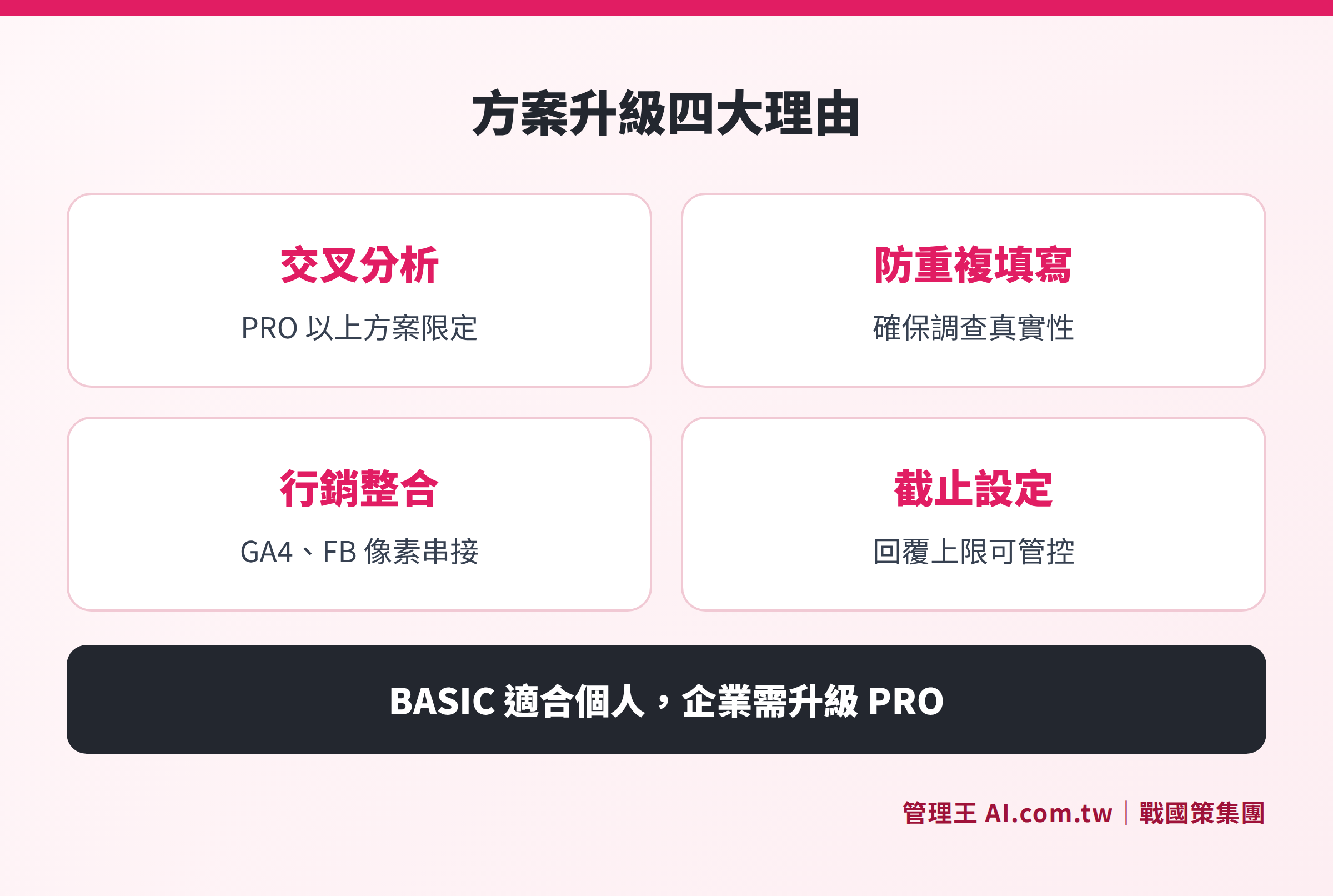
Differences in advanced analysis, duplicate prevention, and integration capabilities among BASIC, PRO, TEAM, and ENTERPRISE plans
Analysis of SurveyCake's Core Features
Question Types and Design Experience
SurveyCake offers over 20 question types, richer than Google Forms (which has 12 basic types), particularly with question types like star ratings, item ranking, and advanced matrix settings commonly used in market research and satisfaction surveys. The survey appearance allows selection from multiple color themes, and the response interface is cleaner on mobile compared to Google Forms, which helps improve completion rates.
Logic Branching
The logic setting interface is intuitive, allowing for specification like “if A is selected → show Q5, if B is selected → hide Q5,” with complexity exceeding Google Forms’ section-based guidance mechanism. This is suitable for conducting multi-scenario surveys or questionnaires that need to automatically filter questions based on respondent backgrounds.
Data Analysis
Responses automatically generate statistical charts in the backend, supporting NPS tracking. The cross-analysis feature allows filtering and comparison based on background variables (like position, age group), available for PRO plans and above. The AI automatic summarization function of open text questions can consolidate multiple comments into themes (as explained on the official website feature page, as of November 2026).
Scheduled Sending and Reminders
Scheduled sending is one of SurveyCake's practical features, where surveys can be set to automatically send on a specific date each month to designated lists, and for respondents who have not filled out the survey, the system supports automatic reminders on the 3rd and 7th day, eliminating the need for manual follow-ups. In terms of multi-channel delivery, the same survey can be sent through email and QR Code simultaneously, providing both anonymous and real-name modes; the user can flexibly set this based on the scenario (according to SurveyCake's official feature description, as of November 2026).
Integration Capabilities
The official website states that it can integrate with 40+ platforms, covering CRM (HubSpot, Salesforce), cloud storage (Google Drive, OneDrive), marketing tools (Mailchimp, Meta), collaboration tools (Slack, Notion), and automation platforms (Zapier, Make). REST APIs are available in the ENTERPRISE plan. Integrating third-party CRMs often requires creating workflows through Zapier or Make, which poses a certain setup threshold for users unfamiliar with automation platforms.
Comparison Between SurveyCake and Google Forms
Table: Comparison of Features Between SurveyCake and Google Forms (Based on official information from both websites, as of November 2026)
| Comparison Item | SurveyCake BASIC (Free) | SurveyCake PRO (NT$1,099/month) | Google Forms (Free) |
|---|---|---|---|
| Number of Question Types | 20+ types | 20+ types | 12 types |
| Logic Branching | Basic | Advanced (conditional display/hide) | Basic (section guidance) |
| Duplicate Prevention | Not included | Included | Not included (requires Google Workspace) |
| Cross Analysis | Not included | Included | Not included |
| Marketing Pixel Integration | Not included | Included (GA4, FB Pixel) | Not included |
| Appearance Customization | Multiple themes | Multiple themes | Limited |
| Storage Location | Taiwan server (ENTERPRISE) | Taiwan server (ENTERPRISE) | Google US server |
| Customer Service Language | Traditional Chinese | Traditional Chinese | Multilingual, not local support |
The core advantages of Google Forms are that it is completely free and seamlessly integrates with Google Sheets, making it suitable for individuals or small surveys. SurveyCake clearly excels in design flexibility, question variety, and analysis depth, though advanced features require payment.
Enterprises often encounter five limitations with Google Forms, which can be referenced at: Are Google Forms Enough? 5 Limitations Commonly Encountered by Enterprises.
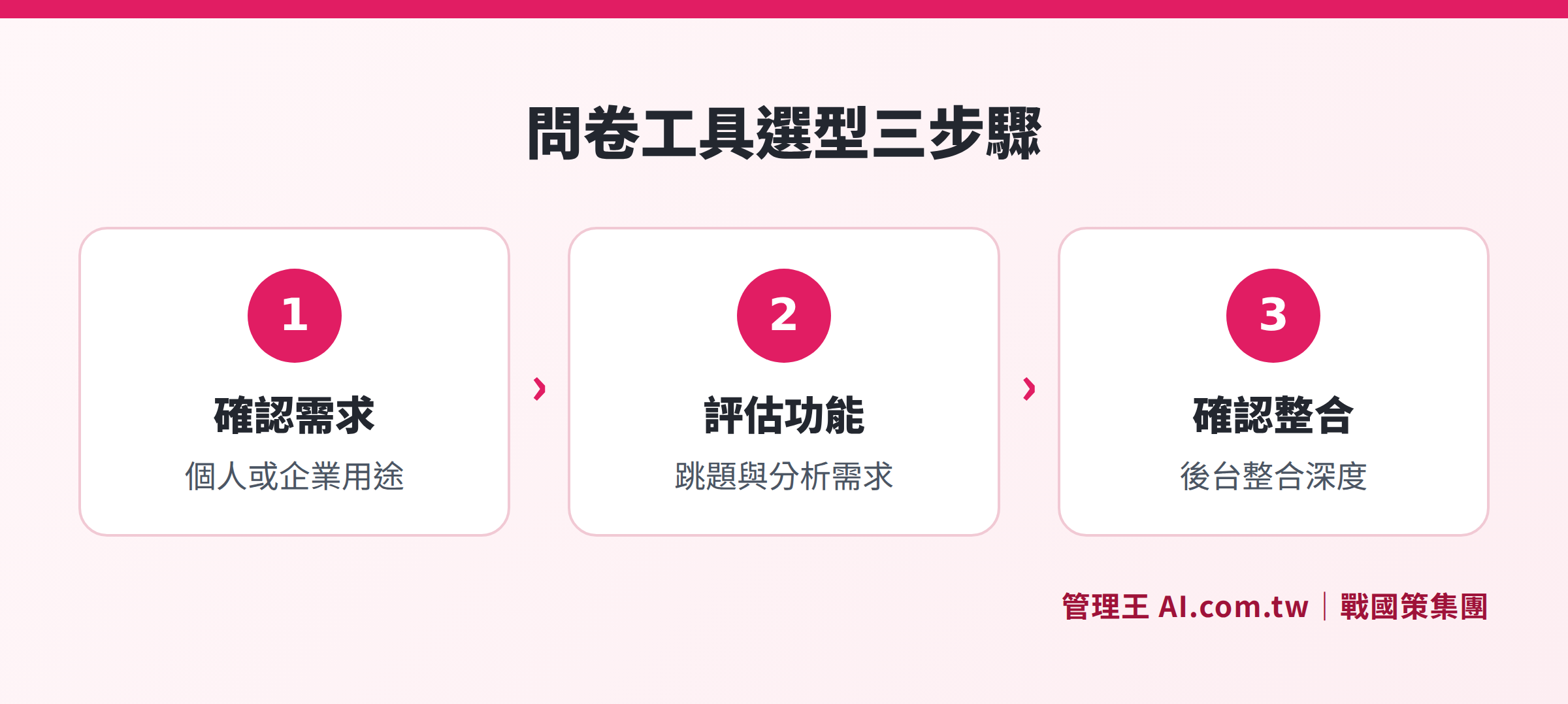
From usage needs, integration depth to data location, three steps to determine the suitable survey tool
What Kind of Enterprises is SurveyCake Suitable For?
SurveyCake's main users include marketers, HR departments, academic researchers, and event organizers. Marketers frequently use SurveyCake for concept testing before launching new products, surveys on advertising material preferences, and collecting experience feedback after events. HR departments commonly utilize it for annual employee engagement surveys, post-training evaluations, and tracking recruitment satisfaction. Due to the whole interface being in traditional Chinese and templates built around Taiwanese business scenarios, the learning curve is shorter, allowing users unfamiliar with English SaaS tools to quickly get started.
According to the official positioning and plan design, SurveyCake performs better in the following scenarios:
- Marketing Research and Consumer Surveys: Rich question types + cross-analysis suitable for market research reports
- Employee Satisfaction and Engagement Surveys: Anonymous mode + duplicate prevention to ensure data authenticity
- Feedback or Event Evaluation Post-Training: Scheduled sending + automatic reminders eliminate manual follow-up
- Small to Medium Marketing Teams: TEAM plan with collaboration for up to 3 persons meets small marketing department needs
The following scenarios may require pairing with other tools:
- Need for survey responses to immediately trigger subsequent business processes (such as writing to CRM contacts, opening work orders, notifying customer service)
- Need to cross-reference NPS scores with customer spending records
- Need for data to be completely stored in Taiwan without requiring ENTERPRISE-level costs
How to Use the Management King Survey Tool
Management King's AI.com.tw survey tool is a module within the All-in-One management platform, natively integrated with CRM customer management, customer service tickets, customer satisfaction dashboard, and marketing automation.
The actual operation methods (according to the feature page description) are:
- Create Survey: Supports various question types, including NPS, satisfaction scales, open text; set schedule to automatically send to member segments monthly
- Logic Branching: Set to show/hide subsequent questions based on answers to enhance completion rates
- Distribution Channels: Send simultaneously via LINE, Email, and QR Code; automatic reminders for non-respondents on D3 and D7
- Result Analysis: Automatically generates averages and cross-analysis in the backend; AI automatic summarization of open text into five main themes
- Integration Process: Negative reviews can set up automatic LINE notifications to supervisors or trigger customer service tickets; NPS scores write back directly to CRM customer cards
The core difference of the Management King survey tool is that "surveys are not isolated." When a customer inputs a low NPS score or leaves negative feedback in the survey, the system can be set to automatically create a follow-up task for that customer in the CRM, simultaneously open a customer service ticket and assign a responsible person, and notify the supervisor via LINE. This entire process can be completed in minutes without manual forwarding or copying and pasting, enabling feedback to action assignment in a matter of minutes. Similarly, the results of employee satisfaction surveys can be directly linked to HR performance systems, without needing to export CSVs for manual comparison. This advantage of native integration typically offers more stability and lower maintenance costs for enterprises with high survey volumes or demands for speedy responses than relying on Zapier for bridging.
Table: Main Differences Between SurveyCake PRO and Management King's Survey Tool (Based on official information from both websites, as of November 2026)
| Comparison Dimension | SurveyCake PRO | Management King's Free Plan |
|---|---|---|
| Monthly Fee | NT$1,099 (for one user) | Permanently free (for teams with less than 10 users) |
| Survey Creation | Over 20 question types | Multiple question types including NPS scales |
| CRM Integration | Integration with external CRM via Zapier or API | Native integration with CRM, tickets, and HR |
| Data Storage Location | ENTERPRISE plan can choose AWS dedicated storage | Sanguo Strategy Taiwan data center |
| Applicable Scenarios | Focused on survey collection and analysis | Survey responses directly integrated into business and customer service processes |
The free plan allows for permanent use of survey features, enabling teams of 10 or fewer members to start collecting feedback without any costs.
To learn the complete process of survey design and distribution, refer to: How to Design Surveys That People Will Fill Out? The Process from Design, Distribution to Analysis.
Other related features:
Integrating Surveys with CRM to Turn Feedback into Action
Consultants provide free assistance in implementing Management King's survey tool, enabling customer NPS and employee feedback to automatically write back to CRM, triggering customer service tickets and follow-up processes.
Free consultation hotline: 0800-003-191
LINE official account: @119m
Official website: app.AI.com.tw
Free trial: Apply for Management King Now
Frequently Asked Questions
Can the Free Version of SurveyCake Be Used Permanently?
Yes, according to the SurveyCake official website (as of November 2026), the BASIC Standard Version is "permanently free", providing unlimited surveys and responses without requiring a credit card or limiting usage duration. However, features like duplicate prevention, cross-analysis, and marketing tracking code integration require upgrading to PRO (NT$1,099/month).
What Is the Difference Between SurveyCake PRO and TEAM Plans?
According to the SurveyCake official website plan comparison page (as of November 2026), PRO is for single-user accounts, while TEAM supports collaboration for up to 3 users, adding role permission management and survey sharing features in the backend. The monthly ad-free response count is 1,000 for PRO and 3,000 for TEAM.
Where Is SurveyCake's Data Stored?
According to the SurveyCake official website, the ENTERPRISE plan can choose an AWS dedicated database; however, the storage locations for BASIC, PRO, and TEAM plans are not clearly stated on the website. Enterprises needing data sovereignty (requiring confirmation that data is stored in Taiwan) are advised to inquire directly with SurveyCake's customer service or choose tools with clearly stated Taiwan data centers.
Can SurveyCake Integrate with CRM Systems?
According to the SurveyCake official website integration list (as of November 2026), it supports integration with CRMs like HubSpot, Salesforce, Zendesk, and automated connections through Zapier and Make. REST APIs are available in the ENTERPRISE plan. If there is a need to have survey data written into the same CRM system without requiring additional Zapier workflow setup, consider an integrated management platform with built-in integrations.
Is SurveyCake Suitable for Employee Engagement Surveys?
Yes. SurveyCake PRO and above plans support anonymous responses, duplicate prevention, automated scheduled sending, and cross-analysis, which meet the basic needs for employee surveys by comparing engagement levels across departments and job titles. However, if the results need to be integrated with payroll, performance, or onboarding systems, additional tools or an integrated management platform will be necessary.
Data Sources
- SurveyCake Pricing Plans (SurveyCake official website, November 2026)
- SurveyCake BASIC Standard Version Description (SurveyCake official website, November 2026)
- SurveyCake PRO Feature Description (SurveyCake official website, November 2026)
- Management King Survey Tool Feature Page (Management King AI.com.tw)