Complete Guide to Restaurant Booking Systems: Understand Features, Costs, and Implementation Steps|Recommended Booking Systems

Restaurant booking systems allow customers to book seats, private rooms, or time slots 24/7. The system automatically prevents double booking, sends LINE reminders to reduce No-Show rates, and integrates with Google My Business, CRM, and POS. This article provides a comprehensive guide on booking systems, covering six key feature analyses, a comparison of phone vs. online booking, application scenarios across industries, cost plan comparisons, and a four-step implementation process to help service industry owners select the right system for a quick launch.
A restaurant booking system is a digital tool that allows customers to self-book seats, time slots, or rooms online or via mobile, while assisting businesses in managing the booking process, tracking customer status, and automatically sending reminder notifications. Compared to traditional phone bookings, online booking systems resolve three major pain points: "busy phone lines", "manual errors", and "customer no-shows", allowing service industries such as restaurants, cafes, hair salons, KTVs, massage SPAs, and clinics to provide a smoother booking experience with lower labor costs, regardless of size. This article serves as a complete guide to booking systems, covering the system definition, six core functions, various industry application scenarios, No-Show prevention mechanisms, cost comparisons, and implementation steps to assist owners in making the best decisions for their specific store type when evaluating and purchasing a system.
What is a Booking System? Transition from Phone to Online
The core task of a booking system is to shift the booking process, which was originally handled via phone, paper, or LINE messages, to a digital platform that can be automated.
Traditional phone bookings have several fundamental issues: customers cannot book outside of business hours, front desk staff are prone to errors when they have to handle both phone and in-person customers simultaneously, booking information is scattered across paper records or personal LINE conversations, and manual reminders rely entirely on employees’ memory. If employees are busy or take leave, booking management can easily go wrong.
The online booking system systematizes this process: customers can self-book at any time from the official website, Google search, or LINE by accessing a public booking page, with automatic confirmations and reminders. Store managers can view the distribution of bookings for the day and the future instantly in the backend, allowing for better manpower scheduling and inventory preparation.
In a nutshell
Booking system = Digitalizing the phone booking process, enabling customers to self-book 24/7, with automatic reminders and centralized management for the store.
Phone Booking vs. Online Booking System: A Feature Comparison
Before choosing a booking method, understanding the differences in core functions between the two helps evaluate whether the implementation costs and benefits are worthwhile.
Table: Comparison of Phone Booking and Online Booking System Functions
| Item | Phone Booking (Traditional Method) | Online Booking System |
|---|---|---|
| Booking Time Slot | Limited to Business Hours | 24/7 Availability |
| Information Recording | Paper or Manual Input, Prone to Errors | Automatic Record Creation, Low Error Rate |
| No-Show Reminders | Requires Manual Calls from Staff | Automatic LINE/SMS/Email Reminders |
| Seat Conflicts | Dependent on Manual Verification, Prone to Double Booking | Automatic Conflict Prevention by the System |
| Multi-Branch Management | Scattered Across Each Store, Difficult to Aggregate | Unified Backend for Centralized Management |
| Data Analytics | None, Cannot Track Trends | Can Analyze Booking Rates and No-Show Rates |
| Front Desk Labor Needs | High (Requires Specialist Staff) | Low (System Handles Orders) |
| Deposit Pre-collection | Difficult to Implement | Can Set Up Online Deposit Payments |
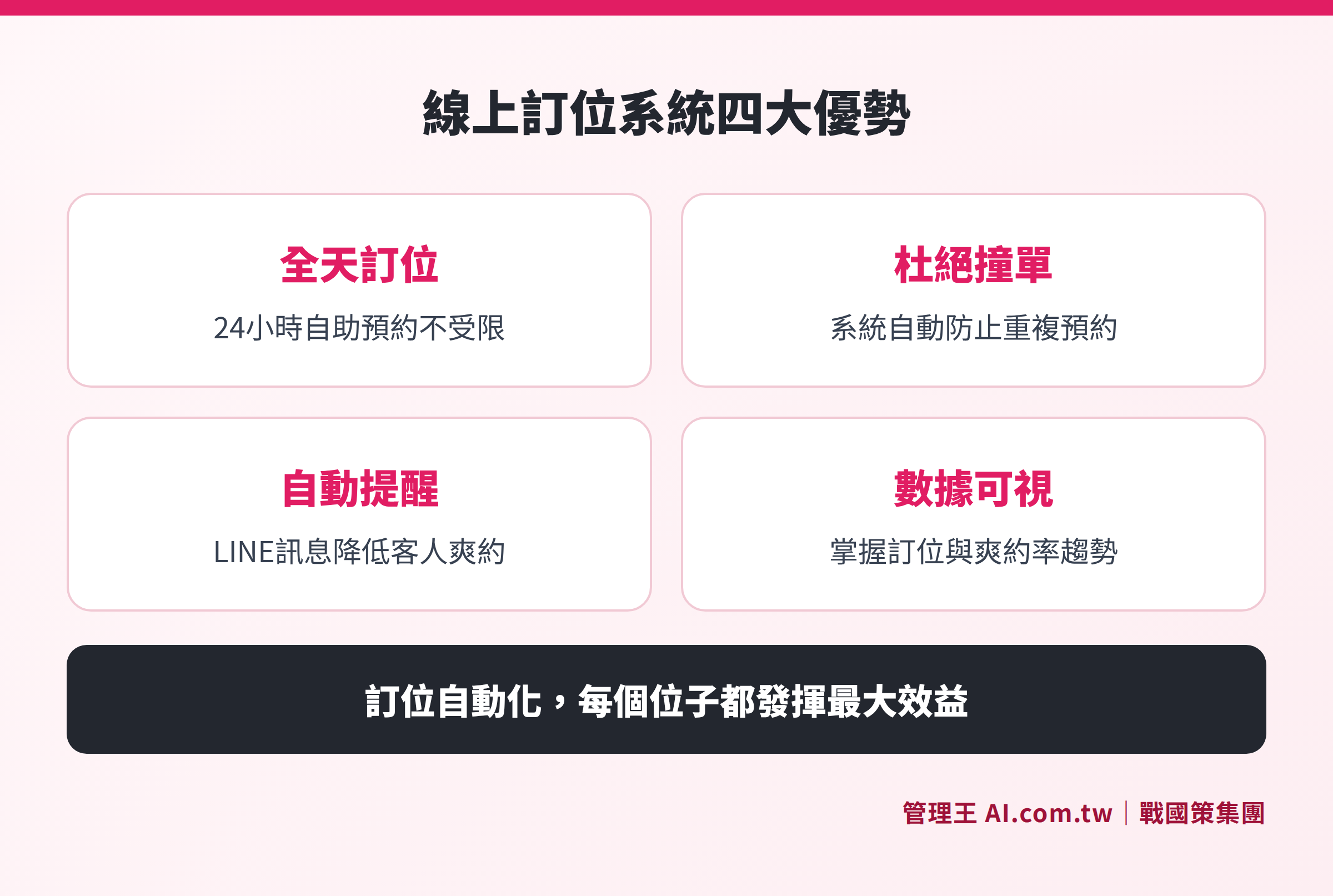
Process Comparison: Problems from phone booking to paper records vs. the automated process of online booking systems
Six Core Functions of the Booking System Explained
Understanding what the system can specifically do allows for evaluating against your own needs, avoiding paying for a monthly fee only to use superficial features.
1. Dedicated Public Booking Page
The system provides a public booking page that can be linked to your own domain. Customers can open the URL, select the date, time slot, and number of people to complete their booking without needing to download an app or log in, significantly lowering the booking threshold. For businesses, this page acts as a front desk that is open 24/7.
2. Resource and Capacity Management
Seating areas, rooms, and service staff can all be set as bookable resources in the backend, with maximum group limits defined for each time slot. The system automatically prevents repeated bookings for the same resource at the same time, fundamentally eliminating booking disputes and allowing store managers to save the effort of manual verification.
3. Full Tracking of Booking Status
Each booking has clear status transitions from creation to completion: Pending Confirmation → Confirmed → Customer Arrives → Completed Consumption, and also includes No-Show and Cancellations. Managers can instantly see the progress of all bookings for the day in the backend, allowing manpower and inventory adjustments to no longer rely on gut feeling.
4. Automatic Confirmation and Reminder Notifications
Once a booking is made, the system automatically sends confirmation notifications; reminders are sent 24 hours and 1 hour prior to dining automatically through LINE messages, SMS, or Email. This automated reminder mechanism is the most direct and effective way to reduce No-Shows, ensuring each time slot has a higher arrival rate.
5. Advanced Booking Features
To cater to different industry needs, the system supports VIP customers’ reserved seating, online deposit payments (to reduce casual bookings), automatic matching for large group reservations, and centralized management for multiple branches. Chain brands can coordinate booking resources among various stores from headquarters without having to contact each manager separately.
6. Integration with Google My Business
When customers search for restaurants on Google, they can see a "Book Now" button directly that lets them complete the booking process in one click, seamlessly directing local search traffic to bookings. This feature is particularly effective for potential customers searching with keywords like "nearby restaurants" or "food in certain areas", converting their search intent directly into booking actions.
Which Industries are Best Suited for Booking Systems?
Booking systems are not limited to high-end restaurants; virtually any service industry with a need for time slot reservations can benefit directly.
Table: Application Scenarios of Booking Systems Across Industries
| Industry Type | Primary Usage Scenarios | Key Functions |
|---|---|---|
| Restaurants, Izakayas, BBQ Restaurants | Dining Time Slot Reservations, Private Room Management | Capacity Management, No-Show Reminders |
| Cafes, Afternoon Tea | Seat Reservations, Afternoon Tea Package Slots | Public Booking Page, Status Tracking |
| KTV, Entertainment Venues | Room Reservations, Time Slot Billing | Resource Management, Deposit Collection |
| Hair Salons, Beauty Salons | Designer Appointments, Time Slot Management | Service Personnel Resource Settings |
| Massage SPAs | Treatment Slots, Designated Therapists | Multi-Resource Reservations, VIP Priority |
| Clinics, Medical Aesthetics | Consultation Time Slots, Booking Appointments | Status Transition, Reminder Notifications |
| Chain Food Brands | Unified Management Across Multiple Stores | Multi-Branch Backend, Headquarters Scheduling |
It is worth noting that as the acceptance of digitalization in Taiwan's service industry increases, even small stores have begun implementing online booking systems, primarily motivated by savings on phone handling labor costs and reducing booking disputes caused by human error.
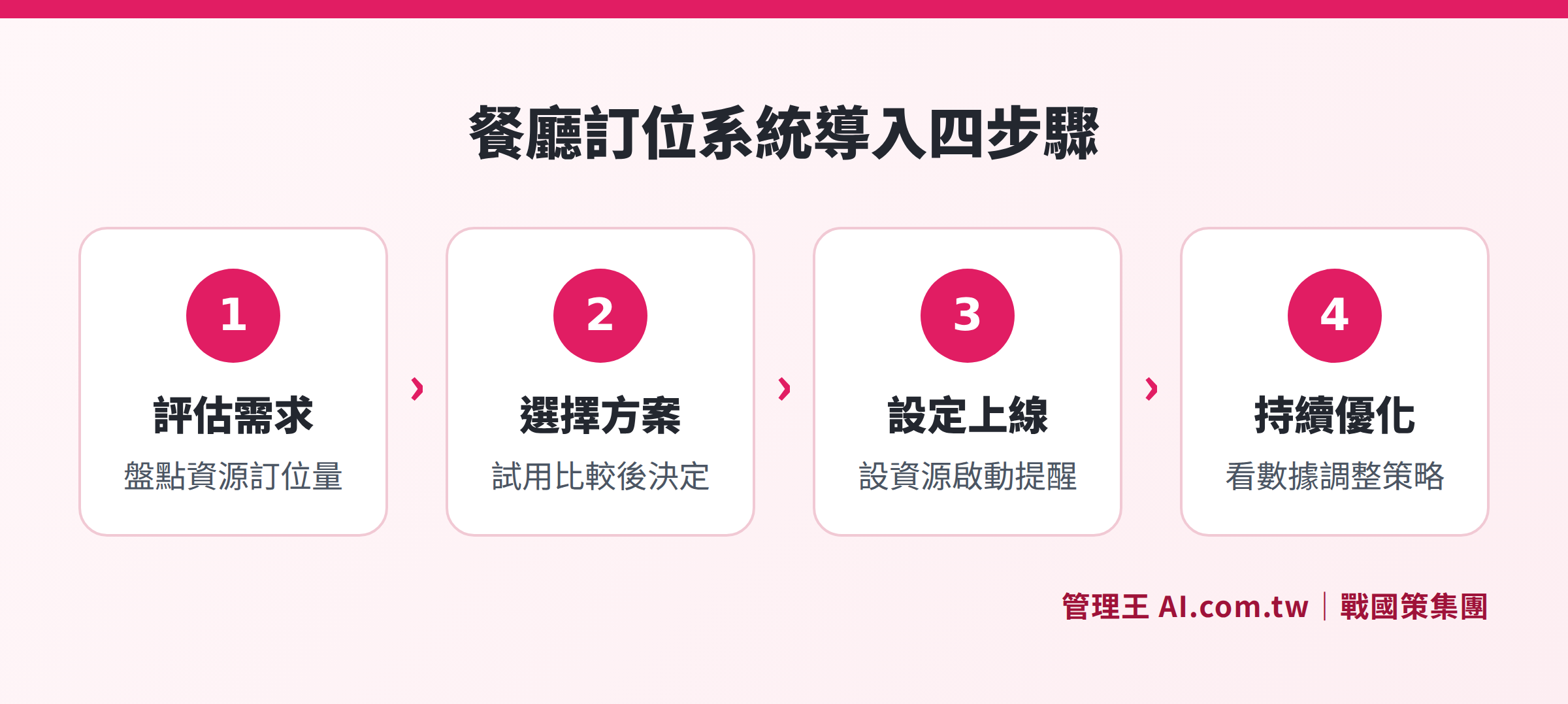
Four Steps: Assess Needs, Choose a Solution, Set Up the System, Go Live
How to Reduce No-Shows? Comprehensive Guide to the System's No-Show Prevention Mechanisms
No-Shows (customers who book but do not show up) have been a long-standing issue in Taiwan's food and beverage industry. Customers often "book multiple places simultaneously", changing their minds at the last minute without canceling, which directly results in restaurants wasting food, leaving seats unoccupied, and staff waiting idly.
The booking system can reduce No-Show rates through multiple mechanisms:
- Automatic Reminders: Send LINE or SMS reminders 24 hours and 1 hour before the booking, ensuring customers don't "forget they have a reservation".
- Confirmation Mechanism: The system requires customers to click to confirm before the deadline; unconfirmed bookings can be set to auto-cancel, freeing up the slot.
- Online Deposit Payments: Require customers to pay a deposit, filtering out casual bookings. Depending on the store policy, deposits may be forfeited for No-Shows.
- Customer Records: The system automatically logs each customer's booking history, marking those with multiple No-Shows and providing reminders in the backend.
- Quick Replacement: Once a booking is canceled, the slot is released immediately, allowing other customers to fill it quickly, reducing the loss from vacant times.
Together, these mechanisms form a complete booking management loop, allowing each seat to generate revenue more effectively, particularly beneficial for restaurants with high seating turnover rates during peak dining times.
How are Booking System Costs Calculated? Comparing Different Plans
When purchasing a booking system, the cost structure often influences decisions more than the functions do. The booking systems on the market range from free plans to monthly fees exceeding tens of thousands of NT dollars, with differences mainly in the following dimensions:
Independent Booking SaaS Tools: Focused on booking features, with monthly fees typically around a few thousand NT dollars, but require additional purchases for CRM, marketing, POS, etc., with integration costs separate.
Integrated Business Systems (such as 管理王 AI.com.tw): Booking features are included in the overall package alongside CRM, marketing, POS, accounting, and over 100 other functions. The free plan is permanently available, while paid plans range from NT$5,000 to NT$19,900/month, providing lower overall IT subscription costs.
For example, regarding 管理王's booking system plan (costs as per the official website announcement):
| Plan | Monthly Fee (NTD) | Member Limit | AI Points |
|---|---|---|---|
| Free Plan | 0 | 10 People | One-Time Credit |
| Economy Plan | 5,000 | 30 People | 1,000 Points/Month |
| Business Plan | 10,000 | 60 People | 3,000 Points/Month |
| Flagship Plan | 19,900 | Unlimited | 10,000 Points/Month |
The free plan can be used permanently for basic booking features, suitable for small starting businesses. Those needing advanced features (such as multi-branch management, VIP priority, deposit collection) can upgrade to paid plans. For detailed pricing, please refer to 管理王 Plans and Pricing.
Steps to Implement a Booking System: From Assessment to Launch
Many owners worry that "implementing a system is complicated" and "employees won't know how to use it". In reality, the implementation process for modern cloud-based booking systems has been significantly simplified.
Step 1: Assess Needs
Clarify your booking scale (daily booking volume, seating area configuration), what types of resources need management (seats, rooms, personnel), and whether there’s a need for multi-branch management.
Step 2: Choose a System
Select 2-3 systems based on the feature list, cost budget, and integration requirements, and try them for free before deciding. Key points to confirm include: whether there’s a Chinese interface, LINE notification support, Google My Business integration, and whether data is stored in Taiwan.
Step 3: Set Up the System
Create venue and resource settings (seating areas, private room capacity, time intervals), set rules for automatic reminders, customize confirmation message content, set VIP lists or deposit rules.
Step 4: Train Employees for Go-Live
Modern system interfaces are primarily mobile-operated, and general employees can master them within a day. It is recommended to conduct a small-scale trial (such as for weekend sessions) before switching fully after confirming a smooth process.
Step 5: Continuous Optimization
Regularly check the booking rates, No-Show rates, and peak time data in the backend, adjusting reminder timings, deposit rules, or seat capacity settings based on the data.
Managing Bookings with 管理王 AI.com.tw
The 管理王 booking system is an online booking tool designed for Taiwan’s service industry, allowing for setup and launch within a day without the need for expensive dedicated hardware.
Here’s how it works in practice:
Create a Public Booking Page: Set the store name, seating resources, and available time slots in the backend, and the system automatically generates the public booking page URL, which can be directly shared or embedded on the official website. If you have your own domain, you can bind it for use.
Set Resource Capacity: Designate seating areas, rooms, or even specific personnel as bookable resources, and set the maximum number of bookings per time slot, with the system automatically preventing conflicts.
Enable Automatic Notifications: Choose the reminder channels (LINE messages, SMS, or Email) and set the reminder times (e.g., 24 hours prior, 1 hour prior), eliminating the need for staff to manually track.
Integrate with Google My Business: After completing the integration, when customers find the restaurant on Google Maps, they can click "Book Now" to enter the booking process, converting search traffic into actual bookings.
Combine with Other Modules: The booking system is natively integrated with 管理王's CRM System, automatically establishing records for booking customers, which can be connected with loyalty point programs for customer relationship management, and can also integrate with the POS system and ordering system, allowing the entire process from booking, ordering, to checkout to take place within the same system.
The free plan is available for permanent use, suitable for small businesses to try directly. Advanced features like multi-branch management, deposit collection, and VIP priority can be upgraded based on needs.
Guide to Selecting a Booking System: Five Key Evaluation Points
Faced with many choices in the market, owners can compare using the following five dimensions:
1. Completeness of LINE Integration: Taiwanese customers are accustomed to using LINE; the ability to send booking confirmations and reminders via LINE official accounts directly affects notification delivery rates. Some systems can only send reminders via email, with open rates in Taiwan markedly lower than LINE notifications.
2. Data Storage in Taiwan: Customer booking data, which includes names, phone numbers, and consumption habits, falls under personal data protection regulations. It is recommended to choose services with data centers located in Taiwan that comply with Taiwanese privacy laws to avoid future audits or regulatory risks associated with data transfers.
3. Support for Multi-Branch Management: For chain brands or those planning for expansion, confirm whether the system can uniformly manage bookings and set consistent time slot rules across all branches, consolidating booking volumes and No-Show rates in the main backend.
4. Compatibility with Existing Tools: Confirm whether the booking system can integrate with Google My Business, POS systems, or loyalty point systems, enabling automatic point accumulation for booking customers and matching booking records at checkout to avoid isolated data causing repeated operations.
5. Customer Support and Local Assistance: It’s inevitable for operational issues to arise during the initial phase of system launch, so evaluating whether the vendor can provide Traditional Chinese language customer support, and whether there are direct contact methods via phone or LINE is particularly important for non-technical owners.
Say Goodbye to Phone Orders, Implement an Online Booking System
Professional consultants assist you in evaluating the most suitable booking system solution, with free trials, a one-day setup, integration of LINE notifications and Google My Business, immediately reducing No-Show rates.
Free consultation hotline: 0800-003-191
LINE official account: @119m
Official website: app.AI.com.tw
Free trial: Apply for 管理王 now
Frequently Asked Questions
Is the booking system suitable for small restaurants or cafes?
Yes. The main objective for small businesses to implement a booking system is usually to save manpower for phone handling and to avoid errors in manual record-keeping. Many modern cloud booking systems offer free plans, enabling small businesses to try without costs, and upgrade after confirming their needs. The free plan of 管理王's booking system allows for permanent use of basic functions.
Do customers have to download an app to make a booking?
No. The online booking system provides a web-based booking page, allowing customers to open links directly in their mobile browsers, select the date, time slot, and number of people, completing the booking without installing any app. Some systems also support direct bookings through LINE official accounts, aligning with Taiwanese customers' preferences.
How does the booking system integrate with Google My Business?
Some booking systems (including 管理王) support integration with Google My Business. Once integration is set up, when customers see restaurant information on Google Maps or Google search, a “Book Now” or “Reserve” button appears on the page, leading them to the booking page to complete the reservation. This functionality effectively converts local search traffic into actual bookings.
How can we prevent customers from not showing up (No-Show)?
The most effective method is to combine automatic reminders and online deposit payments. Automatic reminders notify customers in advance about the booking time, reducing the chances of forgetting; online deposit payments raise the cost of no-shows, effectively filtering out casual bookings. Furthermore, the system can log customer booking histories, marking those with multiple No-Shows for management reference.
What is the typical cost of a booking system?
The cost of booking systems varies greatly depending on their complexity and plan differences. If selecting an integrated system that includes booking functions (like 管理王 AI.com.tw), free plans can be used permanently; paid plans range from NT$5,000 to NT$19,900 per month, encompassing over 100 features such as booking, CRM, marketing, and POS. If choosing a standalone booking SaaS tool, monthly fees can range from hundreds to thousands of NT dollars, but additional costs for other systems will apply.
Sources
- Ministry of Economic Affairs Statistics - Wholesale, Retail and Catering Industry Dynamic Survey (Market Scale of Taiwan's Food and Beverage Industry)
- Google My Business Guide - Setting Up Reservation Features (Explanation of Reserve with Google Feature)
- 管理王 AI.com.tw Booking System Feature Page (Feature Introduction and Plan Explanation, as of October 2026)
- 管理王 AI.com.tw Service Plan Pricing (Plan Costs, as of October 2026)