Comparison of Online Survey Platforms: What's the Difference Between Free and Paid Versions|Survey Tool Recommendations

The free versions of online survey tools have significant limitations in four areas: response limits, anti-fraud measures, advanced analytics, and CRM integration. Enterprises that need to ensure data credibility or connect to backend systems usually need to upgrade to a paid version. SurveyCake PRO charges NT$750/month, and Typeform Basic costs $25/month, which are more affordable options. The Management King AI.com.tw free plan can be used permanently and integrates natively with CRM, customer service, and marketing automation.
Free versions of online survey tools typically allow for creating surveys and collecting basic responses, but there are clear disparities in four areas: maximum response limits, anti-fraud mechanisms, advanced statistical analysis (cross-analysis, AI summaries), and the ability to integrate with CRM or marketing systems. Popular platforms like Google Forms, SurveyCake, Typeform, and SurveyMonkey all offer free versions with varying limitations; paid versions significantly upgrade data credibility, analysis depth, and process automation. Whether an enterprise needs to upgrade depends on monthly response volume, the need for fraud prevention, and the complexity of backend integration.
In a Nutshell
Free survey tools have a low response count and lack integration; enterprises needing fraud prevention, process automation, or CRM integration almost always need to upgrade to a paid version.
Which mainstream online survey tools offer free versions?
Online survey tools with a higher usage rate in Taiwan all provide varying degrees of free versions. Before use, it's essential to understand the positioning of each platform:
Google Forms: Free to use with a personal Gmail account, supports unlimited forms and responses (up to 500,000 responses per form from September 2026), offers 12 basic question types, and integrates seamlessly with Google Sheets. It is the most common starting point for personal surveys and small event registrations.
SurveyCake BASIC: Developed locally in Taiwan, this free version also offers unlimited surveys, unlimited responses, and over 20 question types, with a fully Traditional Chinese interface. It is suitable for users looking for richer question types than Google Forms and wanting to use a local tool.
SurveyMonkey Free Version: Allows a maximum of 10 questions per survey, suitable for quick and simple internal surveys, but the question limit makes it impossible to design complex surveys.
Typeform Free Version: Allows a maximum of 100 responses per month with no limit on the number of questions. It emphasizes a conversational answering experience and elegant visual design, but the free version’s response limit is insufficient for companies needing to scale up.
Management King AI.com.tw Free Plan: Permanently free, no charge for up to 10 members, with survey functionality identical to the paid version, and AI analysis usage is one-time credits; there is no hard limit on the number of responses, and data is stored in Taiwan’s data center.
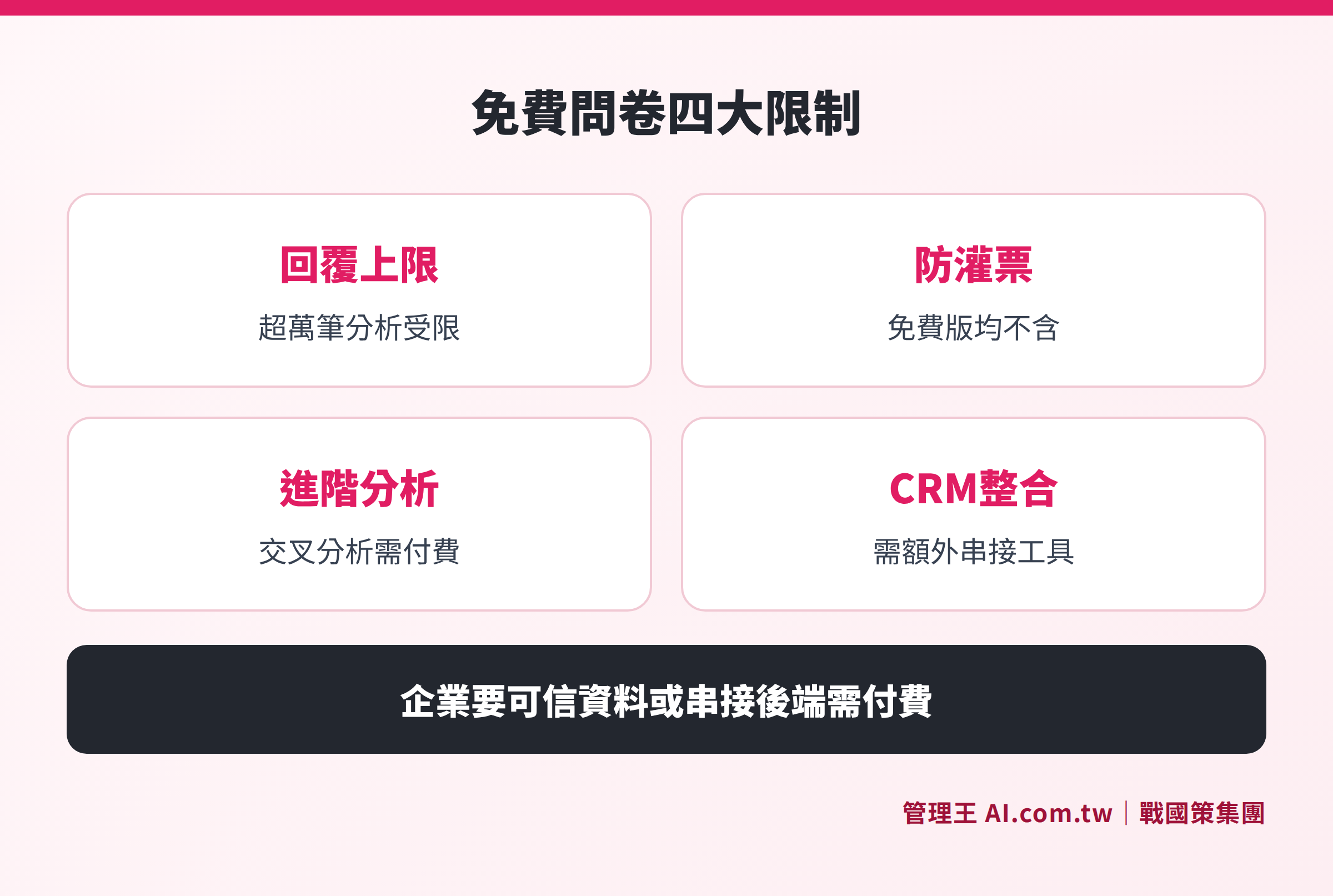
Comparative analysis of the functional disparities in response limits, fraud prevention, advanced analysis, and CRM integration across the free versions of various platforms
Three Core Limitations of Free Survey Tools
Limitation 1: Response Quantity or Question Quantity Limits
Each platform's free version has varying degrees of limitations on the amount of data collected. Although Google Forms does not impose strict limits on responses, according to Google’s official documentation, after exceeding 10,000 responses, browsing modes "by question" and "individual responses" will not be available; after exceeding 50,000 responses, summary charts may malfunction—more responses can actually limit your analysis tools. Typeform free version can only collect 100 responses per month, while SurveyMonkey restricts each survey to 10 questions, making it impossible to design complex surveys.
Limitation 2: Advanced Analytics and Fraud Prevention Require Paid Unlocks
Most free versions only provide basic statistical charts, while the following features usually require an upgrade:
- Duplicate response prevention (anti-fraud): SurveyCake requires a PRO plan, while the free version of Google Forms does not have this mechanism.
- Cross-analysis (comparing responses based on demographic variables): SurveyCake requires PRO, while SurveyMonkey requires a paid version.
- Open-text AI summaries: Google Forms requires a paid Google Workspace plan, and even then, cannot be used for more than 200 responses (according to Google’s official documentation).
- NPS trend tracking reports: This feature is not included in the free version of SurveyMonkey.
For enterprises needing to ensure the credibility of survey data (e.g., employee engagement surveys, customer NPS tracking), anti-fraud mechanisms are almost a necessity, which typically requires payment.
Limitation 3: Limited Brand Customization and CRM Integration
Free versions typically cannot remove platform branding, customize survey URLs, or set up custom domains. Google Forms's URL is fixed as `docs.google.com/forms`, and sending this to customers might affect brand consistency and trust.
In terms of integration capability, free versions usually only support manual CSV exports and cannot directly connect to CRM or trigger automated processes. SurveyCake's third-party integrations (e.g., HubSpot, Salesforce, Zapier) are only fully open in PRO plans or above; the same applies to SurveyMonkey's Webhook integration, which also requires payment.
Comparison of Core Features Between Free vs. Paid Versions of Each Platform
Table: Differences in Core Features Between Free and Paid Versions of Mainstream Online Survey Platforms (Based on information from each platform's official website, checked in November 2026)
| Feature Item | Google Forms (Free) | SurveyCake BASIC (Free) | Typeform (Free) | SurveyMonkey (Free) |
|---|---|---|---|---|
| Monthly Response Limit | None (but limited analytics after 10,000) | Unlimited (first 1,000 responses ad-free) | 100 responses/month | No limit, but 10 questions per survey |
| Prevent Duplicate Responses | No | Requires PRO plan | Requires paid version | Requires paid version |
| Cross-Analysis | No | Requires PRO plan | No | Requires paid version |
| Custom Brand Appearance | Limited (cannot remove Google branding) | Multiple themes (watermark removal requires payment) | Requires paid version | Requires paid version |
| Marketing Integration (GA4, FB Pixel) | No | Requires PRO plan | Requires paid version | Requires paid version |
| AI Open Text Summaries | Paid version required, with maximum of 200 responses | Paid version required | No | Paid version required |
| Scheduled Auto-Delivery | No (requires Apps Script) | Yes (BASIC included) | No | Paid version required |
| Native CRM Integration | No (requires third-party integration) | Requires Zapier or paid version | Requires Zapier | Requires Zapier |
Cost Overview of Entry-Level Paid Plans for Major Platforms in 2026
Table: Comparison of Entry-Level Paid Plan Costs (Based on information from each platform's official website, checked in November 2026)
| Platform | Free Version Limitations | Entry Paid Plan Cost | Key Features Unlocked in Paid Version |
|---|---|---|---|
| Google Forms | Analysis limited after 10,000 replies | Google Workspace Standard about $14 USD/person/month | Gemini AI summaries, management backend |
| SurveyCake | No fraud prevention, no cross-analysis | PRO NT$1,099/month (NT$750/month if paid annually) | Fraud prevention, cross-analysis, marketing integration |
| SurveyMonkey | 10 questions limit per survey | Team Advantage NT$750/person/month (minimum 3 people, billed annually) | Unlimited questions, 50,000 responses per year |
| Typeform | 100 responses per month | Basic about $28 USD/month (approximately $25/month if paid annually) | Unlimited responses, advanced analysis, custom branding |
| Management King AI.com.tw | Up to 10 people, AI usage as one-time credits | Economy NT$5,000/month | Survey + 100+ functions, AI 1,000 points/month |
Based on publicly available information on official websites, from the check conducted in November 2026; actual costs should refer to the latest announcements on each platform's official website. For Management King pricing, please refer to the service plan page.
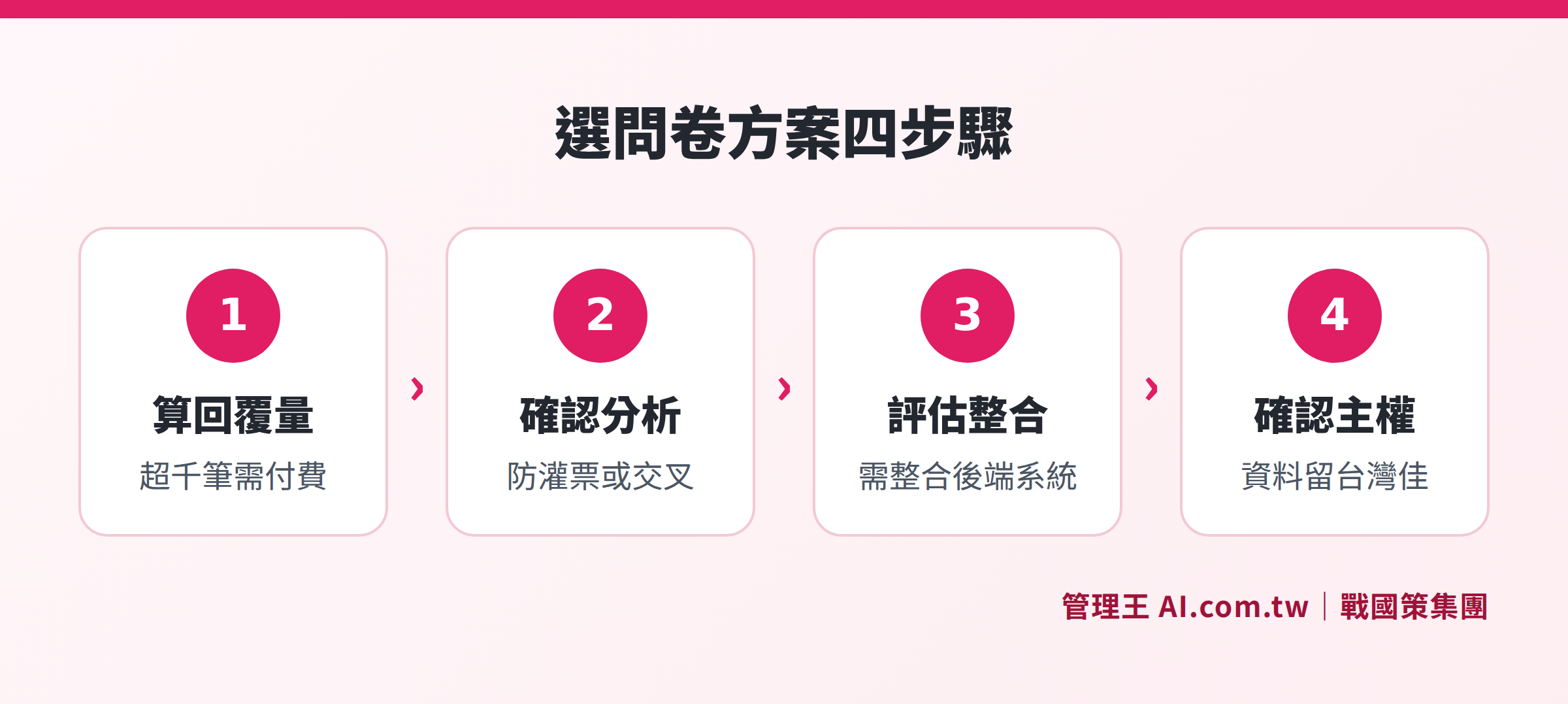
Estimate monthly response volume, confirm analysis needs, assess integration depth, and verify data sovereignty—four steps to select the most suitable survey solution for your enterprise
When Should You Upgrade from Free to Paid Version?
The following four scenarios indicate that the free version is clearly insufficient:
Monthly response volume exceeds limits: The Typeform free version’s limit of 100 responses quickly hits a bottleneck; the SurveyMonkey free version's limitation of 10 questions makes complex surveys impossible to use; and Google Forms severely limits its analytics capability after exceeding 10,000 responses.
Need to ensure data authenticity: Surveys on employee engagement, customer NPS, or post-course evaluations without anti-fraud mechanisms raise doubts about data credibility, making it easy to misjudge decisions based on them. SurveyCake PRO at NT$750/month billed annually already includes anti-fraud features, making it Taiwan's most affordable entry option.
Need for cross-analysis or AI open-text summaries: Questions like “Is there a difference in satisfaction between employees in different departments?” or “What are the main themes in customer negative feedback?” typically require a paid version for support across most platforms.
Need for automatic integration with backend systems: When survey responses need to be logged into a CRM system, trigger customer support tickets, or notify supervisors, solely relying on the free version combined with Zapier can create a high barrier to set up and ongoing maintenance costs. Integrated platforms tend to be much more efficient.
When Choosing an Online Survey Tool, Integration Capability is Also Critical
Many businesses focus solely on “the richness of question types” or “the aesthetics of the interface” when selecting survey tools, overlooking the processes that follow the survey: How will the responses be integrated into the business system? How does low NPS prompt customer support? How will employee feedback be tracked for improvements?
Standalone survey platforms (Google Forms, SurveyCake, SurveyMonkey, Typeform) excel in clean interfaces and quick usability, making them suitable for point-in-time survey needs. However, integrating them into an enterprise's backend typically requires intermediary tools like Zapier, Make, or Apps Script, which brings an additional maintenance burden on small and medium-sized enterprises with limited IT resources; changes in platform API policies could disrupt the entire integration.
Integrated management platforms (like Management King AI.com.tw) have survey modules that are not standalone tools, but natively connect with CRM systems, customer support ticket systems, customer satisfaction dashboards, and marketing automation, allowing survey results to circulate seamlessly without the need for manual data transfers. Hence, the survey, CRM, and customer service data all function within the same system.
Enterprises wanting to dive deeper into survey design and analysis processes can start from the basics of survey design before assessing whether they need a more complete integration platform. If you want to learn about the specific limits of Google Forms, you can refer to Are Google Forms Sufficient? The 5 Common Limitations for Businesses; if considering local tools in Taiwan, check out SurveyCake Review: Features, Plans, and Alternatives.
How to Use Management King's Survey Tool
Management King AI.com.tw's survey tool is a module in an integrated management platform specifically designed for small and medium enterprises in Taiwan to address the integration gaps of standalone survey platforms.
Practical steps for operation:
- Create a survey: Supports single choice, multiple choice, open text, NPS, rating from 1 to 10, and matrix questions; allows setting logic to skip questions based on answers, enhancing completion rates.
- Schedule and multi-channel sending: Set automatic monthly sends to specified member groups (e.g., customers who made purchases last month); for those who have not filled it out, send reminders automatically on the 3rd and 7th day; supports sending via LINE, Email, and QR Code, useful for offline events as well.
- AI analysis: Regardless of whether there are 50 or 5,000 responses to open-text questions, AI automatically summarizes them into five major themes, saving manual review time; the customer satisfaction dashboard tracks CSAT and NPS trends, and low ratings automatically notify supervisors via LINE, allowing intervention within 10 minutes.
- Native integration: Low-score responses can automatically set up tracking tasks in the CRM system or open customer support tickets, without needing Zapier or Apps Script.
The free plan can be used permanently, with no charges for up to 10 members, and no credit card required. For greater AI usage or unlimited members, refer to the service plan page. The Strategist Group serves over 30,000 enterprises, and the survey tool is supported by a local customer service team in Taiwan.
Free Consultation on Choosing Survey Tools
The consultant will analyze your survey scenarios and response volumes one-on-one, assisting you in evaluating whether to upgrade from the free version and identifying the most suitable integration solution.
Free consultation hotline: 0800-003-191
LINE official account: @119m
Official website: app.AI.com.tw
Free trial: Apply for Management King Now
Frequently Asked Questions
What are the hidden costs of free survey tools?
Most platforms' free versions indeed do not charge fees, but the "hidden costs" come from operational costs caused by functional limitations: Google Forms requires manual analysis using spreadsheets after exceeding 10,000 responses; if the Typeform free version's 100 responses per month are inadequate, you'll need to upgrade; integrating third-party tools requires Zapier (which also has monthly fees). It is recommended to first assess monthly response volumes and integration needs before deciding whether you need a paid version.
Which free version is most suitable for Taiwanese enterprises: SurveyCake, SurveyMonkey, or Typeform?
Each has its suitable scenarios. The SurveyCake BASIC free version offers unlimited responses with a fully Traditional Chinese interface, making it the most friendly option for small and medium enterprises in Taiwan; the SurveyMonkey free version's 10-question limit is too restrictive and not recommended for long-term use; the Typeform free version allows 100 responses per month, suitable for testing small events but not for scaling use. If you need unlimited responses and a Traditional Chinese interface, SurveyCake BASIC offers the most complete features among free versions, but advanced analytics and CRM integration still require payment upgrades.
What is the key difference between paid survey tools and free versions?
The most critical differences for enterprise scenarios are fraud prevention (duplicate response prevention) and CRM integration capability. The former ensures the credibility of survey data; without it, reliable decision-making on employee satisfaction or customer NPS is impossible. The latter allows survey results to directly enter business processes rather than becoming another data silo. If you only need fraud prevention, SurveyCake PRO at NT$750/month billed annually is the most affordable entry option in Taiwan; if you also need CRM integration, integrated platforms typically have lower long-term costs due to their comprehensive capabilities.
Where is survey data stored? Should Taiwanese enterprises consider data sovereignty?
This has become an increasingly important issue for many enterprises. Google Forms data is stored on Google servers in the US; SurveyCake standard version stores data in Taiwan, while the ENTERPRISE version supports dedicated AWS databases; Typeform data is stored in AWS data centers in Europe; Management King AI.com.tw's data is stored in the Strategist Group's Taiwan data center (ISO 27001 compliant, dual data center redundancy). For enterprise clients' customer lists and employee data, if governed by data protection laws or specific industry regulations, the location of data storage is a critical consideration when choosing survey tools.
What are some common uses of survey tools among small and medium-sized enterprises?
The most common survey use cases for small and medium enterprises in Taiwan include: customer post-purchase satisfaction surveys (NPS/CSAT), annual employee engagement surveys, consumer preference testing before new product launches, student assessments after courses or events, and member tier surveys. Different uses have vastly different requirements regarding response volume, fraud prevention, and analysis depth, so it is advisable to refer to the functional comparison tables in this article and select tools based on the primary application scenarios.
Sources
- Google Forms response limit explanation: Google official support document (support.google.com/docs)
- Google Workspace plans and pricing: workspace.google.com/pricing (Checked in November 2026)
- SurveyCake plans and pricing: surveycake.com/pricing (Checked in November 2026)
- SurveyMonkey plans and pricing: surveymonkey.com/pricing (Checked in November 2026)
- Typeform plans and pricing: typeform.com/pricing (Checked in November 2026)
- Management King survey tool feature descriptions: app.ai.com.tw/features/survey (Checked in November 2026)
- Management King plans and pricing: app.ai.com.tw/pricing (Checked in November 2026)