Comparison of Video Editing Apps: What Content is Suitable for Mobile Editing|Recommended Video Editing Software

This article summarizes the limitations of the free versions, 4K export capabilities, and pricing of 5 mainstream video editing apps (CapCut, InShot, KineMaster, VN Video Editor, iMovie) in 2026, providing recommendations for mobile editing tools based on content types such as vertical short videos, unboxing tutorials, and product showcases.
There are many video editing apps available, and the most frequently asked about in Taiwan in 2026 are CapCut, InShot, KineMaster, VN Video Editor, and iMovie. Which one to choose depends on what content you want to create: vertical short videos (Reels, TikTok, YouTube Shorts) have different needs than horizontal long videos, and considerations such as whether you have Apple devices and whether you mind watermarks will also influence your choice. This article organizes the features, limitations of the free versions, and most suitable content types of these five apps based on publicly available information from their official websites (as of November 2026) to help small and medium-sized enterprises or individual creators easily find the best mobile editing tools.
What Types of Content are Suitable for Mobile Editing?
The greatest advantage of mobile editing is being able to shoot and edit on the go and upload at any time, making it particularly suitable for the following types of content:
- Vertical Short Videos: Instagram Reels, TikTok, YouTube Shorts, 15 seconds to 3 minutes, vertical 9:16 ratio, requiring quick uploads.
- Unboxing and Tutorial Videos: 1 to 5 minutes, need steady images and clear subtitles, with no complex effects required.
- Event Coverage: Store promotions, exhibitions, press conferences; filming and editing on the same day, prioritizing speed.
- Product Demonstrations: 30 seconds to 2 minutes, showcasing product appearance and features, often needing subtitles and brand logos.
- Travel and Lifestyle Vlogs: Both horizontal and vertical formats, requiring multiple clips, background music, and transition effects.
The limitations of mobile editing include a smaller screen, less precision compared to a mouse, and that extended editing can consume battery and memory. Conversely, the following content is less suitable for mobile editing:
- Corporate brand videos over 15 minutes
- Advertisement videos that need multi-track sound mixing
- High-quality commercial productions requiring detailed color grading or complex dynamic subtitles
- Project-based editing processes requiring collaboration among multiple people
In Summary
Mobile editing apps are suitable for short videos ranging from 30 seconds to 5 minutes; for horizontal long videos and brand advertisements, it is recommended to use computer editing software.
Comparison of Core Features of 5 Mainstream Video Editing Apps in 2026
The table below organizes the core information of these five apps based on publicly available data from their official websites (as of November 2026). Plans and pricing are subject to the latest announcements on their official websites.
Table: Comparison of Features of Five Mainstream Video Editing Apps
| App | Supported Platforms | Free Version Watermark | Max Resolution for Free Version | Paid Monthly Fee (USD) | Most Suitable Use |
|---|---|---|---|---|---|
| CapCut | iOS/Android/Web/Desktop | Only when using paid materials | 1080p | $19.99/month | Short videos, AI subtitles |
| InShot | iOS/Android | Yes (removable with payment) | 4K | $3.99/month | Beginner vertical editing |
| KineMaster | iOS/Android | Yes (removable with payment) | 1080p (paid upgrade to 4K 60fps) | $7.99/month | Multi-layer editing |
| VN Video Editor | iOS/Android/Desktop | No | 4K 60fps | $7.99/month | Watermark-free editing for free version |
| iMovie | iOS/Mac | No | 4K | Completely free | Free editing for Apple users |
The above information is for reference only, based on publicly available information from the official websites, with the actual plans and pricing subject to the latest announcements on their official websites.
CapCut: The Top Choice for Short Video Creators
CapCut is currently one of the most utilized mobile editing apps for short video creators in Taiwan, with the following main features:
AI Auto Subtitles: Automatically recognizes speech in videos and quickly generates subtitles, supporting multiple languages, suitable for educational or commentary videos that need subtitles.
Extensive Template Library: Offers thousands of free and paid templates that can be quickly applied by simply replacing materials, particularly suitable for beginners who are not adept at editing.
One-Click Ratio Switching: Switch between 16:9 horizontal, 9:16 vertical, and 1:1 square formats, making the same material suitable for multiple platforms, saving the effort of re-editing.
Advanced Paid Features: The paid Pro plan supports 4K export, 1,200 AI points monthly, and 1TB of cloud storage, with a monthly fee of $19.99 (according to CapCut's official pricing page, checked in November 2026).
Free Version Limitations: The free version exports without a watermark only when using materials marked as "free"; if using templates, sound, or effects marked as "Pro," the exported video will carry a watermark.
Most Suitable For: Short video creators whose main publishing platforms are TikTok and Reels, as well as marketers who need to quickly produce subtitle videos. CapCut has the richest template selection among the five apps, making it the most time-saving tool for creators needing to quickly keep up with trends in music and effects.
InShot: The Most Intuitive Entry-Level Choice
InShot is renowned for its simple interface, making it the first choice for many new video editors (according to InShot's official website, checked in November 2026).
Main Features:
- Drag-and-drop timeline editing with a low learning curve, enabling users to get started in just 10 minutes.
- Rich built-in filters, stickers, and music library, suitable for lifestyle or beauty-related vertical videos.
- Supports ratio adjustments and canvas color settings for quickly creating square videos with borders.
- Free version supports exporting at a maximum resolution of 4K.
Free Version Limitations: The free version exports videos with a watermark and contains ad interruptions. The paid Pro version can remove the watermark and ads, with a monthly fee of $3.99 or an annual fee of $17.99, which is the lowest fee for removing watermarks among the five apps.
Most Suitable For: Editing beginners, users primarily producing Instagram vertical videos, and those on a budget who need to remove watermarks.
KineMaster: Advanced Mobile Editing with Multi-Layers
KineMaster provides a multi-layer timeline similar to desktop editing software, allowing for media, effects, text, and audio to be layered, making it one of the most complete apps for mobile editing (according to KineMaster's official website, checked in November 2026).
Main Features:
- Multi-layer tracks: You can overlay videos, images, text, and sound on the same timeline, creating picture-in-picture or composite subtitle effects.
- Color grading and fine adjustments allow materials shot on mobile to achieve near-professional tones.
- AI Features: Auto Captions support subtitles in 36 languages, AI tracking, and Magic Remover to remove video backgrounds.
- Over 75,000 free materials available for selection.
Free Version Limitations: The free version exports videos with a KineMaster watermark in the upper right corner; the paid Premium plan removes the watermark, has no ads, and unlocks paid materials, with a monthly fee of $7.99 or an annual fee of $59.99 (according to KineMaster's official payment page, checked in November 2026).
Most Suitable For: Advanced users needing multi-layer editing and aiming to achieve near-desktop-level editing on mobile; suitable for creating more complex corporate short films or educational videos.
VN Video Editor: A Free Option Without Watermarks
VN Video Editor's standout feature is that its free version does not add watermarks at all, while also supporting 4K 60fps exports, making it the option with the least restrictions in the free plan among the five apps (according to VN's official website, checked in November 2026).
Main Features:
- Multi-track timeline for frame-precise editing.
- Over 60 filters and effects, supporting keyframe animations and speed adjustments.
- Supports manual subtitle addition with precise timing adjustments.
- Windows/Mac desktop version available for free download, with data synchronization with the mobile version.
Free Version Limitations: No watermarks, no ad interference (the official site clearly states, "No watermark will be left on the finished product"). The paid Pro version unlocks advanced filters and materials, with a monthly fee of $7.99 or an annual fee of $69.99.
Most Suitable For: Android or iOS users on a budget, looking for clean watermark-free exports; also suitable for users requiring both mobile and desktop editing.
iMovie: A Completely Free Option in the Apple Ecosystem
iMovie is an official free video editing app provided by Apple, limited to iOS (iPhone/iPad) and Mac, offering complete features, completely free, with no watermarks or ads (according to Apple's official page, checked in November 2026).
Main Features:
- Magic Movie: Automatically generates edited products from photos and videos, offering over 20 style options.
- Storyboards: Multiple types of pre-made templates, including tutorials, unboxings, travel and more than 20 types.
- Supports 4K export, slow-motion editing, and green screen removal.
- Over 100 intelligent soundtracks that automatically adjust with the video length.
- Deep integration with Apple Photos and iPhone Cinematic Mode.
Free Version Limitations: No subscription fees or hidden costs. The only limitation is support for Apple devices only (requires iOS 16 or later), Android users cannot use it.
Most Suitable For: iPhone or iPad users, personal creators seeking high-quality output without paying, and users desiring seamless integration of videos with the Apple ecosystem.
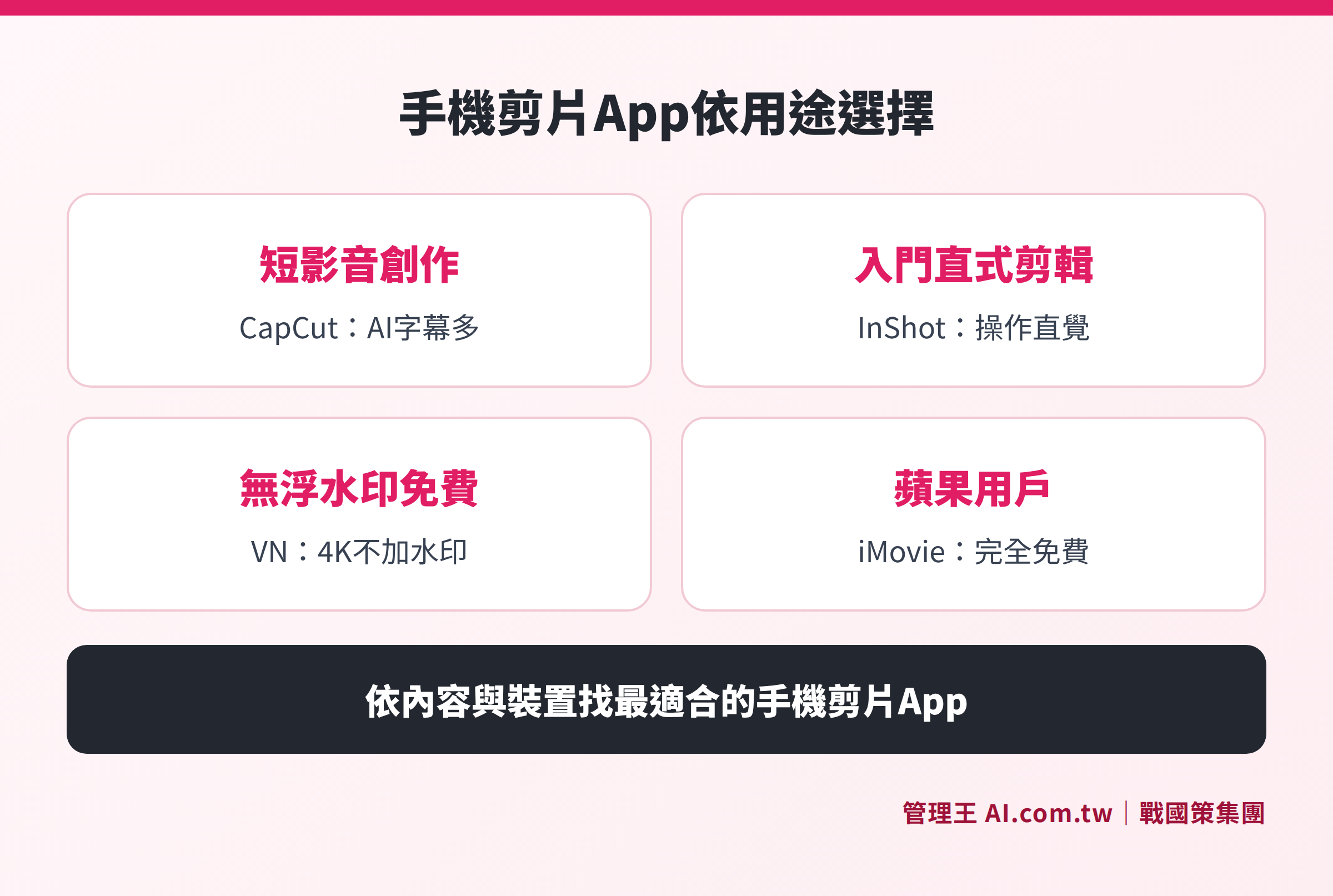
Mobile Editing App Selection Guide by Purpose
Comparison of Free Plans: Watermarks and Export Limitations at a Glance
The most common concerns when selecting an app are whether the free version has watermarks and whether it supports 4K export. Here’s the summary:
Table: Comparison of Key Restrictions in Free Versions of Five Apps
| App | Watermark | Free 4K Export | Ads | Android | iOS |
|---|---|---|---|---|---|
| CapCut | Only when using paid materials | No (1080p limit) | No | Yes | Yes |
| InShot | Yes | Yes | Yes | Yes | Yes |
| KineMaster | Yes | No (paid upgrade) | Yes | Yes | Yes |
| VN Video Editor | No | Yes (4K 60fps) | No | Yes | Yes |
| iMovie | No | Yes | No | No (Apple only) | Yes |
Recommendation:
- No watermark, no ads (free): Choose VN Video Editor (available on Android/iOS) or iMovie (limited to Apple devices).
- Accept ads for rich features: KineMaster or CapCut (be aware of material selection rules to avoid triggering watermarks).
- Minimal monthly fee to remove watermarks: InShot's monthly fee of $3.99 is the lowest option among the five for watermark removal.
How to Use the Video Editor from 管理王
Mobile apps are suitable for individuals or small-scale creations, but if your business needs to continuously produce brand marketing videos, the professional video editor from 管理王 offers another direction: operate directly from a browser without installing an app, deeply integrated with brand templates.
Actual operation steps:
- Log in to the 管理王 backend and navigate to "Marketing System → Professional Video Editor."
- Create a new project and choose an output ratio (16:9 horizontal, 9:16 vertical, or 1:1 square).
- Import shooting materials and drag and drop clips along the timeline for editing.
- Apply corporate brand templates (Logo, color scheme, intro and outro) to ensure uniform style across all videos.
- Add text cards and transition effects, and export once completed.
- Pair with social scheduling management to publish finished videos across multiple platforms with one click.
The 管理王 video editor integrates with other marketing functions under the same account, allowing completed videos to be used alongside AI short video studio, landing page creation, or ad management without switching between multiple apps. The free plan can be used indefinitely, making it suitable for initial trials or small enterprises.
For a complete guide to video editing tool options, please refer to Video Editing from Scratch: Software Selection, Process, and Deployment in One Go. Related readings on the same topic: Recommendation of 8 Video Editing Software: Differences Between Free and Paid Features and The Price of Free Editing Software: An Overview of Watermarks and Export Limitations.
For plan details, please refer to 管理王 service plans or obtain usable materials through the video material library.

Mobile Editing App Selection Flowchart
Find the Best Mobile Editing Tool for You
Consultants can assist in evaluating mobile editing and corporate video marketing tools, explaining how the 管理王 video editor integrates brand templates and multi-platform publishing.
Free consultation hotline: 0800-003-191
LINE Official Account: @119m
Official website: app.AI.com.tw
Free trial: Apply for 管理王 now
Frequently Asked Questions
Can mobile editing apps be used for commercial purposes?
Each app has different commercial licensing regulations. Some free materials (music, effects, etc.) from CapCut have commercial licensing restrictions, and users should confirm the licensing terms before use; the paid plans of InShot, VN Video Editor, and KineMaster usually include commercial licensing, but it is recommended to review the latest licensing terms on their respective official websites before formal commercial use (subject to their official announcements).
Which app offers free watermark-free editing on Android?
Among the five apps, VN Video Editor is the one that is free and does not add watermarks on Android; the official website clearly states that there will be no watermarks left on the finished product. CapCut can also be watermark-free in the free version but only when using free materials, and users must pay attention to the material selection restrictions. iMovie is limited to Apple devices and not available for Android users.
Can mobile editing apps export in 4K quality?
Some apps support it: InShot's free version supports 4K export; VN Video Editor’s free version supports 4K 60fps; iMovie supports 4K; KineMaster’s paid version supports 4K 60fps, while its free version is limited to lower resolutions; CapCut's free version is limited to 1080p, and users need to pay for 4K. VN Video Editor or iMovie are better choices if 4K output is required without any payment.
Are there web-based video editing tools besides mobile apps?
Yes. CapCut offers a web-based online editor (capcut.com), and VN Video Editor also has a desktop version (Windows/Mac). The professional video editor from 管理王 is designed as a web version, usable on desktop, tablet, and mobile browsers, requiring no download, making it suitable for small and medium-sized teams that need collaboration or editing on office computers.
What are the differences between 管理王's video editing functions and mobile apps?
Mobile apps mainly target individual creators, focusing on quickly editing short videos. The purpose of the 管理王 professional video editor is different: it integrates brand templates (Logo, color schemes, intro/outro), and connects with marketing modules such as social scheduling and ad placement, making it suitable for teams in small and medium-sized enterprises that need to maintain brand consistency and mass-produce marketing videos. The same account can manage the video marketing processes of the entire company.
Source References
- CapCut Official Pricing Page (checked in November 2026)
- InShot Official Website (checked in November 2026)
- KineMaster Official Paid Plan Page (checked in November 2026)
- VN Video Editor Official Website (checked in November 2026)
- Apple iMovie Official Page (checked in November 2026)