Who Is DaVinci Resolve For? Learning Barriers and Alternatives | Video Editing Software Recommendations

DaVinci Resolve is renowned for its industry-leading color grading, with a free version supporting 4K and a one-time payment of USD $295 for the Studio version. This article compares the prices, learning difficulties, and applicable scenarios of four mainstream editing software based on publicly available information from the brand's official sites, and introduces 管理王 online video editor as a quick alternative for small and medium-sized enterprises in Taiwan to produce marketing videos.
DaVinci Resolve is a professional video editing software developed by Blackmagic Design, known worldwide for its industry-leading color grading capabilities. It integrates editing, visual effects, motion graphics, and audio post-production. DaVinci Resolve offers a completely free version, while the Studio version is available for a one-time payment, making it more cost-effective for long-term use compared to the monthly subscription model of Adobe Premiere Pro. However, DaVinci Resolve's interface is complex, with many functional modules, resulting in a learning curve that is significantly higher than standard consumer editing software. This article organizes the target audience for DaVinci Resolve, differences between the free and paid versions, and compares it with Adobe Premiere Pro, Final Cut Pro, and CapCut based on publicly available information (as of November 2026).
What Is DaVinci Resolve? What's the Difference Between the Free and Studio Versions?
DaVinci Resolve is developed by Australian film equipment provider Blackmagic Design and originated as a color correction workstation for Hollywood post-production, eventually evolving into a comprehensive video production platform covering four major modules: "Editing," "Color Grading," "Effects (Fusion)," and "Audio (Fairlight)."
DaVinci Resolve's free version has a relatively complete set of professional features, supporting 4K resolution editing, making it suitable for individual creators and learners. The Studio version is a one-time purchase that unlocks more GPU-accelerated effects, AI functionalities (such as facial recognition and background removal masks), multi-user cloud collaboration, as well as higher frame rates and resolution support.
According to the official website (as of November 2026):
Table: Main Differences Between DaVinci Resolve Free Version and Studio Version
| Feature | Free Version | Studio Version |
|---|---|---|
| License Cost | Completely Free | USD $295 (one-time purchase) |
| Max Resolution | 4K | 32K |
| Max Frame Rate | 60 FPS | 120 FPS |
| AI Features | Basic | Full (facial recognition, object detection, magnetic masks) |
| Multi-User Cloud Collaboration | Not Supported | Blackmagic Cloud Supported |
| Number of GPU Accelerated Effects | Some | 100+ |
| Noise Reduction (Video) | Not Supported | Supported |
| Platform Support | Windows, macOS, Linux | Same + iPad |
In a Nutshell
The free version of DaVinci Resolve is already one of the most powerful free professional editing tools on the market, while the Studio version is suitable for professional production teams that require AI automation and multi-user collaboration.
How High Is the Learning Bar for DaVinci Resolve?
The learning barrier for DaVinci Resolve is considered high among mainstream editing software, as it integrates four complex professional modules, each of which requires systematic learning.
Common Challenges for Beginners:
- Interface Design Is Professionally Oriented: The Editing, Color, Fusion, and Fairlight pages are independently organized, making it easy to get lost when navigating between pages for first-time users.
- Complex Color Grading Workflow: There are numerous tools including primary and secondary color grading, color wheels, and curves, requiring a foundation in monitor calibration and image interpretation.
- Higher System Requirements: A newer graphics card is needed to smoothly use GPU accelerated features.
- Limited Chinese Learning Resources: Most tutorials on YouTube are in English or Japanese, with fewer comprehensive tutorials available in Traditional Chinese.
Favorable Conditions:
- Rich free official documentation and tutorials (in English).
- The Editing (Cut/Edit page) section is more beginner-friendly, allowing for separate learning without needing to master all modules at once.
- The free version allows learning the complete editing process without any payment to get started.
Learning Resource References:
The Blackmagic Design official website offers free "DaVinci Resolve Official Training Materials" (in English), covering beginner to advanced certification courses. YouTube has a wealth of free English tutorials, with main channels like Casey Faris and Darren Mostyn receiving positive feedback from learners. There are relatively scattered Traditional Chinese learning resources that can be found in Taiwan's video creator community or on Udemy Chinese courses.
Overall, for Taiwanese small and medium-sized business owners or marketers without any editing background, the learning cost of DaVinci Resolve is fairly high; however, for creators with basic editing skills who need color grading capabilities or VFX effects, investing time in learning is very worthwhile.
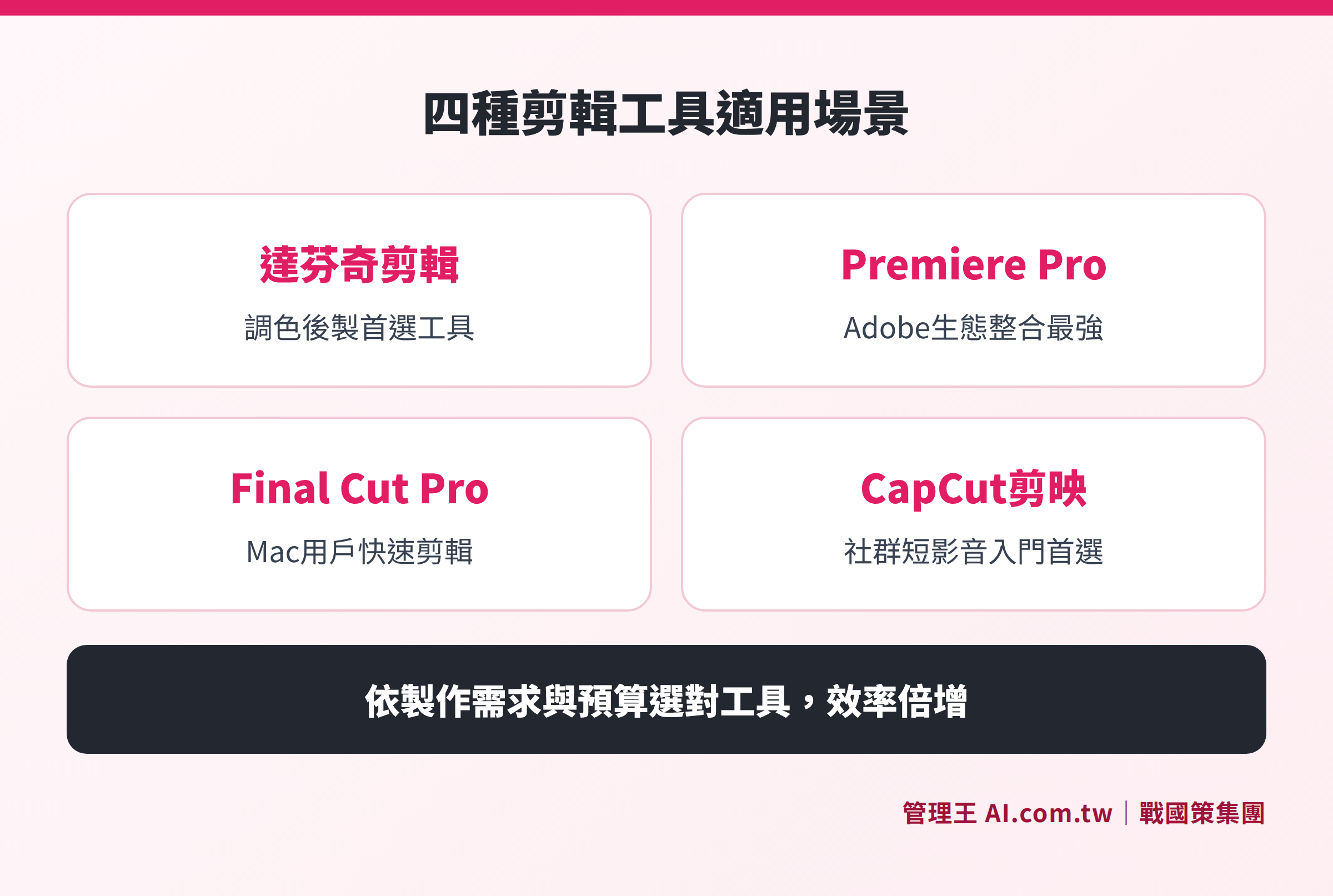
Comparison of the core strengths and applicable scenarios of DaVinci Resolve, Premiere Pro, Final Cut Pro, and CapCut based on publicly available information
Who Is DaVinci Resolve Suitable For? Who Should Avoid It?
Those Suitable for Using DaVinci Resolve:
- Image Creators with Color Grading Needs: DaVinci's color grading is the industry benchmark, essential for wedding and commercial photographers' post-production.
- Self-Taught Editors: The free version has complete features and allows learning professional-level color grading and editing techniques at no cost.
- Independent Films, Music Videos, and Commercial Production: Fusion effects and Fairlight audio allow one person to complete the full post-production process from shooting to final output.
- Long-Term Production Users: One-time payment of USD $295 is more economical than a monthly subscription, getting more cost-effective with higher production volume.
- Linux Users: DaVinci Resolve supports Linux systems, making it one of the few fully functional editing software on Linux.
Scenarios Not Recommended for Using DaVinci Resolve:
- Marketers Who Need Quick Output: The complex interface makes quick editing of a promotional video time-consuming instead.
- Mobile-First Streamers or Social Creators: DaVinci Resolve does not have a mobile version (only an iPad Studio version), making it inconvenient for mobile video editing. For more details, see Comparison of Video Editing Apps: Which Contents Are Suitable for Mobile Editing.
- Users with Older Computer Equipment: Older graphics cards may not smoothly execute color grading and effects functions.
- Teams with Many Non-Video Professionals: Spreading the learning cost across the entire marketing team can instead increase the manpower burden.
- Those Needing Free, Unrestricted Quick Editing Tools: If the main requirement is to remove watermarks or batch export, consider checking The Costs of Free Editing Software: Watermarks and Export Limitations at a Glance before deciding.
How to Evaluate If DaVinci Resolve Is Right for You?
It's advisable to first ask yourself three questions:
- Does my video post-production involve color correction (e.g., cinematic color grading, commercial post-production)?
- How much time am I willing to spend learning? (Becoming proficient in DaVinci Resolve generally requires several weeks of continuous practice)
- Long-term, is purchasing a one-time fee of USD $295 or using the free version more cost-effective than a monthly subscription?
If the answer to all three questions is yes, DaVinci Resolve is a highly competitive choice. If the main requirement is to quickly produce marketing materials, consider alternatives with a lower barrier to entry.
DaVinci Resolve vs. Mainstream Editing Software: A Complete Comparison
The following table organizes the features and prices based on publicly available information from the brands' official websites (as of November 2026):
Table: Comprehensive Comparison of Mainstream Video Editing Software
| Comparison Item | DaVinci Resolve | Adobe Premiere Pro | Final Cut Pro | CapCut |
|---|---|---|---|---|
| Cost Model | Free or USD $295 one-time | USD $22.99/month (annual) | USD $299.99 one-time (Mac) | Free or monthly subscription |
| Taiwan CapCut Monthly Fee | — | — | — | TWD 590/month (Pro) |
| Supported Platforms | Win/Mac/Linux/iPad | Win/Mac | Mac/iPad | Computer/Mobile/Web |
| Color Grading Capability | Industry's Strongest | Good | Good | Basic |
| Learning Difficulty | High | Medium | Medium-Low (for those familiar with Mac ecosystem) | Low |
| Max Resolution Supported | Up to 32K (Studio) | Up to 10K | Up to 8K | Mainly for social short videos |
| Chinese Interface | Yes (Simplified & Traditional) | Yes | Yes | Yes |
| Multi-User Collaboration | Supported in Studio version | Supported (Teams Solution) | Limited | Supported (Teams Solution) |
| Best Suited For | Professional Post-Production, Colorists | Adobe Ecosystem Users | Mac Users for Quick Editing | Social Marketing, Short Videos |
Recommendation:
- Focusing on Color Grading and Professional Post-Production → DaVinci Resolve
- If you already have an Adobe Creative Cloud Subscription → Premiere Pro (most efficient integration with Photoshop and After Effects)
- Mac Users, not needing Windows Compatibility → Final Cut Pro (one-time purchase for smooth use)
- Social Marketing, Short Videos, Mobile Editing → CapCut (the free version offers rich features, TWD 590/month upgrades to Pro)
- For Taiwanese SMEs to Quickly Produce Marketing Videos → 管理王 AI.com.tw Online Video Editor

From clarifying usage to confirming budget, four steps to find the most suitable editing tool for yourself
Are DaVinci Resolve's System Requirements High?
According to Blackmagic Design's official website (as of November 2026), the official system requirements for DaVinci Resolve are as follows:
- Operating Systems: macOS 13.0 Ventura or later, Windows 10/11, Rocky Linux 8.6 or later
- iPad Version: iPadOS 16 or later, requires A12 Bionic chip or higher
Compared to Final Cut Pro's requirement for macOS 15.6 or later, DaVinci Resolve has slightly lower requirements for OS versions; however, the color grading and effects modules still recommend pairing with a dedicated graphics card for smooth operation. Using older entry-level laptops or machines without discrete graphics may cause sluggishness during color grading.
For detailed hardware specifications (RAM, GPU memory, CPU) recommendations, refer to: Video Editing Software Comparison: Windows and Mac Hardware Requirements.
How to Use 管理王 Video Editor for SMEs in Taiwan
For marketers or small business owners, the cost of learning DaVinci Resolve may not be worth it. If your needs involve quickly editing marketing videos, product unboxings, event records, or social short videos, 管理王 AI.com.tw Video Professional Editor is a more suitable starting point.
How to Operate 管理王 Video Editor:
- Use Directly from the Browser: No software installation required, not resource-heavy, the Traditional Chinese interface is easy to start.
- Drag-and-Drop Editing on the Timeline: Clips, text cards, and audio tracks are layered, similar in operation logic to DaVinci Resolve but greatly simplified.
- One-Click Switch of Aspect Ratios: Easily switch between 16:9 (YouTube), 9:16 (Reels, TikTok), and 1:1 (Instagram), making the same material usable across multiple platforms.
- Brand Templates: Insert company logos, color schemes, and intro/outro, maintaining consistent brand identity in each video.
- Combined with AI Short Video Studio: Integrate with 管理王 AI Short Video Studio for AI-generated scripts and subtitles, and refine through the video editor.
- Direct Social Scheduling Integration: Finished videos can be directly sent to Social Scheduling Management for simultaneous release on FB, IG, LINE without needing separate operations.
The free plan can be used permanently, including basic video editor functions, with no credit card required for trial. The 戰國策 Group serves over 30,000 enterprises, and the system offers a 100% Traditional Chinese interface, aligning with Taiwanese business practices.
If you need to combine with Landing Page one-page sales pages to lead audience conversion, or want to learn more about pricing plans, you can try it for free on the official website.
---
Further reading in this series of articles:
- Video Editing from Scratch: Software Selection, Process to Publishing All in One Go
- Video Editing Software Recommendations: Differences Between Free and Paid Features
- The Costs of Free Editing Software: Watermarks and Export Limitations at a Glance
- Comparison of Video Editing Apps: Which Contents Are Suitable for Mobile Editing
Find the Most Suitable Video Editing Tool for You
管理王 consultants assist in evaluating the suitability of software such as DaVinci Resolve and Premiere Pro, or try out 管理王 online video editor directly, with the free plan available permanently and opened in just 30 seconds.
Free consultation hotline: 0800-003-191
LINE Official Account: @119m
Official Website: app.AI.com.tw
Free Trial: Apply for 管理王 Now
Frequently Asked Questions
What Limitations Does the Free Version of DaVinci Resolve Have?
According to Blackmagic Design's official website (as of November 2026), the free version of DaVinci Resolve supports a maximum resolution of 4K and 60 FPS, with major limitations including: no support for image noise reduction, inability to use Blackmagic Cloud for multi-user collaboration, and certain AI features (like magnetic masks and object detection) are exclusive to the Studio version. Daily editing, color grading, and basic Fusion effects can all be utilized in the free version.
Does DaVinci Resolve Support a Traditional Chinese Interface?
Yes, DaVinci Resolve officially supports a Traditional Chinese interface, and users in Taiwan can directly operate with Traditional Chinese.
Which Is More Suitable for Taiwanese Marketers: DaVinci Resolve or Premiere Pro?
The two have different positioning. If your work mainly involves marketing videos and social media materials, the integration of Adobe Premiere Pro with After Effects and Photoshop is more beneficial for daily marketing processes; DaVinci Resolve has advantages in color grading and high-spec post-production. If the budget is limited and Adobe ecosystem integration is not necessary, the free version of DaVinci Resolve is a good choice. If you need to quickly produce marketing videos without spending time learning complex software, consider the 管理王 AI.com.tw Video Editor.
Can DaVinci Resolve Be Used on iPad?
Yes, but you need to purchase the iPad Studio version, which, according to the official website (as of November 2026), is priced at USD $95 one-time purchase, and requires an iPad Pro (A12 Bionic chip or above) with iPadOS 16 or later installed. Its functionalities are slightly reduced compared to the desktop Studio version but still include editing and basic color grading.
Should SMEs Choose DaVinci Resolve or 管理王 Video Editor?
If the company has dedicated editors or long-term substantial video post-production needs, DaVinci Resolve (free version or Studio version) is a high-value choice. If it’s a marketing professional casually creating videos, with a primary focus on social media short videos, the 管理王 AI.com.tw online video editor is easier to use and integrates natively with marketing modules like CRM and social scheduling, making it suitable for comprehensive use by Taiwanese SMEs.
Data Sources
- Blackmagic Design DaVinci Resolve Official Product Page (as of November 2026)
- Blackmagic Design Official Pricing Page (as of November 2026)
- Adobe Premiere Pro Official Pricing (as of November 2026)
- Apple Final Cut Pro Official Page (as of November 2026)
- CapCut Official Pricing Page (as of November 2026)
- 管理王 Video Professional Editor Features Page